<?xml version="1.0" encoding="utf-8"?>
<feed xmlns="http://www.w3.org/2005/Atom">
    <title>Huangxin Dong</title>
    <subtitle>Writing about programming, video games, and languages.</subtitle>
    <link href="https://huangxindong.github.io/atom.xml" rel="self" />
    <link href="https://huangxindong.github.io/" />
    <id>https://huangxindong.github.io/</id>
    <author>
        <name>Huangxin Dong</name>
    </author>
    <updated>2026-10-24T12:47:57Z</updated>

    <entry>
        <title type="html"><![CDATA[Rules Are the Game: Formal Systems, Bounded Freedom, and the Hidden Power of the Game Developer]]></title>
        <link href="https://huangxindong.github.io/posts/rules-are-the-game--formal-systems-bounded-freedom-and-the-hidden-power-of-the-game-developer.html" />
        <id>https://huangxindong.github.io/posts/rules-are-the-game--formal-systems-bounded-freedom-and-the-hidden-power-of-the-game-developer.html</id>
        <published>2026-05-09T00:00:00Z</published>
        <updated>2026-05-09T00:00:00Z</updated>
        <content type="html"><![CDATA[<h2 data-number="1" id="preface-video-games-as-formal-systems"><span class="header-section-number">1</span> Preface: Video Games as Formal Systems</h2>
<blockquote>
<p>Those few academics who have tried to define “game” have offered up everything from Roger Caillois’ “activity which is…voluntary…uncertain, unproductive, governed by rules, make-believe” to Johan Huizinga’s “free activity…outside ‘ordinary’ life…” to Jesper Juul’s more contemporary and precise take: “A game is a rule-based formal system with a variable and quantifiable outcome, where different outcomes are assigned different values, the player exerts effort in order to influence the outcome, the player feels attached to the outcome, and the consequences of the activity are optional and negotiable.”<a href="#fn1" class="footnote-ref" id="fnref1" role="doc-noteref"><sup>1</sup></a></p>
</blockquote>
<p>This blog wants to discuss video games as formal systems, and how they grant players a freedom that is at the same time bounded.</p>
<p>But first, what is a <em>formal system</em>? A formal system is a closed structure composed of explicit symbols and rules: the symbols themselves carry no meaning; meaning comes from the relationships between symbols and from the rules that govern their operations. Mathematics, logic, and programming languages are all examples of formal systems. In this sense, games are formal systems too, as they have explicit elements (chess pieces, word tiles, characters), rules that govern how these elements interact, and boundaries between legal and illegal states. A formal system is closed and self-consistent; but what makes a game a game rather than mathematics is that semantics enter its formal structure: players bring goals, emotions, and interpretations into the system, layering meaning onto the syntax of the rules.</p>
<p>Freedom and rules form a classic antinomy: the rules of a game constrain what a player can do, yet they are also the precondition of the player’s creativity; a developer designs a system, but the system produces behaviours that exceed the designer’s intentions; a player experiences genuine freedom, yet that freedom unfolds within a carefully delimited space. These contradictions are not design problems to be solved — they are intrinsic to games as formal systems.</p>
<p>However, to make these contradictions precise, we first need to distinguish several concepts that are often used interchangeably.</p>
<h2 data-number="2" id="rules-mechanics-and-experience-in-games"><span class="header-section-number">2</span> Rules, Mechanics, and Experience in Games</h2>
<h3 data-number="2.1" id="rules-in-video-games"><span class="header-section-number">2.1</span> Rules in Video Games</h3>
<p>As we already know, in the practice of game development, developers define game behaviour by setting rules at different levels for different actions. For example, the following code defines an <code>_on_body_entered(body)</code> function for a coin, so that the player scores a point upon touching it:</p>
<div class="sourceCode" id="cb1"><pre class="sourceCode gdscript"><code class="sourceCode gdscript"><span id="cb1-1"><a href="#cb1-1" aria-hidden="true" tabindex="-1"></a><span class="kw">func</span> <span class="fu">_on_body_entered</span>(body):</span>
<span id="cb1-2"><a href="#cb1-2" aria-hidden="true" tabindex="-1"></a>    game_manager.<span class="fu">add_point</span>()</span>
<span id="cb1-3"><a href="#cb1-3" aria-hidden="true" tabindex="-1"></a>    <span class="bu">print</span>(<span class="st">&quot;+1 coin&quot;</span>)</span>
<span id="cb1-4"><a href="#cb1-4" aria-hidden="true" tabindex="-1"></a>    <span class="fu">queue_free</span>()</span></code></pre></div>
<p>Most basic game rules are quite intuitive and conventional: “touching a monster deals damage,” “taking damage reduces health”, while different games may have their own distinct settings, such as the stamina consumption during running and climbing in <em>The Legend of Zelda: Breath of the Wild</em>. Generally, good game design (as in most Nintendo games) tries not to require players to spend too long understanding the rules, instead embedding the rules into intuition, so that players can quickly find their footing, reach the next positive feedback loop, or freely explore the boundaries of the rules.</p>
<p>There are also harder-core games like <a href="https://www.zachtronics.com/tis-100/">TIS-100</a> and <a href="https://store.steampowered.com/app/1720850/AB/">A=B</a>, where the rules may not be especially complex, but players may need to read through a manual before they can begin, and deepen their understanding of the rules as difficulty increases. Such games are undeniably off-putting at first, but there are always players who find greater satisfaction in them, because the complexity of the rules is itself part of the challenge.</p>
<h3 data-number="2.2" id="from-rules-and-mechanics-to-experience"><span class="header-section-number">2.2</span> From Rules and Mechanics to Experience</h3>
<p>In everyday discussions of games, “rules” and “mechanics” are often used interchangeably, but they refer to different things.</p>
<p><em>Rules</em> are the content of a game’s formal system: explicitly statable constraints in declarative form. <code>WALL IS STOP</code>, “bishops move diagonally”, “health reaching zero means death”… these are all rules. Rules define which states in the system are legal and which transitions are permitted.</p>
<p><em>Mechanics</em> are the realisation of rules at the level of experience: the units of action a player can actually perform, and the system responses these actions trigger. Pushing a box, moving a chess piece, jumping, building… these are mechanics. Mechanics are the interface through which players enter the formal system, translating abstract rules into concrete interactive behaviour. Players tend to discuss mechanics more than specific rules, because it is through interaction that different game experiences are produced.</p>
<p>If we treat experience as a system in its own right, then the <em>experience system</em> can be understood as the whole produced when a player interacts with rules through mechanics — encompassing the generation of strategy and emotion (frustration, epiphany), as well as all the expectations and interpretations the player brings into the game. If the formal system is closed and self-consistent, the experience system is semi-open: the player’s subjectivity interacts with the rule system through mechanics, producing meanings that the rules themselves could not have anticipated.</p>
<p>The relationship between rules, mechanics, and experience is one of nesting: rules constitute the structure of the formal system, mechanics are the player’s way of entering that structure, and the experience system is the whole that emerges when the two meet.</p>
<h2 data-number="3" id="baba-is-you-a-game-played-by-changing-its-rules"><span class="header-section-number">3</span> <em>Baba Is You</em>: A Game Played by Changing Its Rules</h2>
<p><a href="https://www.hempuli.com/baba/"><em>Baba Is You</em></a> is a puzzle game made by Arvi Teikari. Like other sokoban-style games, the player controls a character on screen, pushing blocks to accomplish a task and then advancing to the next level. But <em>Baba Is You</em> differs fundamentally from most sokoban games (and most puzzle games): its puzzles are not about “finding a solution within given rules,” but about “creating a solution by changing the rules.” In other words, it brings what is normally hidden in the game’s underlying layer entirely to the surface, making rules themselves into game objects.</p>
<iframe width="560" height="315" src="https://www.youtube-nocookie.com/embed/lIWCgholN_E?si=zY7s40sJalUPiC_e" title="YouTube video player" frameborder="0" allow="accelerometer; autoplay; clipboard-write; encrypted-media; gyroscope; picture-in-picture; web-share" referrerpolicy="strict-origin-when-cross-origin" allowfullscreen>
</iframe>
<p>The game’s mechanics are quite simple. The map is scattered with word tiles (some already arranged, some loose): <code>BABA</code>, <code>IS</code>, <code>YOU</code>, <code>WALL</code>, <code>STOP</code>, <code>FLAG</code>, <code>WIN</code>… When combined, these tiles form the rules currently in effect: <code>BABA IS YOU</code> means the player controls Baba’s movement; <code>FLAG IS WIN</code> means touching the flag wins the level; <code>WALL IS STOP</code> means walls cannot be traversed. Players can push these tiles and rearrange them, thereby rewriting the rules themselves. Some tiles are intentionally placed at the edges of the map to prevent them from being moved — though players can sometimes make limited changes by pushing <code>AND</code> to the end of a phrase.</p>
<p>In practice: you can push <code>WALL</code> in front of <code>IS WIN</code>, making walls the win condition; or make <code>WALL IS YOU</code>, turning yourself into a vast shifting mass of wall. If you dismantle <code>BABA IS YOU</code> — or any phrase containing <code>IS YOU</code> — you lose your object of control. This is not a conventional “failure”: the player, having lost the rule that constitutes them as themselves, enters a strange state of subjectlessness. And of course, you can simultaneously maintain <code>BABA IS YOU</code> while forming <code>BABA IS WIN</code>, then walk toward yourself to complete the level. The design has a distinctive conceptual self-reflexivity: the game uses its own rules to discuss the nature of rules.</p>
<p>In more technical terms, the rule engine of <em>Baba Is You</em> is structurally analogous to a formal system. Its grammar can be expressed roughly in BNF notation as follows:</p>
<pre class="bnf"><code>&lt;rule&gt; ::= &lt;subject&gt; &lt;verb&gt; &lt;predicate&gt;

&lt;subject&gt; ::= &lt;noun&gt;
		   | &lt;noun&gt; AND &lt;noun&gt;

&lt;verb&gt; ::= IS | HAS | MAKE

&lt;predicate&gt; ::= &lt;noun&gt;             -- IS，HAS，MAKE
             | &lt;property&gt;          -- IS
             | &lt;noun&gt; AND &lt;noun&gt;   -- IS，HAS
             | &lt;property&gt; AND &lt;property&gt;  -- IS

&lt;noun&gt; ::= BABA | WALL | FLAG | ROCK | WATER | LAVA
               | SKULL | KEY | DOOR | TEXT | LEVEL | ...

&lt;property&gt; ::= YOU | WIN | STOP | PUSH | SINK | DEFEAT
		    | HOT | MELT | OPEN | SHUT | FLOAT | MOVE
		    | SAFE | WEAK | DONE | ...</code></pre>
<p>Word tiles are the symbol set; the legal combinations of tiles constitute the formation rules; the initial tile arrangement of each level is the axiom set; and when a player pushes tiles to rearrange them, they are effectively modifying the axiom set at runtime. But what makes this a game rather than a mathematical system is that its formal structure carries meaning that exceeds the rules: <code>WIN</code> signifies a state of value to the player; <code>YOU</code> signifies subjectivity and a sense of control. Each player’s unique experience of the game arises at this point of contact.</p>
<p>Starting from <em>Baba Is You</em> and games like it, we can discuss a slightly larger question: what exactly is a game’s formal system, and what is the relationship between game rules and player freedom? And when we bring the developer into the picture, how should we understand this complicated relationship?</p>
<h2 data-number="4" id="rules-are-the-condition-of-freedom"><span class="header-section-number">4</span> Rules Are the Condition of Freedom</h2>
<p>A common intuition, in life as in games, is that more rules mean less freedom. The rules of a game constrain what a player can do, and are therefore a restriction on freedom. But this intuition runs into immediate difficulty when confronted with actual gameplay experience. Chess has a set of strict rules: each piece’s movement is precisely specified. Yet it is precisely this strictness that makes the strategic depth of a chess game possible. If pieces could move arbitrarily, chess would no longer be chess – just pieces shuffled on a board, neither challenging nor creative.</p>
<p>This holds for many video games too. Take <em>Baba Is You</em>: the number of word tiles is finite, the logic of their combinations is finite, and the layouts of many levels are fixed. Yet it is precisely under these strict constraints that players are forced to break out of conventional thinking. So no longer searching for a path within the rules, but examining the structure of the rules themselves, looking for fissures and possibilities for recombination. Some solutions are not the paths the designer “reserved”; they are possibilities the player discovers within the combinatorial space of the rules, and sometimes possibilities the designer never anticipated.</p>
<p>This brings to mind Marx’s description of the “species-being” (<em>Gattungswesen</em>) of humanity, in the <em>Economic and Philosophic Manuscripts of 1844</em>. Marx argued that human labour differs from animal instinct in that humans can “produce according to the standard of every species,” applying an “inherent standard” to their objects. <a href="#fn2" class="footnote-ref" id="fnref2" role="doc-noteref"><sup>2</sup></a> In other words, creative human labour is not merely adaptation to given conditions, it is the active opening-up of possibility. What game players do reflects exactly this kind of creative labour. In actual gameplay, the rules are not a cage; they are a set of “inherent standards,” a language through which players think and create. Rules make the very concept of <em>creation</em> possible; without rules, there is no structure to be broken through, recombined, or exploited, and therefore no genuine player freedom.</p>
<p><em>Constraint is the condition of freedom</em>, as a paradox, has its technical counterpart in the domain of formal systems. Chomsky’s theory of generative grammar holds that the creativity of human language derives from the capacity of finite rules to generate infinite sentences. <a href="#fn3" class="footnote-ref" id="fnref3" role="doc-noteref"><sup>3</sup></a> Any native speaker can understand and produce sentences they have never heard before, precisely because language has a finite set of generative rules at its base.</p>
<p>To illustrate the same isomorphism in games: a finite set of rules can theoretically generate a near-infinite space of possible play. One of the clearest examples may be Go. My favourite example in video games is <em>Minecraft</em>, which offers players an explorable open world that generates progressively but within certain algorithmic constraints, as they move through it. Each new seed-generated world, or each step forward into unexplored territory in an existing world, can deliver a genuinely new experience.</p>
<h2 data-number="5" id="patterns-the-product-of-experience-and-play"><span class="header-section-number">5</span> Patterns: The Product of Experience and Play</h2>
<p>If rules are explicit and stated, then patterns are implicit and discovered. In actual gameplay, what players first encounter are rules and mechanics, but gradually they begin to identify the patterns beneath the rules: the implicit regularities and recognisable structures that emerge from the interaction of rules and mechanics. Good game design often builds a rhythm around this process: players identify a pattern, use it, and then encounter a moment that breaks it.</p>
<div class="sidenote">
<p>Consider <a href="https://emojikitchen.dev/">Emoji Kitchen</a>, which uses a small number of simple patterns to produce a large variety of novel combinations. People may spend quite a bit of time combining emoji in interesting ways, but I doubt many will actually try every possible combination.</p>
</div>
<p>Crucially, <mark>patterns are finite, and they can be exhausted</mark>. A formal system can theoretically generate near-infinite combinations of rules, but the meaning a player experiences does not scale linearly with the number of combinations. Given ten thousand combinations, if there are only three underlying patterns, a player will not genuinely find all ten thousand novel or interesting. Meaning is exhausted long before the possibility space is.</p>
<p>My own experience is that once I have identified the core patterns of a game, it becomes difficult to sustain interest in it — even when there is plenty of content left, or even when the developer continues to update. The games that get played repeatedly tend to be those designed to delay pattern exhaustion: large multiplayer online games maintain openness through the unpredictability of human opponents; <em>Animal Crossing</em> and <em>Stardew Valley</em> sustain engagement through temporal rhythms and emotional attachment; <em>Minecraft</em> uses algorithmically generated open worlds to keep players facing probabilistic surprises, slowing the pace at which patterns become familiar; and classic <em>Minesweeper</em>, whose patterns and tricks are not hard to learn, but it keeps players returning through the timed challenge.</p>
<p><em>Baba Is You</em> also takes an interesting approach to the problem of pattern exhaustion: it tried to make the patterns of one level rarely transfer directly to the next. Moreover, Arvi Teikari introduces new word tiles in each chapter, and not just adding content, but expanding the vocabulary of the formal system, adding elements that can generate new patterns.</p>
<p>However, no matter it is <em>Minecraft</em>’s random generation or <em>Baba Is You</em>’s chapter-by-chapter expansion, or other attempts from many different video games, their ultimately strategies are all for delaying pattern exhaustion, but cannot truly break the rule itself.</p>
<h2 data-number="6" id="freedom-or-designed-freedom"><span class="header-section-number">6</span> Freedom, or “Designed Freedom”</h2>
<p>When we bring the developer into view, the picture described above becomes considerably more complex.</p>
<div class="sidenote">
<p>Would players have more freedom if they could input their own vocabulary? <em>Scribblenauts</em> offers an example: it allows users to type almost any word or phrase and summon corresponding objects. Yet all of these items are still pre-built into the game by the developers (surely in a highly efficient way!), and players can’t summon anything outside the system’s vocabulary.</p>
</div>
<p>When a player rewrites rules in <em>Baba Is You</em>, they often feel a strong sense of surprise — <em>Yayy I changed the way this world works!</em> But this “rewriting” takes place within a deeper framework of meta-rules. You can push the tiles because the rule <code>BABA IS YOU</code> allows you to push tiles; you can form <code>WALL IS WIN</code> because <code>WIN</code> is in the game’s vocabulary and is moveable on the map. Players can never write a word outside the vocabulary, never invent a rule type that does not already exist in the system.</p>
<p>Furthermore, the layout of each level determines which tiles appear, where they appear, and whether they are within the player’s reach. This means that in designing each level, the designer has already, to some degree, pre-set and repeatedly tested the “space of possible solutions.” What feels like free exploration is exploration within a possibility space whose boundaries have been carefully drawn. Many game designers go further, deliberately designing the experience of “spontaneous discovery” as a reward mechanism. In <em>It Takes Two</em>, for instance, players can sometimes find a path off the main route, and following it may lead to a bonus level or an Easter egg. It is sometimes hard to say which outcome is more satisfying, or more deflating: discovering a path that leads to a small Easter egg, versus one that leads nowhere. The former is a genuine surprise, but the latter, in a certain sense, challenges the authority of the developer: this was probably not the experience they designed for you to have.</p>
<p>What this means is that designed freedom is not only structured, it is also bounded. The formal system may theoretically generate a vast number of combinations, but the number of <mark>patterns</mark> a player can extract from them is finite. When patterns are exhausted, the “size” of the possibility space becomes irrelevant. What remains is the mechanical execution of rules, with no new meaning emerging. The real boundary of player freedom, then, is not the number of rules – it is the number of patterns.</p>
<p>In Althusser’s terms, the game’s formal system “interpellates” the player <a href="#fn4" class="footnote-ref" id="fnref4" role="doc-noteref"><sup>4</sup></a> — it summons them into a particular subject position (“you are a creator who can change the rules”), and that subject position is itself designed. The freedom and sense of creativity the player experiences from within it are genuine, but they are also pre-established by the system.</p>
<p>This is not to say that such experience is false. But the proposition is confirmed: <strong>freedom is designed freedom, and this freedom has an inherent limit.</strong> And this fact should change how we understand it.</p>
<h2 data-number="7" id="system-overflow-bugs-and-unintended-gameplay"><span class="header-section-number">7</span> System Overflow: Bugs and Unintended Gameplay</h2>
<p><em>Emergence</em>, the intrinsic tendency of formal systems to produce behaviour at the system level that no single rule could independently predict, complicates the picture once again. When developing a game using object-oriented programming (OOP), the developer’s thinking tends to be linear and modular: define a class, specify its properties and methods, then define the next class. Each rule is designed in isolation, under control. For example:</p>
<div class="sourceCode" id="cb3"><pre class="sourceCode gdscript"><code class="sourceCode gdscript"><span id="cb3-1"><a href="#cb3-1" aria-hidden="true" tabindex="-1"></a><span class="co"># Play animations</span></span>
<span id="cb3-2"><a href="#cb3-2" aria-hidden="true" tabindex="-1"></a><span class="cf">if</span> <span class="fu">is_on_floor</span>():</span>
<span id="cb3-3"><a href="#cb3-3" aria-hidden="true" tabindex="-1"></a>    <span class="cf">if</span> direction <span class="op">==</span> <span class="dv">0</span>:</span>
<span id="cb3-4"><a href="#cb3-4" aria-hidden="true" tabindex="-1"></a>        animated_sprite_2d.<span class="fu">play</span>(<span class="st">&quot;idle&quot;</span>)</span>
<span id="cb3-5"><a href="#cb3-5" aria-hidden="true" tabindex="-1"></a>    <span class="cf">else</span>:</span>
<span id="cb3-6"><a href="#cb3-6" aria-hidden="true" tabindex="-1"></a>        animated_sprite_2d.<span class="fu">play</span>(<span class="st">&quot;run&quot;</span>)</span>
<span id="cb3-7"><a href="#cb3-7" aria-hidden="true" tabindex="-1"></a><span class="cf">else</span>:</span>
<span id="cb3-8"><a href="#cb3-8" aria-hidden="true" tabindex="-1"></a>    animated_sprite_2d.<span class="fu">play</span>(<span class="st">&quot;jumping&quot;</span>)</span></code></pre></div>
<p>But when the game runs, all these rules take effect simultaneously, interacting with one another; meanwhile the player’s behaviour is nonlinear and unpredictable. Situations arise that no single rule could have anticipated, requiring the developer to go back and revise. In this sense, a bug is not merely a code error: it is the moment at which the system’s complexity exceeds the designer’s anticipatory control — an overflow of the formal system itself.</p>
<p>This overflow does not only manifest as bugs. More interesting are the instances of “unintended gameplay” that players discover: players of <em>The Legend of Zelda: Tears of the Kingdom</em> and <em>Minecraft</em> regularly exploit the physics engine in ways the developers almost certainly never imagined, sometimes even discovering new patterns beyond those the developer pre-set; players of <em>Baba Is You</em> may also find solutions to a level entirely outside what the designer envisioned.</p>
<p>This is what makes formal systems genuinely fascinating: they create a space of possibility larger than any single designer. The developer is a meta-legislator, but once the meta-law is enacted, it produces effects that exceed the legislator’s intentions. The developer might believe they are designing a closed system, but the system’s emergent capacity makes it an open field.</p>
<h3 data-number="7.1" id="is-overflow-genuine-resistance"><span class="header-section-number">7.1</span> Is Overflow Genuine Resistance?</h3>
<p>Though this may look like entering a spiral of infinite scepticism: are the unintended plays players discover genuine resistance to the developer’s authority, or are they also, in some sense, already designed?</p>
<p>In many games, especially open-world games, developers deliberately design the experience of “accidental discovery”: what seems like a secret the player found themselves is in fact a carefully placed surprise (the Koroks in <em>The Legend of Zelda: Breath of the Wild</em> are an example). The satisfaction players feel from discovery is real, but that satisfaction is itself manufactured. In another kind of case, some games incorporate players’ “creative plays” into subsequent updates, formalising them as game mechanics, and thus what was once an overflow is absorbed back into the system. For example, ConcernedApe, upon discovering that <em>Stardew Valley</em> players were using a glitch to obtain items, chose not to patch it, but instead added a playful in-game response.</p>
<p>Gramsci’s concept of “hegemony” is relevant here: a dominant culture permits a degree of resistance precisely in order to secure deeper consent. <a href="#fn5" class="footnote-ref" id="fnref5" role="doc-noteref"><sup>5</sup></a> When game developers allow or even celebrate the discovery of unintended gameplay, it may be more like a sophisticated design strategy: letting players feel a sense of agency, thereby drawing them deeper into the game.</p>
<p>But I don’t think this analysis is a conclusion. It is a contradiction that needs to be held open. Even if the “accidental discovery” is designed, the cognitive process the player undergoes at the moment of finding it — the genuine reasoning and creativity performed within the combinatorial space of the rules — does not thereby become false. The authenticity of experience and the producedness of experience are not mutually exclusive.</p>
<p>This is also why <em>Baba Is You</em>’s system is quite interesting to me: it places the fact that “rules can be manipulated” plainly on the table. The player knows they are manipulating rules, and the designer knows the player knows. This transparency makes the game a good medium for thinking about formal systems themselves.</p>
<h2 data-number="8" id="conclusion-the-formal-system-as-a-dialectical-field"><span class="header-section-number">8</span> Conclusion: The Formal System as a Dialectical Field</h2>
<p>A game’s formal system is a dialectical field. Player’s freedom does not operated at a single level. Rules define the possibility space at the formal level; mechanics are the player’s way of entering that space; patterns are the units of meaning the player extracts through interaction; and experience is the whole that emerges when the player’s semantics meet the syntax of the formal system. This field contains several contradictions that cannot be simply resolved:</p>
<ul>
<li>Rules constrain freedom, yet are simultaneously its condition;</li>
<li>Players create within the system, but their creation takes place within a possibility space that has been designed;</li>
<li>Systems produce emergent behaviours that exceed the designer’s intentions, but that emergence may itself be part of the design.</li>
</ul>
<p>These contradictions are not problems to be solved, but intrinsic to games as formal systems. And this blog does not aim to provide an answer that resolves them, but to refuse satisfaction before the contradictions are resolved, just as dialectics does not resolve contradiction but moves toward it, bringing its nature into sharper relief.</p>
<p>When a player, after long preparation and battle, finally defeats the Ender Dragon and begins reading the End Poem; or finally solves a carefully defined puzzle and walks (as Baba, or as Wall) toward whichever object represents victory: do you feel only joy, or also a faint disorientation? As if the game had been waiting here all along for you to arrive at this so-called ending, whatever path you took to get there. As a player, was the goal you have been pursuing all this time something you genuinely wanted? Or something the designer/developer wanted you to want?</p>
<p>That disorientation, I think, is the most honest gift the formal system has to offer.</p>
<section id="footnotes" class="footnotes footnotes-end-of-document" role="doc-endnotes">
<hr />
<ol>
<li id="fn1"><p>Raph Koster, <em>Theory of Fun for Game Design</em>. (O’Reilly Media, 2013).<a href="#fnref1" class="footnote-back" role="doc-backlink">↩︎</a></p></li>
<li id="fn2"><p>Karl Marx, <em>Economic and Philosophic Manuscripts of 1844</em>, trans. Martin Milligan (Moscow: Progress Publishers, 1959).<a href="#fnref2" class="footnote-back" role="doc-backlink">↩︎</a></p></li>
<li id="fn3"><p>Noam Chomsky, <em>Syntactic Structures</em> (The Hague: Mouton, 1957).<a href="#fnref3" class="footnote-back" role="doc-backlink">↩︎</a></p></li>
<li id="fn4"><p>Louis Althusser, “Ideology and Ideological State Apparatuses,” in <em>Lenin and Philosophy and Other Essays</em>, trans. Ben Brewster (New York: Monthly Review Press, 1971).<a href="#fnref4" class="footnote-back" role="doc-backlink">↩︎</a></p></li>
<li id="fn5"><p>Antonio Gramsci, <em>Selections from the Prison Notebooks</em>, ed. and trans. Quintin Hoare and Geoffrey Nowell Smith (New York: International Publishers, 1971).<a href="#fnref5" class="footnote-back" role="doc-backlink">↩︎</a></p></li>
</ol>
</section>]]></content>
    </entry>

    <entry>
        <title type="html"><![CDATA[A Guide to Retro Gaming]]></title>
        <link href="https://huangxindong.github.io/posts/a-guide-to-retro-gaming.html" />
        <id>https://huangxindong.github.io/posts/a-guide-to-retro-gaming.html</id>
        <published>2026-04-13T00:00:00Z</published>
        <updated>2026-04-13T00:00:00Z</updated>
        <content type="html"><![CDATA[<p>When I talk about “retro games,” I usually mean both modern games made in a retro style and genuinely old games (e.g. from the 90s or earlier). In this post, it mostly refers to the latter. However, this post isn’t really about retro gaming history – it’s about a practical question: as a player, how do you actually get your hands on those good old games?</p>
<p>There are pragmatic reasons to seek them out: most are small in size, run on low-spec hardware, and cost little or nothing (since many are only playable via emulator). But the more compelling reason is the craft itself: rich worlds and clever design that remain astonishing to this day, and the occasional pleasant jolt of recognising, in some game you love right now, exactly where it came from.</p>
<p>The games industry changes at a relentless pace, and so do the ways games are made. As AI lowers the barriers to game development, I find myself worrying, as both a player and a gamedev enthusiast, that shovelware will only become more rampant. So now it feels like a good moment to look back at games that were built with genuine care – and to find in them something worth carrying forward.</p>
<hr />
<h2 data-number="1" id="retro-gaming-resources"><span class="header-section-number">1</span> Retro Gaming Resources</h2>
<p>If you just want a quick taste, the simplest option is to play directly in your browser on one of these sites:</p>
<ul>
<li><a href="https://www.retrogames.cz/index.php">RetroGames.cz</a></li>
<li><a href="https://classicreload.com/">ClassicReload.com</a></li>
<li><a href="https://classicmacdemos.com/">Classic Macintosh Game Demos</a></li>
</ul>
<p>That said, most players who are slightly more serious will prefer playing locally, because you can save your progress at any time, play offline, and generally get better input response. Here are some places to download games:</p>
<ul>
<li><a href="https://www.myabandonware.com/">My Abandonware – Download Old Video Games</a></li>
<li><a href="https://www.macsourceports.com/">Mac Source Ports: Games for Apple Silicon and Intel Macs</a></li>
<li><a href="https://github.com/bobeff/open-source-games">bobeff/open-source-games: A list of open source games</a></li>
</ul>
<h2 data-number="2" id="gog"><span class="header-section-number">2</span> GOG</h2>
<p>For players who want to download and play locally, <a href="https://www.gog.com/en/">GOG.com</a> is, without question, the <strong>best</strong> platform today for the preservation and purchase of good old games (they even run a dedicated <a href="https://www.gog.com/en/gog-preservation-program">GOG Preservation Program</a>). It carries many titles that never made it to Steam, and its greatest strength is that all games sold there are <mark>DRM-free</mark>: you can play offline without having to log in every time, unlike Steam.</p>
<p>That said, the same game can vary in subtle ways between the two platforms: GOG versions tend to have less achievement systems, for instance, so it’s worth comparing prices, platform support, and review sections before buying. Tools like <a href="https://www.gogdb.org/">GOG Database</a> and <a href="https://steamdb.info/">SteamDB</a> are handy for this.</p>
<p>Compared to the Steam client, <a href="https://www.gog.com/galaxy">GOG GALAXY</a> is more flexible in that it lets you browse and download your library across other platforms too. I actually find the open-source, free <a href="https://heroicgameslauncher.com/">Heroic Games Launcher</a> more capable and easier to use. GOG Galaxy, for what it’s worth, had a persistent bug on macOS where the app would refuse to quit properly. They only fixed in the relatively recent 2.0 update, which is rather hard to believe…</p>
<h3 data-number="2.1" id="emulators-that-ive-used"><span class="header-section-number">2.1</span> Emulators (that I’ve used)</h3>
<p>For games that no longer have any official purchase channel and no pre-compiled port available, you’ll need to download ROMs and use emulators. Here are some useful links:</p>
<ul>
<li>Download game ROMs: <a href="https://www.emulatorgamesx.net/">Emulator Games</a></li>
<li>Starter guides for many devices: <a href="https://retrogamecorps.com/">Retro Game Corps</a></li>
</ul>
<table>
<colgroup>
<col style="width: 33%" />
</colgroup>
<thead>
<tr>
<th>Emulator</th>
<th>Platform</th>
<th>Notes</th>
</tr>
</thead>
<tbody>
<tr>
<td><a href="https://www.retroarch.com/">RetroArch</a></td>
<td>Windows, Linux, macOS, iOS, Android, and more</td>
<td>A comprehensive emulator</td>
</tr>
<tr>
<td><a href="https://openemu.org/">OpenEmu</a></td>
<td>macOS</td>
<td>Emulates a huge range of consoles</td>
</tr>
<tr>
<td><a href="https://dosbox-x.com/">DOSBox-X</a></td>
<td>Windows, Linux, macOS, and DOS</td>
<td>DOS emulator</td>
</tr>
<tr>
<td><a href="http://boxerapp.com/">Boxer</a></td>
<td>macOS</td>
<td>DOS game emulator</td>
</tr>
<tr>
<td><a href="https://www.scummvm.org/">ScummVM</a></td>
<td>Windows, Linux, macOS, iOS, Android, and more</td>
<td>Limited library, but actively developed</td>
</tr>
</tbody>
</table>
<h4 data-number="2.1.1" id="a-note-on-macos-and-windows"><span class="header-section-number">2.1.1</span> A Note on macOS and Windows</h4>
<p>I’ve long had a grievance with the idea that Macs are “not for gaming.” The display quality, the speakers, the performance, the battery life of macs – all of it should, at minimum, serve anyone whose tastes run to modern video games on it. But the unfortunate reality is that many games simply haven’t been ported to macOS. For retro games, though, macOS fares reasonably fine: quite a few of the emulators above support Mac, and there are dedicated resources like <a href="https://www.macsourceports.com/">Mac Source Ports</a>, plus tools like <a href="https://www.portingkit.com/">Porting Kit</a> for converting certain GOG and Steam games into macOS-compatible formats. However, since macOS no longer supports 32-bit software a long time ago, there are still a number of (not necessarily old) games that cannot be played.</p>
<p>On Windows, most retro games can be played directly or easily found in versions that other players have already converted. For anything else, <a href="https://www.retroarch.com/">RetroArch</a> remains an excellent catch-all.</p>
<h2 data-number="3" id="classic-macintosh-games"><span class="header-section-number">3</span> Classic Macintosh Games</h2>
<figure>
<img src="../assets/images/uncle-play-games-on-mac.png.webp" style="width:60.0%" alt="Do you have any history of mental illness in your family?  I have an uncle bought Macbook for gaming." />
<figcaption aria-hidden="true">Do you have any history of mental illness in your family?<br> I have an uncle bought Macbook for gaming.</figcaption>
</figure>
<p>Early macOS had no such reputation for being “bad for gaming.” In fact, we can still experience many of those cool old Mac games today through Macintosh emulators (or real old Macs, if you have one).</p>
<p><a href="https://www.macintoshrepository.org/articles/1-getting-started-wip-">Getting Started (WIP) – Macintosh Repository</a> is an excellent all-in-one introduction to the scene. My personal emulator of choice is <a href="https://www.gryphel.com/c/minivmac/index.html">Mini vMac</a>, simply because I adore the 2bit minimalism of Macintosh System 7. Once you’re up and running, <a href="https://macintoshgarden.org/">Macintosh Garden</a> is a nice place for classic Mac games and software.</p>
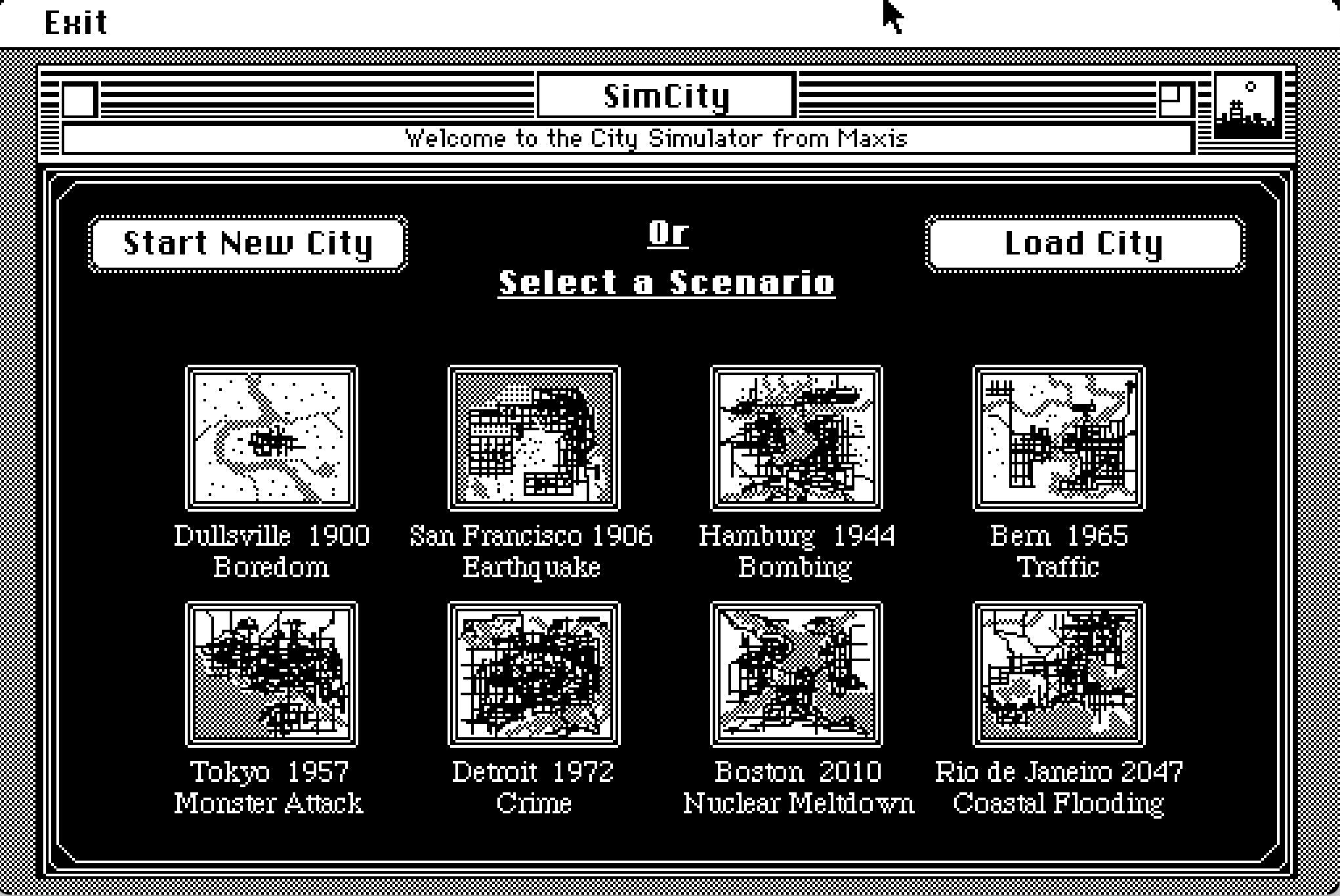
<p>One of my current favourite games is <a href="https://en.wikipedia.org/wiki/D%C3%A9j%C3%A0_Vu_(video_game)">Déjà Vu</a>, which cleverly uses the Mac’s native Finder interface as part of the game itself (there’s something wonderfully meta about it!). Other standouts from the same era include Shufflepuck Café, SimCity, Glider, and Battle Chess, each remarkable in its own way.</p>
<div class="image-grid-2">
<figure>
<img src="../assets/images/macintosh-dejavu-screenshot.png" alt="Déjà Vu screenshot" loading="lazy" />
<figcaption>
Déjà Vu
</figcaption>
</figure>
<figure>
<img src="../assets/images/macintosh-shufflepuck-cafe-screenshot.png" alt="Shufflepuck Café screenshot" loading="lazy" />
<figcaption>
Shufflepuck Café
</figcaption>
</figure>
<figure>
<img src="../assets/images/macintosh-simcity-screenshot.png" alt="SimCity screenshot" loading="lazy" />
<figcaption>
SimCity
</figcaption>
</figure>
<figure>
<img src="../assets/images/macintosh-battlechess-screenshot.png" alt="Battle Chess screenshot" loading="lazy" />
<figcaption>
Battle Chess
</figcaption>
</figure>
</div>
<hr />
<h2 data-number="4" id="nintendo"><span class="header-section-number">4</span> Nintendo</h2>
<figure>
<img src="../assets/images/gameboy-timeline.png" alt="Gameboy timeline" />
<figcaption aria-hidden="true">Gameboy timeline</figcaption>
</figure>
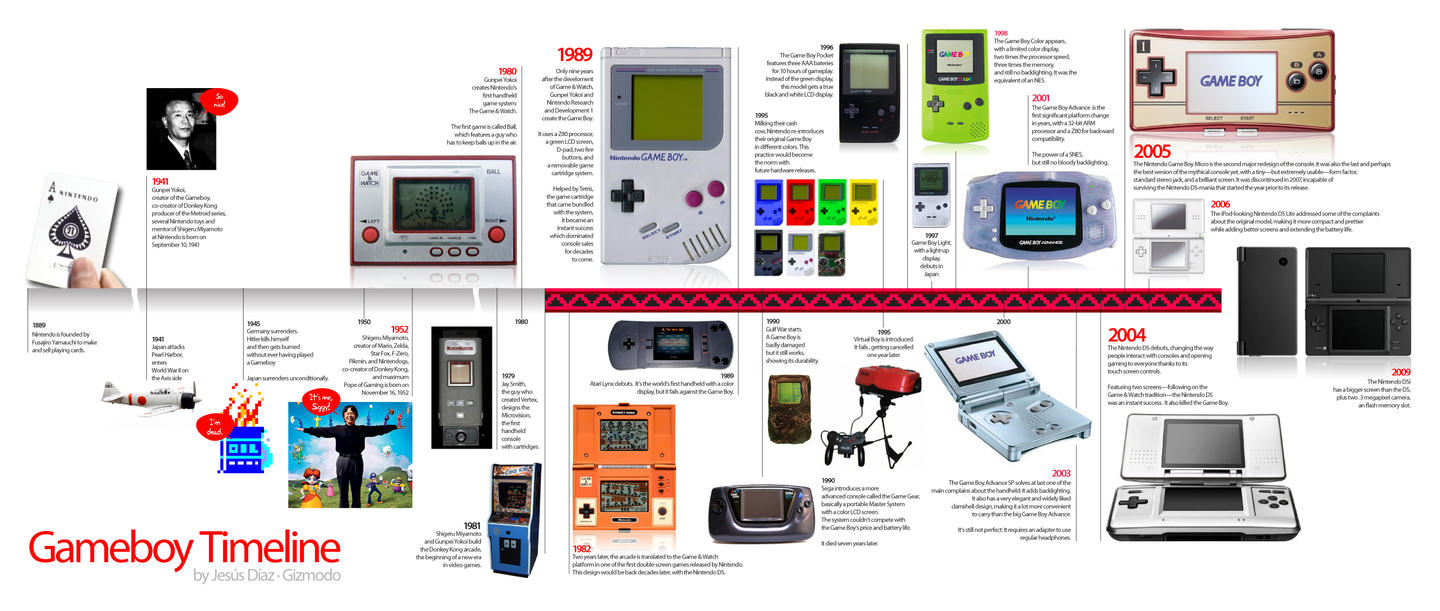
<p>As one of the defining forces in the games industry, Nintendo was producing design strokes of near-genius very early on – <em>Super Mario Bros.</em>, the <em>Legend of Zelda</em> series, and a series of inventive hardware.</p>
<figure>
<img src="../assets/images/at-Nintendo-Museum.png" alt="Me and Zoe at Nintendo Museum" />
<figcaption aria-hidden="true">Me and Zoe at Nintendo Museum</figcaption>
</figure>
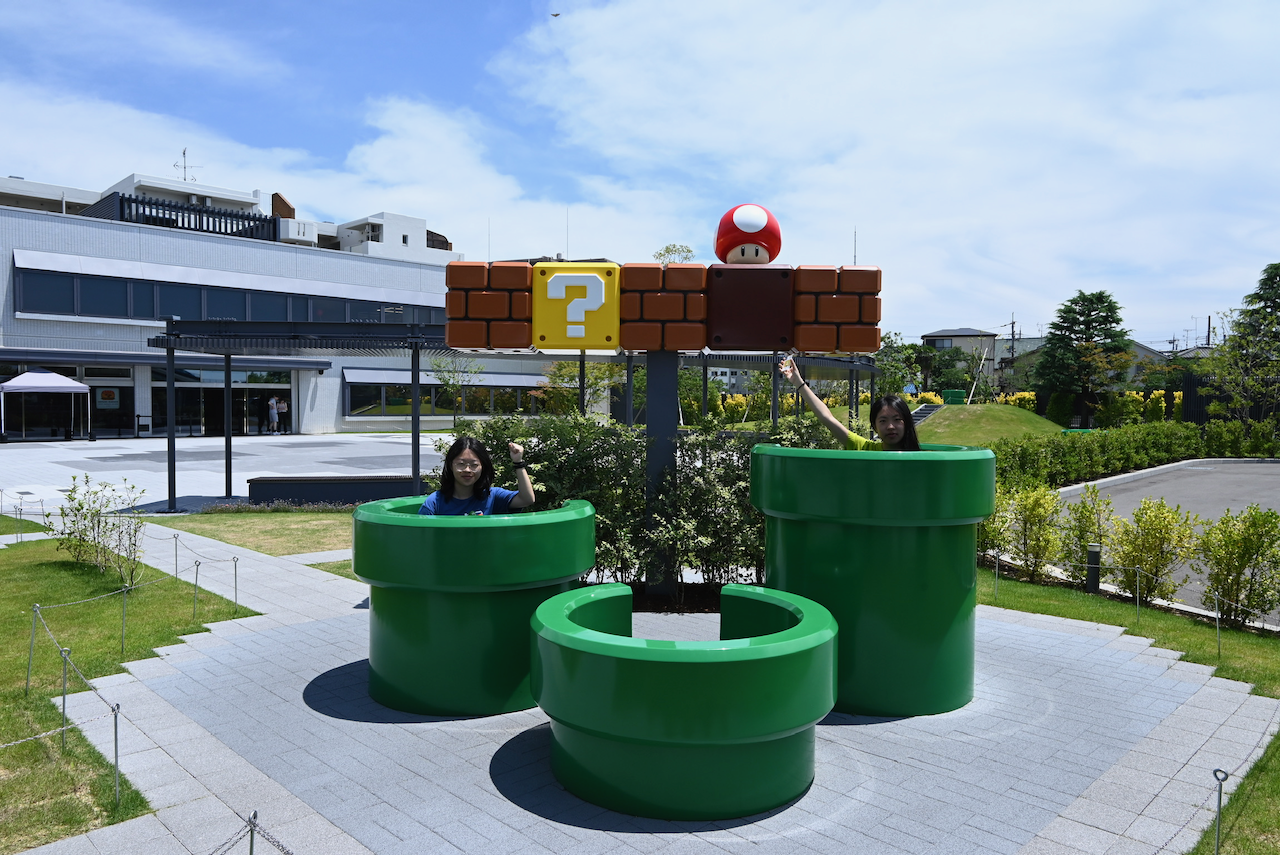
<p>The best place to explore Nintendo’s history is the <a href="https://museum.nintendo.com/en/index.html">Nintendo Museum</a>, and Nintendo’s own website also has a overview at <a href="https://www.nintendo.com/en-gb/Hardware/Nintendo-History/Nintendo-History-625945.html">Nintendo History | Hardware</a>. I’m pretty sure there are lots of YouTubers who have made videos about this too.</p>
<h3 data-number="4.1" id="nintendo-switch"><span class="header-section-number">4.1</span> Nintendo Switch</h3>
<p>Since iOS loosened its restrictions on emulator apps, you can now download a lot of GBA emulators directly from the App Store. But probably the simplest and best way to experience GBA and Famicom games in their most authentic form is through <a href="https://www.nintendo.com/en-gb/Nintendo-Switch-Online/Classic-games/Classic-games-Nintendo-Switch-Online-2719182.html">Classic games – Nintendo Switch Online</a>, if you don’t own any old consoles. With a Switch Online membership, you get access to a curated selection of games – mostly in Japanese and English, but even just playing them leaves you in quiet admiration of the design. There’s also an Expansion Pack for the more dedicated.</p>
<p>For me, there’s one particularly welcome feature: these games all support save states and rewind, so less experienced players can still experience as much of the game as possible.</p>
<h3 data-number="4.2" id="ds"><span class="header-section-number">4.2</span> 3DS</h3>
<p>Unfortunately, Nintendo Classics hasn’t yet included 3DS titles (probably because the 3DS doesn’t quite feel old enough to qualify). Your options are to use an emulator or to buy a second-hand 3DS. For emulator, <a href="https://github.com/azahar-emu/azahar">Azahar</a> is the currently active one, though I haven’t tried it personally; second-hand 3DS come in a range of models, though most are still priced somewhat higher than I’d hoped. After a long search on the second-hand market, I eventually found one – the screen is slightly yellowed, battery life is poor, certain games trigger crash bugs, and SD card read speeds are painfully slow, but it <strong>works</strong> (and worth the price).</p>
<figure>
<img src="../assets/images/3DS-screenshot.png" alt="Tomodachi Life screenshot from my 3DS" />
<figcaption aria-hidden="true">Tomodachi Life screenshot from my 3DS</figcaption>
</figure>
<p>The 3DS <a href="https://www.nintendo.com/en-gb/Hardware/Nintendo-3DS-Family/Games/Games-116361.html">game library</a> is super impressive, and many titles make wonderful use of it’s unique hardware: dual screens (top and bottom), glasses-free 3D, a camera and microphone, a circle pad, a stylus. By today’s standards the performance and fidelity are decidedly vintage, but put it all together and the experience still feels inventive and fresh. You’ll find yourself marvelling repeatedly at the ingenuity of the people who designed both the games and the hardware. In my opinion, the 3DS is one platform where buying a physical unit rather than using an emulator really does feel like the right call.</p>
<h4 data-number="4.2.1" id="modding-installing-games-and-system-setup"><span class="header-section-number">4.2.1</span> Modding, Installing Games, and System Setup</h4>
<p>OasisAkari’s blog has an detailed walkthrough (in Chinese): <a href="https://stray-soul.com/3dshack-getstarted.html">3DS Modding – Getting Started</a></p>
<h4 data-number="4.2.2" id="download-3ds-games"><span class="header-section-number">4.2.2</span> Download 3DS Games</h4>
<ul>
<li>Chinese-translated releases:
<ul>
<li><a href="https://shipengliang.com/download/3ds/3ds-%e4%b8%ad%e6%96%87%e6%b8%b8%e6%88%8f%e5%88%97%e8%a1%a8.html">3DS Chinese Game List | Shi Pengliang’s Blog</a></li>
<li><a href="https://i3ds.fun">爱 3DS</a></li>
<li><a href="https://www.gamer520.com/13110.html">3DS Full Chinese Game Collection CIA (Official + Fan Translations) (275 titles) – Switch520</a></li>
</ul></li>
<li>English releases:
<ul>
<li><a href="https://hshop.erista.me/">hShop</a></li>
<li><a href="https://romsfun.com/roms/nintendo-3ds">3DS ROM &amp; CIA – 3DS Decrypted Game Download</a></li>
</ul></li>
</ul>
<h3 data-number="4.3" id="game-watch"><span class="header-section-number">4.3</span> Game &amp; Watch</h3>
<p>Somewhat less well-known, Game &amp; Watch was a series of handheld devices Nintendo produced in the 1980s and 90s, as part digital clock, part simple game machine. One could reasonably call them a distant ancestor of the <a href="https://www.nintendo.com/us/store/products/nintendo-sound-clock-alarmo-121311/">Nintendo Sound Clock Alarmo™</a>. In 2020, Nintendo released two limited-edition products: <a href="https://www.nintendo.com/hk/hardware/gamewatch/">Game &amp; Watch: Super Mario Bros.</a> and <a href="https://www.nintendo.com/hk/hardware/gamewatch/zelda/index.html">Game &amp; Watch: The Legend of Zelda</a>, each containing a functional clock, the original Game &amp; Watch minigames, and ports of several Famicom and Game Boy Mario and Zelda titles. Charming things.</p>
<p>Play online:</p>
<ul>
<li><a href="https://itizso.itch.io/retrofab">RetroFab by Itizso</a></li>
<li><a href="http://bdrgames.nl/lcdgames/">lcdgame.js – LCD game simulators</a></li>
</ul>
<p>There are also many fan-made HTML Game &amp; Watch games on itch.io and similar platforms, such as <a href="https://dedjo0.itch.io/cuphead-game-and-watch-edition">Cuphead: Game And Watch Edition</a> and <a href="https://dukope.itch.io/lcd-please">LCD, Please</a> (the latter is made by Lucas Pope, one of my favourite indie game developers).</p>
<hr />
<h2 data-number="5" id="conclusion"><span class="header-section-number">5</span> Conclusion</h2>
<p>Looking back, writing this post turned out to be its own kind of rabbit hole. Somewhere in the middle of organising these resources, I ended up replaying a few rounds of Simcity on Mini vMac.</p>
<p>I also realised there’s a particular quality I love about the retro gaming community: players who carefully document everything about a game on wikis and forums – modding guides, fan translations, hardware compatibility lists – not for any obvious reason, but simply because they don’t want those things to disappear, and help others to enjoy them. That instinct feels as worth preserving as the games themselves.</p>
<p>So perhaps this is less a guide than an invitation. If some half-remembered game from childhood suddenly comes back to you on a random weekend – this is a place to start looking for it ;)</p>]]></content>
    </entry>

    <entry>
        <title type="html"><![CDATA[Making of this blog]]></title>
        <link href="https://huangxindong.github.io/posts/making-of-this-blog.html" />
        <id>https://huangxindong.github.io/posts/making-of-this-blog.html</id>
        <published>2026-04-03T00:00:00Z</published>
        <updated>2026-04-19T00:00:00Z</updated>
        <content type="html"><![CDATA[<h2 data-number="1" id="stack"><span class="header-section-number">1</span> Stack</h2>
<ul>
<li><strong>Hakyll</strong> — Haskell static site generator (library, not framework)</li>
<li><strong>Pandoc</strong> — document compiler, now used as a library dependency inside the site build</li>
<li>A small Pandoc AST transform for Obsidian-style callouts and sidenotes</li>
<li>A small companion executable: <code>Formatter.hs</code></li>
</ul>
<h2 data-number="2" id="why-hakyll"><span class="header-section-number">2</span> Why Hakyll</h2>
<p>I tried Hugo, Quartz, Next.js, and a working Python/Pandoc/Jinja2 pipeline to build my blog website before this. They all did the job and were good in their own ways, but somehow I’m just not satisfied. The problem was that working with them rarely felt like <em>designing</em> — mostly it was modifying other people’s configs and hoping the result was close enough to what I actually wanted.</p>
<p>I’ve been learning <em>Functional Programming</em> for a while, and I thought it would be a good idea to use it to build my own blog: it allows you to describe a solution rather than commanding a sequence of steps. Top-down design, pattern matching, no hidden state, no side effects you didn’t ask for, and so on.</p>
<p>For example, <code>site.hs</code> <em>is</em> the build system. There’s no hidden convention underneath it. Every route, every compiler, every dependency is explicit code I wrote and can read back. The other reason is types. When I wire up a compiler pipeline, GHC tells me immediately if the pieces don’t fit. Refactoring a route is less scary when the type errors are caught before I check the output in a browser. I don’t know enough Haskell to do anything fancy. For now, <code>site.hs</code> is mostly combinators from the Hakyll API glued together. But that’s already enough for me.</p>
<p>Essentially, it’s not about which tool or which language I’m using, but how I’m using it to convey my thoughts and design my own logic of blogging.</p>
<h2 data-number="3" id="site.hs"><span class="header-section-number">3</span> site.hs</h2>
<p>Based on the template provided by Hakyll, I added a few more features:</p>
<ul>
<li><p><strong>Draft system</strong>: Posts can have <code>draft: true</code> in frontmatter. <code>isPublished</code> checks for this and filters drafts out of all listings. The compiled HTML is still accessible by direct URL tho, which is useful for previewing before publishing.</p></li>
<li><p><strong>Chronological dates from metadata</strong>: Hakyll’s default date system requires a specific filename convention (<code>YYYY-MM-DD-title.md</code>). I didn’t want to be locked into that, so my implementation tries metadata keys in order (<code>date</code>, then <code>created</code>), and uses <code>modified</code> as a tie-breaker. To ensure stability across machines, sorting is strictly metadata-driven: all posts are required to have at least one date field in the frontmatter, and the build will fail if both are missing.</p></li>
<li><p><strong><code>safeCompiler</code></strong>: Wraps a compiler in <code>catchError</code> so a single broken post doesn’t abort the entire build. Instead, the failed page renders a styled error div with the error message. Useful during drafting when a post might have broken syntax or malformed LaTeX.</p></li>
</ul>
<h2 data-number="4" id="pandoc-pipeline"><span class="header-section-number">4</span> Pandoc pipeline</h2>
<p>Originally, the compiler called Pandoc as an external process via <code>unixFilter</code>:</p>
<div class="sourceCode" id="cb1"><pre class="sourceCode haskell"><code class="sourceCode haskell"><span id="cb1-1"><a href="#cb1-1" aria-hidden="true" tabindex="-1"></a>getResourceBody <span class="op">&gt;&gt;=</span> withItemBody (unixFilter <span class="st">&quot;pandoc&quot;</span> args)</span></code></pre></div>
<p>The args I passed to Pandoc were:</p>
<pre><code>--from markdown+mark+wikilinks_title_after_pipe-yaml_metadata_block
--to html
--lua-filter filters/obsidian-callouts.lua
--number-sections
--mathjax</code></pre>
<p>That version worked fine for quite a while, and it matched the way I already used Pandoc elsewhere, especially in Obsidian. But it build depended on a separately installed <code>pandoc</code> binary, which made the build contract less explicit than I wanted. It also meant that version drift could affect the output in ways cabal itself did not really know about.</p>
<p>So I eventually rewrote this part. Now the site uses Pandoc through Hakyll’s library integration instead of shelling out to the executable. In <code>Site.Utils</code>, the compiler now does three things in sequence:</p>
<ol type="1">
<li>Read markdown into a Pandoc AST with custom reader options.</li>
<li>Transform the AST in Haskell.</li>
<li>Write it back to HTML with custom writer options.</li>
</ol>
<p>It’s more complicated than the old way, I had to add explicit <code>pandoc</code>, <code>pandoc-types</code>, and <code>text</code> dependencies to the cabal file. But in return, the site build no longer depends on a external <code>pandoc</code> executable to render posts.</p>
<h3 data-number="4.1" id="replacing-lua-filters"><span class="header-section-number">4.1</span> Replacing Lua filters</h3>
<p>In <a href="https://obsidian.md">Obsidian</a>, I use <a href="https://github.com/OliverBalfour/obsidian-pandoc">obsidian-pandoc</a> to export my notes to PDF files through <span class="math inline">\(\LaTeX\)</span> (See <a href="https://github.com/HuangxinDong/Eisvogel-for-Obsidian">HuangxinDong/Eisvogel-for-Obsidian</a> for more). It supports custom lua filters, so I use it to add some custom filters to my markdown files.</p>
<p>The legacy setup used <a href="../assets/files/obsidian-callouts.lua.txt"><code>filters/obsidian-callouts.lua</code></a> to turn Obsidian-style blockquotes like this:</p>
<div class="sourceCode" id="cb3"><pre class="sourceCode md"><code class="sourceCode markdown"><span id="cb3-1"><a href="#cb3-1" aria-hidden="true" tabindex="-1"></a><span class="at">&gt; </span><span class="co">[</span><span class="ot">!note</span><span class="co">]</span><span class="at"> title</span></span>
<span id="cb3-2"><a href="#cb3-2" aria-hidden="true" tabindex="-1"></a><span class="at">&gt; some text</span></span>
<span id="cb3-3"><a href="#cb3-3" aria-hidden="true" tabindex="-1"></a></span>
<span id="cb3-4"><a href="#cb3-4" aria-hidden="true" tabindex="-1"></a><span class="at">&gt; </span><span class="co">[</span><span class="ot">!sidenote</span><span class="co">]</span></span>
<span id="cb3-5"><a href="#cb3-5" aria-hidden="true" tabindex="-1"></a><span class="at">&gt; some text</span></span></code></pre></div>
<p>into styled callouts and sidenotes.</p>
<p>While refactoring the Pandoc Pipeline, I realised I was not really using the more complicated parts like folded callouts or type aliases, so I decided to move the transformation into Haskell without turning it into a huge rewrite.</p>
<p>As part of the refactoring, I added a <code>Site.Pandoc.Callouts</code> module that walks the Pandoc AST and rewrites matching <code>BlockQuote</code>s into the HTML structure used by the site. Unknown callout types are left alone and rendered as ordinary blockquotes, which felt like a nicer failure mode than trying to be too clever.</p>
<p>I moved <code>obsidian-callouts.lua</code> to the <code>assets/files</code> folder to keep it as a reference, but the website itself no longer depends on that filter during the build.</p>
<h2 data-number="5" id="formatter.hs"><span class="header-section-number">5</span> Formatter.hs</h2>
<p>I write most of my notes and articles in Obsidian, although they can be rendered normally in most markdown viewers, some of them does not work in Pandoc. For example, if there’s no blank line before a heading, Pandoc will render it as a normal text. Inspired by <a href="https://prettier.io/">Prettier</a>, I though it would be convient to have a tool that automatically formats the markdown files. I know prettier can also format markdown files, but it’s a nice practice to write it in Haskell, and custom it to my needs.</p>
<p><code>Formatter.hs</code> is a separate executable in the same cabal file. It finds all <code>.md</code> and <code>.markdown</code> files in the project directory, and applies a set of typography fixes
in-place before the Hakyll build runs:</p>
<ul>
<li><p>CJK/Latin spacing: inserts a space between Chinese characters and Latin</p>
<p>text/digits (e.g. <code>中文和English</code> -&gt; <code>中文和 English</code>), but skips inline code spans.</p></li>
<li><p>Heading formatting: ensures <code>##title</code> becomes <code>## title</code> meanwhile ignore <code>#title</code> since sometimes it can also be a <code>#tag</code> (and I don’t really use H1 a lot in my notes anyway).</p></li>
<li><p>Blank line insertion around headings and list blocks.</p></li>
<li><p>Ignore frontmatter in the start of the file, and ignore files with <code>formatter: false</code> in frontmatter.</p></li>
</ul>
<p>To run the formatter:</p>
<div class="sourceCode" id="cb4"><pre class="sourceCode bash"><code class="sourceCode bash"><span id="cb4-1"><a href="#cb4-1" aria-hidden="true" tabindex="-1"></a><span class="ex">cabal</span> run formatter</span>
<span id="cb4-2"><a href="#cb4-2" aria-hidden="true" tabindex="-1"></a><span class="ex">cabal</span> run formatter <span class="at">--</span> <span class="at">--dry-run</span> <span class="co"># print diff without writing</span></span></code></pre></div>
<p>During the development of the formatter, I realised there’re much more edge cases than I thought. The dry-run mode turned out to be really useful because the formatter can be a bit aggressive, and it’s always a good idea to check the diff before applying the changes, before I can 100% trust my code.</p>
<h2 data-number="6" id="data-integration-douban-archive"><span class="header-section-number">6</span> Data Integration: Douban Archive</h2>
<p>I wanted to have a place to keep track of the books I’ve read and movies I’ve watched, without relying on a third-party service. Since I’ve been using <a href="https://www.douban.com/">Douban</a> for years, I decided to import my data from there.</p>
<p>The implementation is split into a few parts:</p>
<ul>
<li><strong>Ingestion</strong>: Using Hakyll’s <code>preprocess</code>, the site-building process loads CSV exports from <code>assets/douban/</code>.</li>
<li><strong><code>Douban.Records</code></strong>: A Haskell module that handles the heavy lifting of CSV parsing (dealing with BOM, multi-line fields, and weird encoding quirks). It normalises the data into a common <code>DoubanRecord</code> format.</li>
<li><strong>Dynamic Routing</strong>: Instead of creating a markdown file for every category, <code>site.hs</code> uses <code>createRecordStatusPages</code> to programmatically generate pages for Books, Movies, Music, and Games, including separate “Read/Watched/etc.” and “Wishlist” views.</li>
</ul>
<p>This keeps my “Records” section automatically updated whenever I drop a new CSV export into the folder and rebuild the site.</p>
<h2 data-number="7" id="whats-next"><span class="header-section-number">7</span> What’s next</h2>
<ul class="task-list">
<li><label><input type="checkbox" />Tags are implemented but the tag pages are unstyled.</label></li>
<li><label><input type="checkbox" checked /><code>--number-sections</code> should probably be opt-in per post, not global. -&gt; it can be controlled by frontmatter now.</label></li>
<li><label><input type="checkbox" />It should probably become more deliberate per post, rather than just “on by default unless disabled”.</label></li>
<li><label><input type="checkbox" />The <code>series/</code> concept is half-baked — I’m still not sure how to use it.</label></li>
<li><label><input type="checkbox" checked />css is still pretty basic: no support for dark mode, no responsive design, etc.</label></li>
<li><label><input type="checkbox" checked />Integrate reading/watching/listening/gaming records.</label></li>
<li><label><input type="checkbox" />Add a search function.</label></li>
<li><label><input type="checkbox" checked />Add a comment area. -&gt; I added a comment section using giscus.</label></li>
<li><label><input type="checkbox" />Write more posts rather than just playing with the blog!</label></li>
</ul>
<hr />
<p>The <a href="https://github.com/HuangxinDong/HuangxinDong.github.io">source code</a> of this blog is available on GitHub. Feel free to check it out if you’re interested or have any suggestions!</p>]]></content>
    </entry>

    <entry>
        <title type="html"><![CDATA[Fixing My Zsh Setup: Autosuggestions & History Search]]></title>
        <link href="https://huangxindong.github.io/posts/fixing-my-zsh-setup.html" />
        <id>https://huangxindong.github.io/posts/fixing-my-zsh-setup.html</id>
        <published>2026-04-02T00:00:00Z</published>
        <updated>2026-04-02T00:00:00Z</updated>
        <content type="html"><![CDATA[<p>I use macOS Terminal with <a href="https://github.com/ohmyzsh/ohmyzsh">ohmyzsh</a>, since I’m not a power user and just want the simplest and most convenient setup. But for a while my shell config had two problems I kept ignoring:</p>
<ol type="1">
<li>I couldn’t accept a single word from the grey hint, tab would accept the whole suggestion.</li>
<li>After typing a prefix like <code>npm run</code> and pressing <code>↓</code> through history matches, hitting <code>↓</code> at the bottom just got stuck. But I want it to go back to a clean line.</li>
</ol>
<h2 data-number="1" id="the-original-setup"><span class="header-section-number">1</span> The original setup</h2>
<p>I had both <a href="https://github.com/marlonrichert/zsh-autocomplete">zsh-autocomplete</a> and <a href="https://github.com/zsh-users/zsh-autosuggestions">zsh-autosuggestions</a> installed at the same time, and didn’t notice they conflict. <code>zsh-autocomplete</code> is quite heavy to me and takes over ZLE widget registration at load time, quietly breaking things that rely on the standard completion machinery. So I decided to remove it and rely solely on <code>zsh-autosuggestions</code>. This fixed several ghost issues I hadn’t noticed before.</p>
<p>But the more interesting problem was the key bindings.</p>
<h2 data-number="2" id="the-i-trap"><span class="header-section-number">2</span> The <code>^I</code> trap</h2>
<p>I had this line in my config:</p>
<div class="sourceCode" id="cb1"><pre class="sourceCode zsh"><code class="sourceCode zsh"><span id="cb1-1"><a href="#cb1-1" aria-hidden="true" tabindex="-1"></a><span class="bu">bindkey</span> <span class="st">'^I'</span> autosuggest-accept  <span class="co"># ^I is Tab</span></span></code></pre></div>
<p>Binding it to <code>autosuggest-accept</code> meant Tab would accept the entire suggestion instead of triggering completion. It seems reasonable on its face, but also caused a side effect: in macOS Terminal, <code>→</code> shares some input handling with Tab in certain contexts, so when I set <code>bindkey '^[[C' forward-word</code>, pressing <code>→</code> was silently triggering <code>autosuggest-accept</code> (whole line) rather than just moving the cursor one word to the right.</p>
<p>The solution is to remove the <code>^I</code> binding. I finally decided to use <code>→</code> to accept the entire suggestion instead, and use <code>option + →</code> to accept one word at a time, just as how I usually move cursor in other IDEs (sometimes I do use vim though, but not that often).</p>
<p>Btw, to confirm what any key actually sends, use <code>cat -v</code> and press the key, then <code>Ctrl+C</code> to abort.</p>
<h2 data-number="3" id="accepting-one-word-at-a-time"><span class="header-section-number">3</span> Accepting one word at a time</h2>
<p><code>zsh-autosuggestions</code> doesn’t have a built-in “accept one word” widget. Instead, it has a widget called <code>ZSH_AUTOSUGGEST_PARTIAL_ACCEPT_WIDGETS</code>. Any widget listed there will, when executed, absorb the corresponding portion of the suggestion into the real buffer.</p>
<p>Meanwhile, <code>forward-word</code> moves the cursor one word to the right. So by adding it to the list, bind <code>→</code> to it, and pressing <code>→</code> will pull one word out of the suggestion each time. And that’s exactly what I always wanted.</p>
<p>Note that two things matter here:</p>
<ul>
<li><strong>The variable must be set before sourcing the plugin.</strong> It’s read once at initialisation. Setting it afterwards has no effect.</li>
<li><strong>The binding must be set after <code>oh-my-zsh.sh</code> is sourced.</strong> Oh My Zsh will overwrite bindings set before it loads. Anything you want to stick should be placed at the bottom of <code>.zshrc</code></li>
</ul>
<h2 data-number="4" id="history-substring-search"><span class="header-section-number">4</span> History substring search</h2>
<p><a href="https://github.com/zsh-users/zsh-history-substring-search">zsh-history-substring-search</a> filters history by whatever you have already typed. For example, type <code>npm run</code>, press <code>↑</code>, and you cycle only through commands that start with <code>npm run</code>. With nothing typed, it behaves like normal history navigation.</p>
<div class="sourceCode" id="cb2"><pre class="sourceCode zsh"><code class="sourceCode zsh"><span id="cb2-1"><a href="#cb2-1" aria-hidden="true" tabindex="-1"></a><span class="bu">source</span> <span class="va">$(</span><span class="ex">brew</span> <span class="at">--prefix</span><span class="va">)</span>/share/zsh-history-substring-search/zsh-history-substring-search.zsh</span>
<span id="cb2-2"><a href="#cb2-2" aria-hidden="true" tabindex="-1"></a><span class="va">HISTORY_SUBSTRING_SEARCH_ENSURE_UNIQUE</span><span class="op">=</span>1</span>
<span id="cb2-3"><a href="#cb2-3" aria-hidden="true" tabindex="-1"></a></span>
<span id="cb2-4"><a href="#cb2-4" aria-hidden="true" tabindex="-1"></a><span class="bu">bindkey</span> <span class="st">'^[[A'</span> history-substring-search-up</span>
<span id="cb2-5"><a href="#cb2-5" aria-hidden="true" tabindex="-1"></a><span class="bu">bindkey</span> <span class="st">'^[[B'</span> history-substring-search-down</span>
<span id="cb2-6"><a href="#cb2-6" aria-hidden="true" tabindex="-1"></a><span class="bu">bindkey</span> <span class="st">'^P'</span>   history-substring-search-up    <span class="co"># fallback for tmux / SSH</span></span>
<span id="cb2-7"><a href="#cb2-7" aria-hidden="true" tabindex="-1"></a><span class="bu">bindkey</span> <span class="st">'^N'</span>   history-substring-search-down</span></code></pre></div>
<p>The remaining problem was the <em>stuck-at-bottom</em> behaviour. When you reach the most recent match and press <code>↓</code> again, the plugin sets <code>HISTORY_SUBSTRING_SEARCH_RESULT</code> to an empty string. That’s the signal to clear the line:</p>
<div class="sourceCode" id="cb3"><pre class="sourceCode zsh"><code class="sourceCode zsh"><span id="cb3-1"><a href="#cb3-1" aria-hidden="true" tabindex="-1"></a><span class="fu">_history_substring_search_down_then_clear()</span> <span class="kw">{</span></span>
<span id="cb3-2"><a href="#cb3-2" aria-hidden="true" tabindex="-1"></a>  <span class="cf">if</span> <span class="kw">[[</span> <span class="va">$HISTORY_SUBSTRING_SEARCH_RESULT</span> <span class="ot">==</span> <span class="st">''</span> <span class="kw">]];</span> <span class="cf">then</span></span>
<span id="cb3-3"><a href="#cb3-3" aria-hidden="true" tabindex="-1"></a>    <span class="bu">zle</span> .kill-whole-line</span>
<span id="cb3-4"><a href="#cb3-4" aria-hidden="true" tabindex="-1"></a>  <span class="cf">else</span></span>
<span id="cb3-5"><a href="#cb3-5" aria-hidden="true" tabindex="-1"></a>    <span class="bu">zle</span> history-substring-search-down</span>
<span id="cb3-6"><a href="#cb3-6" aria-hidden="true" tabindex="-1"></a>  <span class="cf">fi</span></span>
<span id="cb3-7"><a href="#cb3-7" aria-hidden="true" tabindex="-1"></a><span class="kw">}</span></span>
<span id="cb3-8"><a href="#cb3-8" aria-hidden="true" tabindex="-1"></a><span class="bu">zle</span> <span class="at">-N</span> _history_substring_search_down_then_clear</span>
<span id="cb3-9"><a href="#cb3-9" aria-hidden="true" tabindex="-1"></a><span class="bu">bindkey</span> <span class="st">'^[[B'</span> _history_substring_search_down_then_clear</span></code></pre></div>
<h2 data-number="5" id="plugin-source-order"><span class="header-section-number">5</span> Plugin source order</h2>
<p>All three plugins must be sourced in this order:</p>
<pre><code>zsh-syntax-highlighting
zsh-autosuggestions
zsh-history-substring-search</code></pre>
<p><code>zsh-syntax-highlighting</code> wraps every registered ZLE widget at load time to apply colouring. If <code>zsh-autosuggestions</code> loads first, the widgets it creates won’t be wrapped, and highlighting breaks for those interactions. Source highlighting first, and it captures everything that comes after.</p>
<h2 data-number="6" id="fzf"><span class="header-section-number">6</span> fzf</h2>
<p>One addition worth mentioning: I currently use <a href="https://github.com/junegunn/fzf">fzf</a> to replace the default <code>Ctrl+R</code> history search with a full-screen fuzzy finder. Install it with <code>brew install fzf</code>, then add this to <code>.zshrc</code>:</p>
<div class="sourceCode" id="cb5"><pre class="sourceCode zsh"><code class="sourceCode zsh"><span id="cb5-1"><a href="#cb5-1" aria-hidden="true" tabindex="-1"></a><span class="bu">eval</span> <span class="st">&quot;</span><span class="va">$(</span><span class="ex">fzf</span> <span class="at">--zsh</span><span class="va">)</span><span class="st">&quot;</span></span></code></pre></div>
<p>This also enables <code>Ctrl+T</code> (fuzzy file picker, inserts path into command line) and <code>Alt+C</code> (fuzzy <code>cd</code>).</p>
<h2 data-number="7" id="final-config"><span class="header-section-number">7</span> Final config</h2>
<p>Feel free to check <a href="https://huangxindong.github.io/assets/files/zshrc.txt">my final zshrc</a>!</p>]]></content>
    </entry>

    <entry>
        <title type="html"><![CDATA[浅谈自由软件运动与共产主义]]></title>
        <link href="https://huangxindong.github.io/posts/free-software-movement-and-communism.html" />
        <id>https://huangxindong.github.io/posts/free-software-movement-and-communism.html</id>
        <published>2025-04-16T00:00:00Z</published>
        <updated>2025-11-18T00:00:00Z</updated>
        <content type="html"><![CDATA[<div class="callout callout-note" data-callout="note">
<div class="callout-title">
<span class="callout-icon" aria-hidden="true" data-icon="i"></span><span class="callout-title-inner">Note</span>
</div>
<div class="callout-content">
<p>2025/11/17：上 <em>Computer Architecture and Operating Systems</em> 课程时听到老师提起 Richard Stallman，想起来之前看到的文章，因此更新一下。</p>
</div>
</div>
<hr />
<p>作为一位来自大陆北方的网友，在 CS 学习之余想到 <a href="https://en.wikipedia.org/wiki/Free_software_movement">自由软件运动</a>、<a href="https://en.wikipedia.org/wiki/Open-source_software_movement">开源软件运动</a> 与共产主义之间的关系似乎是一件相当自然而然的事，但是这几种理念各自本身究竟各自代表什么，各有怎样的出发点和现实效果，我一直没有深入思考过；即使愿意探讨，也常常觉得缺乏切口，因为一面是技术领域的还在不断变更的潮流，一面是源流深远且每个脉络都已经可以分支成学科的主义，而我对他们的想法和理解都更多来自于感知而非理论。</p>
<p>不过一个大约的、基础的感想是，Open-source software movement 听名字感觉像是一个有点“左”的运动，实际上核心却是注重协作方式和效率，而几乎是刻意地不强调潜在的政治性或者道德性，Free software movement 更多给人以一种 moral duty 的感觉，但是其 political 程度又不足以和 communism 有太多联系，或者因为根本就来自不同的出发点和目的，只是/但是在形式上（甚至情感上）给参与者分享一种近似的体验。</p>
<p>今天刷到一篇 blog <a href="https://ivonblog.com/posts/is-free-software-communism/">自由軟體運動算不算是一種共產主義？</a><a href="#fn1" class="footnote-ref" id="fnref1" role="doc-noteref"><sup>1</sup></a>，想起来之前的想法，觉得几个概念总结起来很有意思，视角也相对比较全面（尽管难免有其倾向性）。里面也引用了一些值得参考的文章：</p>
<blockquote>
<p>Microsoft 前執行長史蒂芬·巴爾默說過，Linux 就是共產主義，見 <a href="https://www.theregister.com/2000/07/31/ms_ballmer_linux_is_communism/">MS’ Ballmer: Linux is communism</a>。應該是出於商業競爭的批評，而非以政治意識形態下去討論，畢竟自由軟體基金會曾經掀起一波又一波反 Windows 的社會運動，然後又有企業級的 Linux 出現，作為 Windows 的有力競爭對手。現在 20 年過去了，Microsoft 開始擁抱 Linux 技術了，搞出 WSL 並與 Canonical 合作，將 Ubuntu 整合進來，不再完全排斥 Linux 系統。但依然有人質疑，他們只是想要藉此吞併 Linux 達成商業目的。</p>
<p>知乎文章 <a href="https://zhuanlan.zhihu.com/p/672849105">共产主义=开源？开源软件的开发模式揭示了社会主义的生产组织方式</a> 的作者認為自由軟體運動就是促進共產主義的方法。但他批判自由軟體運動缺乏列寧式的政治領導意識，且沒有集中領導提昇生產力，使得運動駐定會失敗……按照作者的想法，我們應該組織無產階級先鋒隊，砸爛一切 Apple 與 Microsoft 專賣店裡面的產品嗎？</p>
<p>Reddit 文章 <a href="https://www.reddit.com/r/communism/comments/1cgpp1w/the_failure_of_the_free_software_movement/">The failure of the free software movement</a> 則認為自由軟體運動失敗了，他稱自由軟體運動為「布爾喬亞式的烏托邦幻想」，因為軟體都由個人駭客開發，沒有科學化的集中管理，生產力低落。且個人電腦的普及，也是資產階級在玩的東西，不集中管理的話會造成生產上的浪費。</p>
<p>編程隨想則是用更激進的方式反駁人們對自由軟體的誤解。他在 <a href="https://program-think.blogspot.com/2019/03/Misunderstand-Free-and-Open-Source-Software.html">澄清“自由软件、开源软件”相关概念及许可证的误解</a> 一文中引用了海耶克的觀點，即共產主義就是自由的終結。</p>
<p>順帶補充一點，自由軟體由許多駭客分頭開發，共同組成的社群生態，倒比較像安那其主義。這篇 <a href="https://applied-langua.ge/software-and-anarchy.pdf">Software and Anarchy</a> 的論文能闡述這一點。如果套用到當今 Web 3 掀起的去中心化潮流，這確實促進了安那其主義的發展，這個新興概念叫做「資訊無政府主義」。這肯定是追求政府集中權力的共產黨人所不樂見的。如果軟體被迫公有，且只有這一種選擇，那肯定不是自由軟體運動所追求的目標，也會反過來成為壓迫所有人的新興力量。</p>
</blockquote>
<p>此外作者也提出了一些很有意思的观点：简单来说，GPL 的“自由”来自于自愿契约，而非国家公有，同时作者保留了一部分的权利，因此在更“法律”的角度讲，“自由”并非源自产权的消解，而是源自著作权人主动以合同的方式限制自身权利的使用方式。</p>
<p>读罢以上难免感慨——正如历史，意识形态与社会运动在话语之间也变成了任人抱养的小男孩。但对我的问题，真正要厘清的，无非是这几个运动、思潮乃至主义之间哪里相似、哪里不同。而回到最初的问题：所以，自由软件运动有政治性吗？其实无论发起人 Stallman 个人的观点如何，一个运动能够引发如引文所述的来自各个立场的种种讨论，本身已经足够证明其政治性与政治性的影响力，更不必说“自由”以及与之相关的许可和协议作为一种契约也触碰了知识产权制度和技术资源的社会分配问题，而这些都是典型的政治议题。</p>
<p>那么，如何分析自由软件运动的政治性，以及其与共产主义的关系？首先从来源上，其政治性不来自阶级斗争，而是基于不断迭代的技术体系基础（例如 Git）、许可协议和技术体系，这也引出自由软件运动最与众不同也是最重要的一点——由计算机技术驱动，以及对其技术的绝对强调（“Talk is cheap. Show me the code.”）。其规范不是来自任何国家/企业/权威，而来自于技术体系自身的规则和范式。也就是说，代码取代其他自上而下的规范，作为技术性的先验结构界定了种种行为的合法性。</p>
<p>基于这样的结构，自由/开源软件也实现了一种类似于“生产关系/生产力”的自我再生产逻辑，而且在生产资料和劳动成果的公共性、生产者的社会关系上都十分相近。但不同之一是，共产主义语境中的“再生产”主要包括<em>物质生产</em>的再生产和<em>社会关系</em>的再生产，而自由/开源软件更像是一种代码和社群结构的自我再生产，而这的最本质的区别在于后者拒绝将自身纳入权力机构的话语体系，而采用许可证（法律）的形式决定生产成果的有限制的公共性。因此尽管产生了形式上的相似，自由软件在事实上仍然更接近于资本主义的“体系”下的一种由法律规范的公共领域——或者更学术地说，recursive public（Kelty 2008）<a href="#fn2" class="footnote-ref" id="fnref2" role="doc-noteref"><sup>2</sup></a>。</p>
<p>除此之外，我认为二者之间最大的区别在于资源的 accessible 和再分配问题。相比资产国有+社会主义再分配，知识、信息、软件这些资源本身不具备“数量有限、必须分配”的物质性特征。对数字资源来说，复制的成本远低于生产，也根本不存在分配的问题；更特别的，对于代码，其自身不仅具有可复制性、可修改性，还有很强的可衍生性，由这样的技术基础，产生的结构其实更类似于无中心自治体。近几年流行的社交平台 Mastodon，我想应该也是类似的理念。</p>
<p>自由软件运动也让我想起 <em><a href="https://en.wikipedia.org/wiki/Guerilla_Open_Access_Manifesto">Guerilla Open Access Manifesto</a></em>，一篇更带有个人情绪色彩的宣言。相比“open-source”，“open access”可能更接近“free software”的动机。而贡献者的动机恰好也是最初让我开始考虑此运动和共产主义之间关联的起点，因为很多人都对于知识和软件共享持有一种相对更理想主义的信念或态度。这种从朴素的共享的伦理出发的行动逻辑，与共产主义中强调的以共同体为目的的劳动等价值具有某种结构性的相似。不过这种理想主义不依赖宏大叙事也与政治刻意保持距离，更接近于通过技术、协议与协作，在整个无中心的网络中自然生长出来的公共价值，而这样的价值在今天面对不论是姓资还是姓社的主义面前都有种珍贵的自由感。</p>
<p>总结而言，在我看来，自由软件运动以技术与法律为工具，重新组织了信息社会中的权力分配方式。其政治意义不在于它是否“共产主义”，而在于它是否提供了另一种理解公共性、生产力、协作网络与资源再生产方式的可能性。不过，在人工智能技术尚且处于发展“混乱期”、监管技术和相关法律都尚未完善的今天，公开乃至私有的代码仓库被批量抓取用于训练 AI 模型，同时人们也借助诸如 AI agent 对话或者直接生成代码，乃至完全由 AI 自主决策和执行，新的创意和更多垃圾都在更快地被实现。这对当前还未确定的协作模式提出了新的挑战：更多的（非专业的）生产者得以参与其中，AI 自身不仅成为生产者的一员，甚至成为生产主力。开发效率被更进一步地大幅提高，代码的质量、安全性和法律合规性也面临着新的挑战，但更重要的问题是，这种新的范式是否会催生出新的政治经济模式？</p>
<section id="footnotes" class="footnotes footnotes-end-of-document" role="doc-endnotes">
<hr />
<ol>
<li id="fn1"><p>自由軟體運動算不算是一種共產主義？. (2025). In Ivon 的部落格. https://ivonblog.com/posts/is-free-software-communism/<a href="#fnref1" class="footnote-back" role="doc-backlink">↩︎</a></p></li>
<li id="fn2"><p>Kelty, C. (2005). Geeks, Social Imaginaries, and Recursive Publics. <em>Cultural Anthropology : Journal of the Society for Cultural Anthropology</em>, <em>20</em>(2), 185–214.<a href="#fnref2" class="footnote-back" role="doc-backlink">↩︎</a></p></li>
</ol>
</section>]]></content>
    </entry>

    <entry>
        <title type="html"><![CDATA[My Obsidian Setup]]></title>
        <link href="https://huangxindong.github.io/posts/my-obsidian-setup.html" />
        <id>https://huangxindong.github.io/posts/my-obsidian-setup.html</id>
        <published>2025-01-20T00:00:00Z</published>
        <updated>2026-04-13T00:00:00Z</updated>
        <content type="html"><![CDATA[<div class="callout callout-question" data-callout="question">
<div class="callout-title">
<span class="callout-icon" aria-hidden="true" data-icon="?"></span><span class="callout-title-inner">Question</span>
</div>
<div class="callout-content">
<p>Why Obsidian?</p>
</div>
</div>
<p>Obsidian stores notes as local markdown files — lightweight, portable, and fully under your control. You can organise, back up, and sync them in any way you like.</p>
<p>But any markdown editor can do that. What sets Obsidian apart is its refined note-taking experience and bidirectional linking, which turns isolated notes into a connected knowledge graph. On top of that, it offers a rich plugin ecosystem that covers everything from automation to the smallest quality-of-life tweaks, with css customisation, vim keybindings, and queryable note databases.</p>
<p>Below are some of the plugins and settings I use:</p>
<hr />
<h2 data-number="1" id="plugins"><span class="header-section-number">1</span> Plugins</h2>
<ul>
<li><a href="https://github.com/tgrosinger/advanced-tables-obsidian">Advanced Tables</a></li>
<li><a href="https://github.com/liamcain/obsidian-calendar-plugin">Calendar</a>: a nice and simple calendar widget, suitable for daily notes.</li>
<li><a href="https://github.com/ozntel/oz-clear-unused-images-obsidian">Clear Unused Images</a>: clear the images that are not used in note files anymore.</li>
<li><a href="https://github.com/jsmorabito/obsidian-commander">Commander</a>: it can add commands everywhere in the Obsidian UI, I don’t really use it a lot but still find it useful.</li>
<li><del><a href="https://github.com/vran-dev/obsidian-contribution-graph">Contribution Graph</a></del>: it can generate interactive heatmap for your notes, but I don’t use it anymore as I prefer to sync my notes to GitHub and view the contribution graph on it.</li>
<li><del><a href="https://github.com/blacksmithgu/obsidian-dataview">Dataview</a></del>: you can create a database from your obsidian vault, but Obsidian has its own database system now.</li>
<li><a href="https://github.com/obsidian-canzi/Enhanced-editing">Enhanced editing</a>: bulk edit for obsidian</li>
<li><a href="https://github.com/RobTheFiveNine/obsidian-gdscript">GDScript Syntax Highlighting</a>: It adds GDScript syntax highlighting.</li>
<li><a href="https://github.com/Vinzent03/obsidian-git">Git</a>: add Git and other features in Obsidian. <mark>It’s the best!</mark></li>
<li><a href="https://github.com/bingryan/obsidian-ibook-plugin">ibook</a>: the built-in solution to export iBook notes can be painful, and this plugin is a good alternative to export mac ibook annotations/hightlights to markdown.</li>
<li><del><a href="https://github.com/obsidian-community/obsidian-kanban">Kanban</a></del>: it does the job, but I’m not a big fan of any kanban.</li>
<li><a href="https://github.com/artisticat1/obsidian-latex-suite">Latex Suite</a>: it makes typesetting LaTeX faster, and saves me time on memorizing some LaTeX commands.</li>
<li><a href="https://github.com/alangrainger/obsidian-lazy-plugins">Lazy Plugin Loader</a>: it makes obsidian startup faster by loading some plugins with a delay.</li>
<li><a href="https://github.com/platers/obsidian-linter">Linter</a>: it lints your markdown files.</li>
<li><del><a href="https://github.com/pfrankov/obsidian-local-gpt">Local GPT</a></del>: I really like the concept of ollama + personal vault of notes, but the performance is not good enough.</li>
<li><a href="https://github.com/james-tindal/obsidian-mindmap-nextgen">Mindmap NextGen</a>: Create mind maps.</li>
<li><del><a href="https://github.com/chhoumann/quickadd">QuickAdd</a></del>: it’s seems like a good plugin but I don’t think I can make use of it.</li>
<li><a href="https://github.com/OliverBalfour/obsidian-pandoc">Pandoc Plugin</a>: I use this plus customised template to export my notes to PDF through LaTeX.</li>
<li><del><a href="https://github.com/brianpetro/obsidian-smart-connections">Smart Connections</a></del>: I like the idea but… I guess I just want to keep obsidian as a note-taking &amp; thinking zone, and I prefer to think and connect my notes with less help from AI.</li>
<li><a href="https://github.com/pjeby/tag-wrangler">Tag Wrangler</a>: bulk edit for tags.</li>
<li><a href="https://github.com/SilentVoid13/Templater">Templater</a>: it allows you to insert variables into your templates.</li>
<li><a href="https://github.com/polyipseity/obsidian-terminal">Terminal</a>: it integrates terminal to obsidian, which is quite helpful for many tasks that involve running commands.</li>
<li><a href="https://github.com/taskgenius/taskgenius-plugin">TaskGenius</a>: it used to be a simple task progress bar, but now it’s some kind of comprehensive task management plugin. I prefer the old version tbh.</li>
<li><a href="https://github.com/larslockefeer/obsidian-plugin-todo">TODO | Text-based GTD</a>: it generates a GTD task list from your notes, but I don’t use it that often (though I should).</li>
<li><a href="https://github.com/aidenlx/cm-chs-patch">Word Splitting for Simplified Chinese in Edit Mode and Vim Mode</a>: quite useful for Chinese word splitting.</li>
</ul>
<h2 data-number="2" id="css"><span class="header-section-number">2</span> CSS</h2>
<p>These are some of the css snippets I use in obsidian:</p>
<ul>
<li><a href="../assets/files/ob-comment-rendering-style.css">Change comment rendering style (<code>%%</code>)</a></li>
<li><a href="../assets/files/ob-faded-emoji-in-task.css">Faded emoji in task</a></li>
<li><a href="../assets/files/ob-heading-indicators.css">Heading indicators</a></li>
<li><a href="https://github.com/crnkv/obsidian-sidenote-auto-adjust-module">sidenote auto adjust</a></li>
</ul>
<h2 data-number="3" id="fonts"><span class="header-section-number">3</span> Fonts</h2>
<ul>
<li>UI Font:
<ul>
<li>SF Pro</li>
<li>Gentium Book Plus</li>
</ul></li>
<li>Body Font:
<ul>
<li>Source Serif 4</li>
<li>Source Han Serif CN VF</li>
<li>Gentium Plus</li>
</ul></li>
<li>Code Font:
<ul>
<li>Source Code Pro</li>
</ul></li>
</ul>]]></content>
    </entry>

    <entry>
        <title type="html"><![CDATA[《冥界狂想曲》: 目击众神死亡的草原上野花一片]]></title>
        <link href="https://huangxindong.github.io/posts/grim-fandango.html" />
        <id>https://huangxindong.github.io/posts/grim-fandango.html</id>
        <published>2024-12-22T00:00:00Z</published>
        <updated>2024-12-22T00:00:00Z</updated>
        <content type="html"><![CDATA[<div class="callout callout-note" data-callout="attention">
<div class="callout-title">
<span class="callout-icon" aria-hidden="true" data-icon="i"></span><span class="callout-title-inner">Attention</span>
</div>
<div class="callout-content">
<p>注意：以下文本可能包含剧透内容。</p>
</div>
</div>
<hr />
<blockquote>
<p>With bony hands I hold my partner</p>
<p>On soulless feet we cross the floor</p>
<p>The music stops as if to answer</p>
<p>An empty knocking at the door</p>
<p>It seems his skin was sweet as mango</p>
<p>When last I held him to my breast</p>
<p>But now we dance this grim fandango</p>
<p>And will four years before we rest.</p>
</blockquote>
<hr />
<p>几天前和 w 闲聊，聊起文学作品的电影改编，比如莎士比亚和简·奥斯汀。她说以后或许可以写一篇叫 Born adapted 的论文（效仿 Born translated），研究作者在创作作品的时候是否已经有意识使作品更适合被影视化，或者也可以联系电影史研究写作的时候哪些作家受到了什么电影的影响。那几天我恰好刚开始玩 <a href="https://grimfandango.network/">《冥界狂想曲（重制版）》（Grim Fandango Remastered）</a>，于是不假思索地回复她说感觉那样会有点不太好写，因为更常见的影响链或许应该是 <code>文学 -&gt; 电影 -&gt; 电子游戏</code>，特别是在题材和一些具体表现形式上，例如叙事视角与场景转换，尽管每个具体作品创作时受到的影响肯定是更错综复杂的。在之后的几天里，每当启动这个游戏，我就总开始赞叹于这部游戏独特的风格和浓郁的电影感，而上一部让我感觉特别有电影感的游戏还是深受黑泽明电影影响的《黄泉之路》（Trek to Yomi）。</p>
<hr />
<h2 id="一在传统冒险游戏与互动电影之间">一、在传统冒险游戏与互动电影之间</h2>
<blockquote>
<p>I’m gonna let it shine, let it shine, let it shine, let it shine!</p>
</blockquote>
<p>从第一幕 cutscene 开始，Grim Fandango 就已经通过电影般的镜头语言向人展现出自身超越一般 AVG 的、作为互动电影的巨大魅力——利用连续几个瞄准死神走近着的影子的分镜，即将被玩家操控的主角 Manuel Calavera（一般被叫做“Manny”，而 <a href="https://en.wikipedia.org/wiki/Calavera">Calavera</a> 在西班牙语中其实正是头骨，常见于墨西哥亡灵节）身穿斗篷举着镰刀在阴影中露出脸，却用公事公办的销售语气对茫然的新来到 Land of Dead 的新鲜客户推销起将要进行的四年灵魂旅行的旅行套餐。简单几句话，不仅让不熟悉亡灵节文化背景的玩家大略了解了游戏背景，也奠定了整体的冷幽默与黑色基调。很快，玩家也将发现 Manny 看似高端的这份死神职业只不过类似于 community service 的还债工作，不仅会因为业绩被老板斥责，他的斗篷下脚底还偷偷踩了高跷以增加身高，手拿的镰刀竟然也是相当现代化的便携折叠款。至此，传统意义上的恐怖死神印象彻底被消解，正如（在我这个中国玩家看来）亡灵节也以其轻松和团聚的气息、鲜明的装饰、食物和鲜花一定程度上消解了人对于死亡的恐惧。</p>
<figure>
<img src="https://huangxindong.github.io/assets/images/Transportation.jpg" title="Grim Fandango 中的部分交通工具" alt="Transportation in Grim Fandango" />
<figcaption aria-hidden="true"><em>Transportation in Grim Fandango</em></figcaption>
</figure>
<p>很快，借由不明原因的销售业绩严重下滑，Manny 逐渐发现了上司 Hector LeMans 与同事 Domino Hurley 似乎有所密谋，并开始以个人的力量与之对抗，而第一步只是简单的——抢客户。玩弄小花招提前搞到客户信息、带着大块头的天真小弟一路飞车、接到品行无瑕理应得到高端 Number Nine 列车旅行资格的美女优质客户、发现随之而来的重大阴谋并决心寻求某种公正，Grim Fandango 在开始就迅速集齐了黑色电影的绝大多数必备元素（由于在题材上也涉及了资本主义、腐败、工会与革命，因此也有点红色），在叙事的内容与表现方式上都显得更加具有“电影感”。不仅如此，<a href="https://www.lucasfilm.com/what-we-do/games/">LucasArts</a> 也为 Grim Fandango 配备了高水平的 <a href="https://www.youtube.com/watch?v=km6bLtiSSq4">Soundtrack</a> 和细节丰富的高质量配音，给玩家提供了良好的沉浸感。</p>
<figure>
<img src="https://huangxindong.github.io/assets/images/grim-fandango-poster.jpg" alt="Official Grim Fandango poster. 就连这个海报也很电影！" />
<figcaption aria-hidden="true"><em>Official Grim Fandango poster. 就连这个海报也很电影！</em></figcaption>
</figure>
<p>虽然在形式和题材上 Grim Fandango 都相当“电影化”，它仍然逃不开作为冒险游戏的本质，而它在冒险和谜题设计上多少有些争议，原因相当简单：有些解谜方式设置得有点太离谱，不少情况如果不看指南玩家很难猜到正确的方式（具体还是不剧透了）。不过本来就是架空世界观的有点幽默风格的游戏，其实想想解谜比较离谱倒也可以理解。操作上也有点抽象，甚至专门有个成就名叫“The Right Way – Play the whole game with tank controls. Tim demanded this achievement.” 虽然实际上可以在设置里开启 tank controls 然后之后正常使用鼠标点击游玩游戏，但总之就是这些时刻（外加一些少量的 bug）让你意识到它已经真的是一款超级老的游戏（比我还大几岁）了，对它的这些时代原因导致的缺点要宽容一点点，对它整体的跨越年代的震撼体验要额外赞扬。</p>
<p>抛开略微有点折磨人但也很有趣的谜题设计，Grim Fandango 在叙事上其实相当优秀，以电影的节奏在起承转合之间讲好了一个关于死亡与新生、腐败与革命、爱与恨的故事，而多数谜题其实都严格地为剧情服务，只是有点脑洞大开。除此之外，游戏中也有相当多鲜活立体的出场角色，比如主角的好朋友，不需要被任何人拯救的 Glottis；比如在海底一直绕圈走的唱着歌一路步行抵达终点的 Chepito；比如在临终时刻还在绝望地寻找爱（“<em>Tell me Manny, would I have had a chance?</em>”）的 Lola。每个人都以独特的属于他们自己的方式走向了最后的终点。</p>
<hr />
<h2 id="二想象性的共产主义死神镰刀">二、想象性的共产主义死神镰刀</h2>
<blockquote>
<p>¡Viva La Revolución!</p>
</blockquote>
<div class="callout callout-note" data-callout="note">
<div class="callout-title">
<span class="callout-icon" aria-hidden="true" data-icon="i"></span><span class="callout-title-inner">Note</span>
</div>
<div class="callout-content">
<p>本小节参考了来源：<a href="https://www.youtube.com/watch?v=A-WqGzwaPW4">Material vs. Immaterial: Communism in Grim Fandango</a></p>
</div>
</div>
<figure>
<img src="https://huangxindong.github.io/assets/images/salvador-limones.png" alt="Salvador Limones" />
<figcaption aria-hidden="true"><em>Salvador Limones</em></figcaption>
</figure>
<p>尽管相关方面的讨论似乎不多，但是与常见的犯罪侦探或英雄救美题材的黑色电影不同，Grim Fandango 的主线剧情是相当明确和明显的早期社会主义革命剧情：发现并对抗权力资本腐败、参加地下革命组织（在游戏中组织名叫 Lost Souls’ Alliance，其首领 Salvador Limones 感觉长得有点像切·格瓦拉……）、夺回被剥夺的普通人的车票（权利）、夺回被掌权者占据和蒙骗的（无辜而美丽的）女性、带领普通人坐上属于他们的列车以通向灵魂最后的终点。在这个亡灵社会缩影中，即使最初的设定是根据死者生前的品行来评估并通往终点，一种传统观念里期冀的因果报应，但在 Manny 上司的操控下死者仍然被阶级和财富分层，这也是剧情的核心矛盾。尽管其中也包含“英雄救美”的传统要素，但游戏中 Manny 对 Meche 几乎并没有太多情感的表达，只是反复强调是自己的错导致 Meche 无法正常坐上通往终点的、她生前品行良好的生活使她应得的豪华列车，<strong>他的等待和寻找都更多是为了自我赎罪，而不是追求感情。</strong></p>
<p>这样的剧情设计和意识形态的影响在游戏中的女性角色形象中体现得相当明显：作为剧情中的女主角之一和被 Mario 追寻拯救的 Princess Peach，Meche 也完美符合一般的革命文学的被拯救女性的特征：纯洁而品行端正、作为死人显然也没办法有太多与原生家庭的纠葛、在完全无辜的情况下被权力资本夺走了属于自己的车票和命运，在被蒙骗和重新认清事实后，她无缝衔接地加入了为地下组织服务的阵容中；扮演上司的秘书但其实一开始就成为地下党的接线员 Eva 则是“妇女能顶半边天”类形象的案例，她拒绝了所有性缘关系，以完全投身于革命事业；聪明却善妒的、容易爱上错误的男人的 Lola 尽管贡献了关键的一张照片，却仍然难逃灭亡的命运；周旋在几个资本家和革命组织领袖之间的 Olivia 则是一款经典的“蛇蝎女人”形象，一个自由派机会主义者，人们不可抵挡地被她魅惑然后背叛，但自身最后也总要迎来某个机械降神的悲惨结局。</p>
<figure>
<img src="https://huangxindong.github.io/assets/images/but-now-we-dance.jpg" alt="“But now we dance this grim fandango”" />
<figcaption aria-hidden="true"><em>“But now we dance this grim fandango”</em></figcaption>
</figure>
<p>不过值得注意的另一点是，Olivia 同时也是一家小酒吧 The Blue Casket 的 Owner，平时向顾客售卖的呃呃其实是脏水（这次是真·刷锅水），而里面的顾客也只是一群虚伪的、空谈的、伪装的社会主义者，会给念同一首诗的不同人以极端差别的回应，会因为你是你而鄙视你但因为你认识某个大人物而崇拜你。这里的社会主义只是作为 aesthetics and niches 而存在。在游戏中，玩家扮演的 Manny 也可以上台念诗，而游戏提供的念诗方式因为本身的对话点击形式而格外有趣——对于每一行诗，游戏随机提供给你一些破碎的诗意的片段，而玩家可以随便把他们组合起来就变成一首诗，多少有点对无病呻吟艺术作品的嘲讽感。不管是 Olivia、她的顾客们还是酒吧里的诗，整体都显然代表着一种虚无主义的立场。另一个有趣的地方是，Olivia 本人创作的诗句（也就是本文开篇引用的段落）“<em>But now we dance this grim fandango /And will four years before we rest.</em>”是整个游戏唯一一次对“Grim Fandango”的点题。</p>
<p>与空谈的顾客们相对，在 The Blue Casket 外不远处就有一群罢工的工蜂（不要太明显的比喻），他们是没有原始生产资料的生产者，在既有的体系下连工会费都无法缴纳。他们有愤怒但没有表达的话语系统，因此只需要给他们一本红色书籍就可以掀起变革。虽然玩家其实并不会知道工蜂引导的变革最终结果会是什么，但是游戏中最有趣的成就之一就是“ME, ME, ME-ME-ME!”，玩家需要操控 Manny 跟工蜂一起喊口号，如果喊得不齐还会被指责，简直特别幽默——在尚未争取到权力的时候对整齐和协调的强制性要求就已经出现了（截止写作，只有 4.9%的玩家达成了此成就）。</p>
<p>不论如何，Grim Fandango 并不是一款严肃地讨论相关题材的游戏，而只是以一种相对积极的态度把有共产主义色彩的思想融入到了主要剧情中，整体上仍然是黑色电影风格的。和其他很多架空世界观的作品一样，Grim Fandango 里的共产主义也是想象性的。如果说游戏对于死神的可折叠镰刀意象的消解相当成功（玩家很快就只是把镰刀当作工具、当作武器，而容易忘记它收割灵魂的原始功能），那么对共产主义镰刀的刻画更经典而刻板，但多少带一点嘲讽意味。在这方面多少会有点让人想起来极乐迪斯科——它教你渴望改变世界、让你开始试图寻找某种方法，甚至游戏制作者本人的情感认同可能也更偏近于康米主义，但游戏里的自称康米主义者多数都是一些乱七八糟的人……是的，它也告诉你康米主义是注定失败的主义。</p>
<hr />
<h2 id="三死亡与再次死亡">三、死亡，与再次死亡</h2>
<blockquote>
<p>I was born free. Nobody GAVE me no ticket, so nobody can TAKE it away.</p>
</blockquote>
<p>说到死亡，我最近经常会想起马尔克斯在《梦中的欢快葬礼和十二个异乡故事》里的那篇序，他将其解释为自己身份认同感的觉醒：</p>
<blockquote>
<p>有一天，我梦见参加自己的葬礼，走在一群朋友中间，大家穿着肃穆的黑衣，气氛却像过节般热烈。所有人都因为相聚而感到快乐。而我则比任何人都快乐，因为死亡给了我这个同拉丁美洲的朋友们欢聚一堂的好机会，他们都是我最老最亲同时也阔别最久的朋友。葬礼结束，人们开始散去，我想陪他们一同离开。但其中一个朋友的话却如当头棒喝，让我意识到，对我来说，节日已经结束。“你是唯一不能走的人。”他说。直到这时我才明白，死亡就是再也不能跟朋友们在一起。<cite><a href="#fn1" class="footnote-ref" id="fnref1" role="doc-noteref"><sup>1</sup></a></cite></p>
</blockquote>
<p>这似乎是一种很经典的很拉丁美洲的想法（请忽略我口不择言的形容词），即死亡是关于记忆与遗忘的，死亡似乎不是肉体的死去，而是你要永远离开你亲近的人，直到有一天被他们遗忘。这很容易让人想起那句《寻梦环游记》里的经典台词“<em>Death is not the end of life</em>, <em>forgetting is.</em>（死亡并非生命的终点，遗忘才是）”</p>
<figure>
<img src="https://huangxindong.github.io/assets/images/flowers.jpg" alt="“But sooner or later, we push up flowers.”" />
<figcaption aria-hidden="true"><em>“But sooner or later, we push up flowers.”</em></figcaption>
</figure>
<p>而 Grim Fandango 用另一种方式讨论死亡与第二次的死亡。如前所述，游戏第一幕 Manny 就已经告诉顾客，他之所以做这份工作是要“还债”，但用更好听的方式也可以说成是“自我救赎”。在遇见 Meche 并无意间揭开一场巨大的骗局之后，他不再仅限于自我救赎，而开始试图挽救其他无辜的普通人，要帮这些人最终可以抵达终点。这里的终点到底是什么，终点之后又会是什么？Manny 也没有答案。在结尾 Meche 困惑地问他“Are we going to be together?” 他对 Meche 说：“You know, sweetheart, if there’s one thing I’ve learned, it’s this: nobody knows what’s gonna happen at the end of the line, so you might as well enjoy the trip.” 然后他们很烂俗而夸张地、却又实在是释然而快乐地拉上列车窗帘接吻，然后随着列车一起驶入未知。</p>
<figure>
<img src="https://huangxindong.github.io/assets/images/Glottis.jpg" alt="Glottis ——而另一种可能是有的“人”无需被拯救" />
<figcaption aria-hidden="true"><em>Glottis ——而另一种可能是有的“人”无需被拯救</em></figcaption>
</figure>
<p>不管有怎样的外壳，Grim Fandango 仍然是一个关于死亡的故事，而这也是它的魅力的根本来源之一，因为人们永远会对死亡和阐释死亡的一千零一种方式无限好奇。在《寻梦环游记》中，万寿菊是亡灵世界里唯一有生命的植物，是引领亡者的花朵。而在 Grim Fandango 中，骷髅们躯体的死亡会伴随着花朵的产生，因此美丽的鲜花对他们来说却意味着痛苦的生命之毁灭、腐败和消亡。尽管每个人其实都已经死过一次，但第一次死时多数人都有点茫然，所以大概还要花四年时间来适应、来自我救赎、来最终解脱。而不管是作为亡者的引领还是亡者再一次消亡的产物，鲜花总仍然意味着生命和生命力，因此骷髅身躯的死亡产生鲜花也其实意味着死亡带来新生。</p>
<p>因此，Grim Fandango 不是那种惯常的关于死亡与遗忘的故事，你的第二次死亡并不一定是所爱之人的遗忘，而是关于你与自己的和解：关于如何自我救赎、如何现实地面对死亡——你的躯体会切切实实地被分解，成为土壤成为空气成为花朵，或者成为别的我们尚且不知道的某种事物——但在此之前，你尚且仍有机会做点什么。</p>
<section id="footnotes" class="footnotes footnotes-end-of-document" role="doc-endnotes">
<hr />
<ol>
<li id="fn1"><p>加西亚·马尔克斯著；罗秀译. 梦中的欢快葬礼和十二个异乡故事 [M]. 海口：南海出版公司, 2015.05.<a href="#fnref1" class="footnote-back" role="doc-backlink">↩︎</a></p></li>
</ol>
</section>]]></content>
    </entry>

    <entry>
        <title type="html"><![CDATA[常用电子产品记录]]></title>
        <link href="https://huangxindong.github.io/posts/my-hardware.html" />
        <id>https://huangxindong.github.io/posts/my-hardware.html</id>
        <published>2024-12-20T00:00:00Z</published>
        <updated>2025-11-30T00:00:00Z</updated>
        <content type="html"><![CDATA[<ul>
<li><p><a href="https://support.apple.com/zh-cn/111340">MacBook Pro（14 英寸，2023 年）</a>: Apple M2 Pro 芯片，对我来说，轻薄便携+性能良好+超长续航+美丽的屏幕+优雅的操作系统=完美的电脑。和其他 Apple 设备之间的联动功能，特别是小文件的隔空投送，也相当好用。作为从 Windows XP（是的，我们家那台电脑系统更新得比较迟）一路使用到 11 的 Windows 用户，macOS 操作系统虽然一开始让我有点困惑，但多数操作都很符合直觉，因此不仅学习起来相当快，整体的工作效率也有所提高（不包括 macOS 26）。最重要的是属于类 Unix 系统，可以很方便地使用各种命令行工具。缺点是没有提供 USB-A 接口。</p></li>
<li><p><a href="https://support.apple.com/zh-cn/111876">iPhone 12</a>: 在此之前我一直使用安卓手机，在上个手机摔坏内屏之后我紧急购买了这款作为替代。相比曲面屏，我一直更喜欢直面屏，而且更喜欢 iPhone 的屏幕长宽比。iPhone12 似乎是第一代回归直角边设计的 iPhone，而我恰好很喜欢这种简洁的设计。基础款的镜头没有那么凸起，因此在装上手机壳之后也可以很稳地平放手机。在这款手机之前，我很喜欢用安卓手机折腾一些比较新奇的功能，或者尝试各种 TapTap 游戏，但购买手机的时候我已经逐渐不再有那种兴趣。我对手机摄影的画质和手机性能没有特别高的要求，而格外喜欢 live 图的功能。后来发现这款机型发热严重，导致电池健康度下降非常快（目前已低于 80%），续航很差，但除此之外没什么好不满意的，而且可以逼迫我减少使用手机。</p></li>
<li><p><a href="https://support.apple.com/zh-cn/118451">iPad（第 8 代）</a>+<a href="https://support.apple.com/zh-cn/111920">Apple Pencil ( 第一代 )</a>: 超级丐版组合，但完全满足我的日常需求——偶尔用来读书、手写笔记、看电影，或者作为 MacBook 的分屏显示屏（实际效果一般），在当作分屏的时候还可以体验到类似 touch bar 的触控功能栏。偶尔也可以搭配鼠标和外接键盘使用，而且 iPadOS 中的键鼠反馈不难看出是经过精心设计的，但感觉目前来说 iPad 还是娱乐和教育性质更强，在生产力上很难替代电脑。此外的重大缺点是这代 iPad 只有单侧扬声器，横屏看剧体验相当痛苦，幸好我本来也很少外放使用。</p></li>
<li><p><a href="https://www.logitech.com/en-us/products/mice/m590-silent-wireless-mouse.910-005014.html?srsltid=AfmBOorTD7juO3-nGI_7BrjMo1_RcYxdYmR_0zSGBx8QYGherXfiTwxk">Logitech M590 Multi-Device Silent Wireless Mouse</a>: 罗技 M590 无线静音鼠标，自定义侧键功能很好用，手感不错，可以很方便地在不同设备之间切换，支持 Logi Flow（通过鼠标在电脑之间复制粘贴文本、文件等），一款没有什么可挑剔的办公鼠标，现在已经停售。</p>
<ul>
<li>以及：发现不管购买哪款 Logitech 的鼠标，不知道是不是巧合，左键都会在保修期结束后没多久损坏……不过可以自行购买更换微动以延长使用寿命。</li>
</ul></li>
<li><p><a href="https://www.nintendo.com/jp/hardware/detail/switch/index.html">Nintendo Switch</a>: 日版续航版，主要用来玩任天堂独占游戏和一些小体量游戏，通过 NS 会员还可以玩到 GBA、FC 等上古主机的精选游戏（虽然几乎都是日语英语为主，但玩起来还是深感设计精妙）。从给人的快乐（和身心健康）上来说它应该是我买过的最具性价比的产品！相比之下其他所有次世代主机都让我暂时完全没有购买欲望。甚至面对 Switch2 依然觉得很香！</p></li>
<li><p><a href="https://www.nintendo.com/en-gb/Hardware/Nintendo-3DS-Family/Nintendo-3DS/Nintendo-3DS-Features-114646.html">Nintendo 3DS</a>（已赠送给某人）: 闲鱼浏览许久淘得一台，虽然屏幕略微发黄，整体还是能够正常使用，为数不多的缺点是：续航较差、部分游戏会触发死机 bug、SD 卡读取速度超级慢。3DS 上的<a href="https://www.nintendo.com/en-gb/Hardware/Nintendo-3DS-Family/Games/Games-116361.html">游戏阵容</a>相当豪华，而且很多游戏都对其硬件有良好的适配，乃至可以利用各种独特的硬件特性进行游戏——上下双屏、裸眼 3D、摄像头+麦克风、圆环摇杆和触控笔……尽管现在来看性能和效果只能说是复古，但组合起来依旧给人新颖的游戏体验，边玩边反复赞叹当年游戏开发和硬件设计者的天才。</p></li>
<li><p><a href="https://www.casio.com/hk/watches/casio/product.F-91W-1/">F-91W-1 | CASIO</a>: 经典款电子手表，便宜、轻便、耐用、防水防摔，基础功能一应俱全。虽然很普通，但对我来说比 Apple Watch 好用很多，因为后者很容易分散我的注意力，而且续航太差了。这款手表我已经戴了七年，期间只因为断裂而更换了三次树脂表带。</p></li>
<li><p><a href="https://www.sony.com.hk/zh/electronics/interchangeable-lens-cameras/ilce-6000-body-kit?srsltid=AfmBOooqiI-CckMfK5D41fsOShX1uTYmLVlBMY9eZvJc3JISSDuNcY_d">Sony a6000</a>: 几年前购买的微单相机，功能丰富且相对比较轻便，完全满足日常生活和旅游拍摄需求，而且可以用 Imaging Edge 无线遥控和导出照片（更换电脑之后可以直接插拔 SD 卡导出），相当方便。缺点是显示屏相当一般。此外我还额外购买了一节备用电池，因为续航也相对一般。</p></li>
<li><p><a href="https://www.westerndigital.com/zh-cn/products/portable-drives/wd-elements-se-usb-3-0-ssd?sku=WDBAYN0010BBK-CESN">1 TB WD Elements™ SE SSD</a>: 很小巧的固态硬盘，传输速度还不错，用来定期备份数据。由于恰好购于固态硬盘集体涨价前夕，因此价格也算还不错。</p></li>
<li><p>HP LaserJet Pro P1106 打印机：家里用了很多年的打印机，换过好多次墨盒，曾经不小心卷进过一次键盘膜，花了很久才修好。在疫情时期它劳苦功高，目前来说则处于反正还能用的状态。有时候经常感觉通过屏幕阅读时看久了很容易走神，纸质的阅读似乎会相对好一些，但是会更难以管理笔记。</p></li>
<li><p>耳机：</p>
<ul>
<li>两条廉价有线耳机，分别是 lightning 接口和 3.5mm 接口，在不适合带头戴式耳机的场合可以用上。</li>
<li><a href="https://www.apple.com/uk/shop/buy-airpods/airpods-4/with-active-noise-cancellation">AirPods 4 with Active Noise Cancellation</a> 头戴式耳机如果久待会觉得脖子很疲惫，而我又无法忍受入耳式耳机，因此这款非入耳主动降噪耳机成为我的最好选择，与其他苹果设备的切换也相当丝滑。缺点在于实在太贵（特别是不得不在英国购买），希望可以多用几年。</li>
<li><a href="https://www.audio-technica.com.hk/index.php?op=productdetails&amp;pid=1228">ATH-SR30BT | Audio-Technica - 鐵三角</a> 音质普通的头戴式耳机，胜在轻便与超长续航（70h）。这个耳机损坏之后可能会购买有主动降噪功能的耳机。
<ul>
<li>更新：使用三年后严重掉皮，停止使用了一段时间；但发现皮快掉光之后又可以继续用了</li>
</ul></li>
</ul></li>
<li><p>充电头与数据线：两个苹果原装充电头及原装 Type-C 数据线、USB 转 Type-C 转换头、Micro USB 数据线。来英国后又买了一堆转接头，并且获赠一个 XD XCLUSIVE Wireless 3 in 1 Foldable Charger，相当实用，可以同时给手机和耳机充电。</p></li>
</ul>
<hr />
<p>简而言之，我选择的标准基本上是试图兼具高效实用和款式经典简单，并尽量选择耐用但并不因此价格超出所值过多的产品，而这种选择标准显然也可以不仅限于电子产品。我想这样的选择标准有助于我过上一种尽量简单的、低物欲的、可以随时拿起背包离开去任何其他地方的生活，而这是我一直都想获得的。</p>
<p>写下这些，突然想起很久之前读过的《达摩流浪者》里面的一段话：</p>
<blockquote>
<p>“……我一直在读惠特曼。你知道他怎么说？‘奴隶们欢呼吧，让外国的暴君心惊胆战’。他的意思是这才是一位吟游诗人，一位旧日沙漠荒路上疯癫的禅僧诗人应有的态度，你看他说的整个东西就是一个满是背包漫游者的世界，达摩流浪者们拒绝屈从普遍的人生需求。这些需求要求人们消费产品，因此不得不通过工作换来消费的特权，消费那些他们其实并不想要的垃圾，像冰箱、电视机、汽车（至少那些浮华的新车）、某种发油、除臭剂，还有那些常见的垃圾，你买来后一礼拜内就丢进垃圾箱里的东西。所有人被囚禁在一个由工作、生产、消费、工作、生产、消费组成的牢笼里。我看到一场伟大的背包革命正在展开，成千上万甚至上百万美国年轻人背着背包四处漫游，爬到山上祈祷，让孩子们笑，让老人们开心；让年轻的姑娘快乐，让年老的姑娘更快乐。所有那些尝试写诗的禅疯子没来由地恰好出现在他们的脑海里。他们通过好心行善与怪诞不经的行为，给所有人，给所有的生灵带来永恒自由的愿景。这就是我喜欢高保和史密斯的地方，你们两个家伙是东海岸来的，我原以为那地方已经死了。”<a href="#fn1" class="footnote-ref" id="fnref1" role="doc-noteref"><sup>1</sup></a></p>
</blockquote>
<p>就是这个意思。</p>
<section id="footnotes" class="footnotes footnotes-end-of-document" role="doc-endnotes">
<hr />
<ol>
<li id="fn1"><p>杰克·凯鲁亚克,业之. 达摩流浪者[M]. 长沙:湖南科学技术出版社,2021.04.<a href="#fnref1" class="footnote-back" role="doc-backlink">↩︎</a></p></li>
</ol>
</section>]]></content>
    </entry>

    <entry>
        <title type="html"><![CDATA[macOS 实用工具记录]]></title>
        <link href="https://huangxindong.github.io/posts/my-macos-setup.html" />
        <id>https://huangxindong.github.io/posts/my-macos-setup.html</id>
        <published>2024-05-27T00:00:00Z</published>
        <updated>2025-01-13T00:00:00Z</updated>
        <content type="html"><![CDATA[<p>纠结了好久之后终于换了新电脑，多年 Windows 用户刚开始用 macOS 感觉很多地方都很陌生，因此在这里整理、记录、备忘一下。本文中的多数软件/功能仅适用于 macOS，也有部分软件适用于其他操作系统。</p>
<p>初步配置参考：</p>
<ul>
<li><a href="https://github.com/macdao/ocds-guide-to-setting-up-mac">OCD’s Guide to Setting up Mac</a></li>
<li><a href="https://sourabhbajaj.com/mac-setup/">Introduction · macOS Setup Guide</a></li>
</ul>
<p>Useful Links:</p>
<ul>
<li><a href="https://macos-defaults.com/">macOS defaults list</a></li>
<li><a href="http://www.macattorney.com/free.html">Free Macintosh Software!</a></li>
</ul>
<hr />
<h2 data-number="1" id="macos-实用快捷键"><span class="header-section-number">1</span> macOS 实用快捷键</h2>
<p><a href="https://support.apple.com/zh-cn/102650">Mac 键盘快捷键</a></p>
<p>可以用 cheatsheet 软件来快速了解每个软件的快捷键，但是有些软件的似乎不太全……</p>
<ul>
<li>最小化窗口：<code>command</code>+<code>m</code></li>
<li>最大化窗口：双击应用顶部（再次双击可以恢复之前的大小）
<ul>
<li>按住<code>option ⌥</code>将鼠标移动到绿色按钮处即可看到最大化<code>+</code>标识，可以将窗口调整到适应屏幕最大，双击应用顶部也可达到同样效果。</li>
</ul></li>
<li>全屏化窗口：<code>control</code>+<code>command</code>+<code>f</code></li>
<li>关闭窗口：<code>command</code>+<code>w</code></li>
<li>关闭当前软件：<code>command</code>+<code>q</code></li>
<li>强制退出软件：</li>
<li>隐藏窗口：<code>command</code>+<code>h</code>（很少用）</li>
<li>切换应用:
<ul>
<li><code>command</code>+<code>tab</code>，但是特别难用，只能点开已经打开的软件，最小化了的都打不开</li>
</ul></li>
<li>锁屏：<code>control</code>+<code>command</code>+<code>q</code></li>
<li>在当前 App 的多个窗口间切换：<code>command</code>+<code>重音符 (\</code>)`</li>
<li>强制退出应用程序
<ul>
<li>普通直接关闭窗口和退出程序是<code>command</code>+<code>q</code></li>
<li><code>command</code>+<code>option</code>+<code>esc</code></li>
<li>如果这个也没有用可以直接长按电源键关机重启</li>
</ul></li>
</ul>
<h3 data-number="1.1" id="我的自定义快捷键"><span class="header-section-number">1.1</span> 我的自定义快捷键</h3>
<p>新建 txt 文件：<code>control</code>+<code>option</code>+<code>n</code></p>
<h4 data-number="1.1.1" id="快捷键分屏"><span class="header-section-number">1.1.1</span> 快捷键分屏</h4>
<p>在 Windows 上直接通过将窗口拖动到屏幕边缘，或使用 <code>Win 键</code> + <code>←→↑↓</code>就可以快速实现分屏操作。在 macOS 可以进行一些简单的系统设置来弥补这个缺陷：
在“设置”中检索“快捷键”，选择“键盘”下面的“键盘快捷键”，点开选择“APP 快捷键”，分别添加“缩放”、“将窗口移到屏幕左侧”、“将窗口移到屏幕右侧”，并选择相应快捷键。</p>
<p>我目前用的快捷键组合分别是：<code>option</code>+<code>↑</code>、<code>option</code>+<code>←</code>、<code>option</code>+<code>→</code>。这个设置和少量 app 会有快捷键冲突（特别是缩放那个按键），多数好像都可以。</p>
<p>rectangle app 的快捷键组合是 <code>control</code>+<code>option</code>+<code>←→↑↓</code>，以及<code>control</code>+<code>option</code>+<code>-</code>和<code>control</code>+<code>option</code>+<code>=</code>来缩放，优点是有上下分屏缺点是没有动画，不如原生的好看。</p>
<p><em>更新: macOS15 之后已经内置了类似的分屏操作。</em></p>
<h4 data-number="1.1.2" id="触发角快捷键"><span class="header-section-number">1.1.2</span> 触发角快捷键</h4>
<p>在系统检索即可调整，目前左下角是调度中心右下角是桌面。</p>
<hr />
<h2 data-number="2" id="实用工具"><span class="header-section-number">2</span> 实用工具</h2>
<h3 data-number="2.1" id="软件下载安装管理"><span class="header-section-number">2.1</span> 软件下载安装管理</h3>
<p>主要用 <a href="https://formulae.brew.sh/analytics/">Homebrew</a> 或者从官网下载，偶尔用 App Store。</p>
<p>为了安装 Game Porting Toolkit，也安装了 x86_64 version of Homebrew（<code>/bin/bash -c "$(curl -fsSL https://raw.githubusercontent.com/Homebrew/install/HEAD/install.sh)"</code>）。</p>
<h4 data-number="2.1.1" id="切换-homebrew-环境变量"><span class="header-section-number">2.1.1</span> 切换 Homebrew 环境变量</h4>
<ul>
<li><p>使用 Apple Silicon 版本的 Homebrew：</p>
<p><code>export PATH=/opt/homebrew/bin:$PATH</code></p></li>
<li><p>使用 Intel 版本的 Homebrew：</p>
<p><code>export PATH=/usr/local/bin:$PATH</code></p></li>
</ul>
<h5 data-number="2.1.1.1" id="设置brew环境自动切换"><span class="header-section-number">2.1.1.1</span> 设置<code>brew</code>环境自动切换</h5>
<div class="sourceCode" id="cb1"><pre class="sourceCode bash"><code class="sourceCode bash"><span id="cb1-1"><a href="#cb1-1" aria-hidden="true" tabindex="-1"></a><span class="fu">cat</span> <span class="op">&lt;&lt; 'EOF'</span> <span class="op">&gt;&gt;</span> ~/.zshrc</span>
<span id="cb1-2"><a href="#cb1-2" aria-hidden="true" tabindex="-1"></a><span class="st">if [ &quot;$(arch)&quot; = &quot;arm64&quot; ]; then</span></span>
<span id="cb1-3"><a href="#cb1-3" aria-hidden="true" tabindex="-1"></a><span class="st">    eval &quot;$(/opt/homebrew/bin/brew shellenv)&quot;</span></span>
<span id="cb1-4"><a href="#cb1-4" aria-hidden="true" tabindex="-1"></a><span class="st">else</span></span>
<span id="cb1-5"><a href="#cb1-5" aria-hidden="true" tabindex="-1"></a><span class="st">    eval &quot;$(/usr/local/bin/brew shellenv)&quot;</span></span>
<span id="cb1-6"><a href="#cb1-6" aria-hidden="true" tabindex="-1"></a><span class="st">fi</span></span>
<span id="cb1-7"><a href="#cb1-7" aria-hidden="true" tabindex="-1"></a><span class="op">EOF</span></span>
<span id="cb1-8"><a href="#cb1-8" aria-hidden="true" tabindex="-1"></a><span class="bu">source</span> ~/.zshrc</span></code></pre></div>
<p>后续只需要在终端先执行<code>arch -x86_64 zsh</code>，就能自动切换到<code>x86</code>，不执行这段命令就会默认用<code>arm</code>版本。</p>
<h3 data-number="2.2" id="office-和-latex"><span class="header-section-number">2.2</span> Office 和 LaTeX</h3>
<p>Office：在学校的正版化平台下载了 Microsoft Office，同时也看推荐下载了 <a href="https://www.libreoffice.org/">LibreOffice</a> 和 Only Office 备用。尝试使用发现后者虽然界面和微软的几件套很像，但是似乎打开其他人的 docx 文件还是可能会出错，所以卸载了。</p>
<p><span class="math inline">\(\LaTeX\)</span> 编辑器：在线用 <a href="https://www.overleaf.com/">Overleaf</a>，本地使用 MacTex，编辑器先尝试了 <a href="https://www.texifier.com/">Texifier</a>，之后改用 VSCode + <a href="https://marketplace.visualstudio.com/items?itemName=James-Yu.latex-workshop">LaTeX Workshop</a>，不过一般来说 Latex Workshop 最好额外修改一些设置，可以检索搜到不少相关教程。</p>
<h3 data-number="2.3" id="浏览器"><span class="header-section-number">2.3</span> 浏览器</h3>
<p>平时一般用 Safari+Google Chrome，偶尔用 tor 和 Safari 内置的 DuckDuckGo。之前看到很多人在推荐 <a href="https://arc.net/">Arc</a>，感觉虽然很好看但有点没有 get 到好用之处在哪里，所以试了一下就卸载了。</p>
<h4 data-number="2.3.1" id="safari-插件"><span class="header-section-number">2.3.1</span> Safari 插件</h4>
<ul>
<li>AdBlocker: 屏蔽广告，免费版已经够用</li>
<li><a href="https://oblador.github.io/hush/">Hush</a>: 屏蔽 cookie 弹窗</li>
<li>URL Linker: 方便地在右键菜单复制 markdown 格式的当前网页链接</li>
<li><a href="https://github.com/quoid/userscripts">Userscripts</a>: An open-source userscript manager for Safari, 可以使用油猴脚本</li>
<li><a href="https://obsidian.md/clipper">Obsidian Web Clipper</a>: obsidian 官方制作的抓取网页内容的插件</li>
</ul>
<h4 data-number="2.3.2" id="chrome-插件"><span class="header-section-number">2.3.2</span> Chrome 插件</h4>
<ul>
<li>油猴（<a href="https://www.tampermonkey.net/">Tampermonkey</a> or <a href="https://violentmonkey.github.io/">Violentmonkey</a>）：不必多说</li>
<li>Zotero: 看文献必备</li>
<li>Copy Markdown Link: 方便地复制 markdown 格式的网页链接</li>
<li>Hypothesis: 可以用来标注一些网页内容，支持添加注释和跳转，<strong>很好用强烈安利</strong>（Safari 其实也支持用但不是以插件形式）</li>
<li>Obsidian Web Clipper: obsidian 新出的抓取网页内容的插件</li>
<li>SteamDB: 查看游戏历史价格，偶尔可以用来临时工入库</li>
<li>Webrecorder ArchiveWeb.page: 可以把网页内容下载保存下来</li>
<li>豆伴：豆瓣账号备份工具，已经很久没有更新，目前（2024-01-13）书影音都无法爬取，只能备份游戏、豆列等</li>
<li>Bionic Reading: 通过加粗单词前一两个字母的方式帮助实现量子速读（误）</li>
<li>尝试过一些 Chrome 插件商店里的番茄钟软件，感觉都一般</li>
</ul>
<h3 data-number="2.4" id="时间追踪与任务管理"><span class="header-section-number">2.4</span> 时间追踪与任务管理</h3>
<p>目前正在尝试使用 <a href="https://activitywatch.net/">ActivityWatch</a>，一款开源免费的时间追踪软件。<del>同时也使用 Toggl（用来做任务、日程管理和设备同步）。</del> 不过自从 macOS 某次更新大幅优化了系统自带的 App &amp; Website Activity，我就很少再查看 ActivityWatch 了。</p>
<p><em>更新：不再用 toggl，改用 <a href="https://www.stayinsession.com/">Session</a> 当番茄钟专注软件</em></p>
<p>每日的任务管理主要在 <a href="https://obsidian.md/">Obsidian</a>，同时用 reminder 搭配<a href="https://github.com/DamascenoRafael/reminders-menubar">reminders-menubar</a>来记录即时任务，<strong>特别好用强烈推荐</strong>！因为我脑子里总是会突然各种灵光一闪，可以先都紧急记在这里以后再做。</p>
<h3 data-number="2.5" id="媒体播放器"><span class="header-section-number">2.5</span> 媒体播放器</h3>
<p>搜了一下主流选择有：</p>
<ul>
<li><a href="https://www.elmedia-video-player.com/">Elmedia Player</a></li>
<li><a href="https://iina.io/">IINA</a></li>
<li><a href="https://mpv.io/">mpv.io</a></li>
<li><a href="https://www.videolan.org/">VLC</a></li>
<li><a href="https://firecore.com/infuse">Infuse 7</a></li>
<li><a href="https://nplayer.com/">nPlayer</a></li>
<li><a href="https://okaapps.com/product/1612400976">Fig Player (Renamed from PotPlayer X to Fig Player since version 1.1.0) - Oka Apps</a></li>
</ul>
<p>我目前选 IINA 播放本地视频，Infuse 用来连 emby（不常用）。</p>
<h4 data-number="2.5.1" id="音乐"><span class="header-section-number">2.5.1</span> 音乐</h4>
<p>Apple Music + Spotify，YouTube Music 只是偶尔会用。</p>
<p>🤔发现 Apple Music 可以在播放歌曲时按下 <code>Option</code> 键，然后点按播放控制中的“妙选随机播放”按钮（说起来总觉得 Apple Music 的算法更得我心）。</p>
<h3 data-number="2.6" id="笔记"><span class="header-section-number">2.6</span> 笔记</h3>
<p>平时几乎所有笔记、日记都会用 <a href="https://obsidian.md/">Obsidian</a>，看论文用 zotero +各种插件，偶尔也用 VSCode、备忘录和 Goodnotes 乱写。</p>
<p><del>浏览网页时用 <a href="https://web.hypothes.is/">Hypothesis</a> 插件进行注释：支持 Markdown 和跳转，同时可以导入 Obsidian，很好用！</del> 现在要么一键导入到 obsidian 要么就直接在 obsidian 记笔记了，很少用 hypothesis，因为导出的 markdown 效果并没有很好。</p>
<p>有点想学：</p>
<ul>
<li><a href="https://castel.dev/post/lecture-notes-2/">How I draw figures for my mathematical lecture notes using Inkscape | Gilles Castel</a></li>
<li>neovim</li>
</ul>
<h3 data-number="2.7" id="阅读"><span class="header-section-number">2.7</span> 阅读</h3>
<ul>
<li>图书 app：多设备通过 iCloud 同步，highlight 和记笔记方便，阅读时间有记录+可以每日打卡；</li>
<li>微信读书：epub 支持良好，记笔记和导出笔记都很方便，阅读时间有记录，缺点是书架有上线，而且很多之前能读的书籍已经被下架；</li>
<li>Zotero：文献，引用方便，支持 Markdown 和跳转，缺点是占用内存太大，但笔记可以通过插件导出到 Obsidian；</li>
<li>格式转换：Calibre（各种电子书格式）、简悦（网页转 Markdown）、<a href="https://pandoc.org/">Pandoc</a></li>
<li>稍后阅读：Omnivore（支持各种设备同步、导出到 Obsidian，还支持高亮、笔记和 RSS）
<ul>
<li>不过说起来我发现自己并没有养成稍后阅读的习惯……如果不立刻解决以后肯定会忘记！</li>
</ul></li>
<li>RSS：最近很少用</li>
</ul>
<h3 data-number="2.8" id="卸载和清理"><span class="header-section-number">2.8</span> 卸载和清理</h3>
<ul>
<li><a href="https://www.titanium-software.fr/en/onyx.html">OnyX</a></li>
<li>如果是 App Store 下载的软件，可以长按后点击左上角❎卸载软件</li>
<li>如果是 homebrew 安装的软件，可以用 <code>brew uninstall</code> 卸载</li>
<li>其他可以用 <a href="https://freemacsoft.net/appcleaner/">AppCleaner</a> 或者 <a href="https://www.prettyclean.cc/en">PrettyClean</a>，后者也可以用于系统清理</li>
<li>如果想清理近似的或重复的图片，可以用 <a href="https://overmacs.com/">PhotoSweeper</a></li>
</ul>
<h3 data-number="2.9" id="其他"><span class="header-section-number">2.9</span> 其他</h3>
<ul>
<li><a href="https://asciinema.org/">asciinema</a>: 录制终端 session 的小工具</li>
<li><a href="https://github.com/tisfeng/Easydict">Easydict</a>: 很好用的开源免费划词翻译</li>
<li><a href="https://maccy.app/">Maccy</a>: 很好用的开源免费剪贴板管理</li>
<li><a href="https://github.com/MonitorControl/MonitorControl">MonitorControl</a>: 很好用的开源免费调节外接显示器亮度的工具</li>
</ul>
<hr />
<h2 data-number="3" id="系统设置与自带软件"><span class="header-section-number">3</span> 系统设置与自带软件</h2>
<h3 data-number="3.1" id="电源管理"><span class="header-section-number">3.1</span> 电源管理</h3>
<h4 data-number="3.1.1" id="battery"><span class="header-section-number">3.1.1</span> battery</h4>
<p>更新：bclm 已经不再支持最新 macOS 系统 <code>keyNotFound(code: "CHWA")</code></p>
<p>遂改用 <a href="https://github.com/actuallymentor/battery">actuallymentor/battery: CLI/GUI for managing the battery charging status for Apple silicon (M1, M2, M3) Macs</a></p>
<h4 data-number="3.1.2" id="bclm"><span class="header-section-number">3.1.2</span> <del>BCLM</del></h4>
<p>一开始尝试了<a href="https://apphousekitchen.com/">AlDente</a>，但是它功能太花里胡哨而且收费，遂卸载之。之后安装了 BCLM</p>
<pre><code>brew tap zackelia/formulae
brew install bclm</code></pre>
<p>实际设置最大充电：</p>
<div class="sourceCode" id="cb3"><pre class="sourceCode bash"><code class="sourceCode bash"><span id="cb3-1"><a href="#cb3-1" aria-hidden="true" tabindex="-1"></a><span class="fu">sudo</span> bclm write 80</span>
<span id="cb3-2"><a href="#cb3-2" aria-hidden="true" tabindex="-1"></a><span class="ex">bclm</span> read</span></code></pre></div>
<p>（最大问题就是只能设置为 80 或 100，不过也够用了反正）</p>
<p>设置持久化：（关闭就是改成 unpersisit）</p>
<div class="sourceCode" id="cb4"><pre class="sourceCode bash"><code class="sourceCode bash"><span id="cb4-1"><a href="#cb4-1" aria-hidden="true" tabindex="-1"></a><span class="fu">sudo</span> bclm persist</span></code></pre></div>
<h3 data-number="3.2" id="输入法"><span class="header-section-number">3.2</span> 输入法</h3>
<p>由于偶尔会输入 ipa，所以额外下载了 rime 的鼠须管。需要在“设置”-“键盘”-“文字输入”-“输入法”的左下角通过➕号添加。也可以通过它很方便地配置其他输入法。</p>
<h3 data-number="3.3" id="美化"><span class="header-section-number">3.3</span> 美化</h3>
<ul>
<li>平时在 Finder 很常用图标视图，所以从<a href="https://macosicons.com/#/">macosicons.com</a>下载了很多实用的文件夹图标，复制之后点击相应的文件夹右键“显示简介”，选中左上角文件夹图标粘贴即可；</li>
<li>在不开启台前调度的时候用<a href="https://hazeover.com/">HazeOver</a>，可以更方便地专注当前窗口，而且如果通过了 GitHub 的学生认证可以在<a href="https://education.github.com/pack#namecheap">GitHub Student Developer Pack</a>里免费领取；</li>
<li>我的 MacBook 是屏幕上方有 notch 的机型，虽然并不觉得很碍眼但有时候会挡住 menu bar 的一些图标，所以用开源免费的<a href="https://icemenubar.app/">Ice</a> 来管理</li>
</ul>
<hr />
<h2 data-number="4" id="效率与文件管理"><span class="header-section-number">4</span> 效率与文件管理</h2>
<h3 data-number="4.1" id="窗口管理"><span class="header-section-number">4.1</span> 窗口管理</h3>
<p><a href="https://www.abxm2.com/mac-switch-app-or-windows">一篇文章让你透彻认识 Mac 应用切换和窗口切换的逻辑</a></p>
<p>平时我就只是使用普通的视图，但如果想快速地切换应用的话我会临时开启台前调度模式。</p>
<h3 data-number="4.2" id="文件管理"><span class="header-section-number">4.2</span> 文件管理</h3>
<p>有看到一些 Finder 的插件或者其他很高端的文件管理软件，但我觉得 Finder 已经很好用，特别是检索起来特别快（之前用 win 的文件管理还不得不额外装一个 everything 来专门检索），而且标签系统也很好用。</p>
<p>用 brew 安装了 tree，可以递归目录列表命令，生成文件深度缩进列表。
用法：</p>
<div class="sourceCode" id="cb5"><pre class="sourceCode bash"><code class="sourceCode bash"><span id="cb5-1"><a href="#cb5-1" aria-hidden="true" tabindex="-1"></a><span class="ex">tree</span> <span class="at">-L</span> 1</span></code></pre></div>
<h3 data-number="4.3" id="文件传输"><span class="header-section-number">4.3</span> 文件传输</h3>
<p>苹果设备之间直接隔空投送就可以，和非苹果设备为一般用 <a href="https://www.resilio.com/sync/">Resilio Sync</a> 来共享文件，好用且安全。由于我的鼠标还支持 <a href="https://support.logi.com/hc/zh-cn/articles/1500005634742-%E4%BB%80%E4%B9%88%E6%98%AF-Logitech-Flow-%E5%A6%82%E4%BD%95%E8%AE%BE%E7%BD%AE%E5%92%8C%E6%8E%92%E9%99%A4%E6%95%85%E9%9A%9C">Logitech Flow</a> 功能，所以也可以直接在两台都配对了同一个鼠标的电脑直接复制粘贴。</p>
<p>如果是要给其他人发送文件，总觉得让人额外下载一个软件太过麻烦，而且也不是所有人都有每个网盘的账号/网盘仍然有剩余空间，而且网盘的审查和限速也很恶心，所以我平时用 <a href="https://transfer.zip/">Transfer.zip</a> 来分享文件。如果是临时传输，可以在不关闭网页的情况下传任意大小的文件；也可以选择注册账号传输，会有 11 GB 的免费空间，传后即删的情况下这个空间绰绰有余，接受者无需注册账号直接点击链接下载即可，而且国内好像没有墙。总之很好用<strong>强烈安利</strong>！同类型的网站搜一下还有很多，例如 <a href="https://file.pizza/">FilePizza</a>，不过大多只支持临时传输。</p>
<p>以上所有这些只因为我不想再用 QQ、微信或者网盘传输文件……</p>
<h3 data-number="4.4" id="硬盘空间管理"><span class="header-section-number">4.4</span> 硬盘空间管理</h3>
<p>除了设置里自带的硬盘空间管理之外，也可以用 <a href="https://daisydiskapp.com/">DaisyDisk</a> 或者开源免费的 <a href="https://grandperspectiv.sourceforge.net/">GrandPerspective</a> 来更详细地可视化和管理（之前在 Windows 我会用个人使用免费的 <a href="https://diskanalyzer.com/">WizTree</a>，优点是速度特别快）。</p>
<hr />
<h2 data-number="5" id="bug水土不服与解决"><span class="header-section-number">5</span> Bug、水土不服与解决</h2>
<h3 data-number="5.1" id="程序坞与托盘"><span class="header-section-number">5.1</span> 程序坞与托盘</h3>
<p>在 win 中，不是所有正在运行的程序都显示在下方程序坞里面，而是可以只显示在托盘里。我一般只让程序坞显示自己最常用的几个软件和当前正在运行的软件。</p>
<p>而 Mac 中仅有少数正在运行的软件可以<strong>不显示</strong>在程序坞里，难免让人觉得眼花缭乱……</p>
<p><em>更新：已经自适应。</em></p>
<h3 data-number="5.2" id="facetime-声音问题"><span class="header-section-number">5.2</span> FaceTime 声音问题</h3>
<p>发现在 FaceTime 通话的时候如果打开别的播放声音的软件，Mac 会自动降低那些软件的声音，而且我没有找到可以调节的选项。之前用 Windows 系统电脑的时候我一般会用 <a href="https://eartrumpet.app/">EarTrumpet</a> 来调整不同应用的音量，在 Mac 目前没有找到特别合适的开源软件，暂时用 SoundSource 来控制音量。不过发现 SoundSource 虽然可以调节，但是在开启 FaceTime 通话之后对方的声音会有重（chÓng）音，感觉可能是声道设置的问题，暂时没找到解决方案。</p>
<h3 data-number="5.3" id="修复-steam-游戏图标"><span class="header-section-number">5.3</span> 修复 steam 游戏图标</h3>
<p><a href="https://all2h.com/post/blog/ruan-ying-jian-zhe-teng/macosxia-geng-xin-steamyou-xi-tu-biao">macOS 下修复 Steam 游戏图标</a></p>
<p>不同游戏修复方法可能不一样，能改的都改一遍就行。不过最好的办法其实是下载游戏的时候不要创建快捷方式，因为不然卸载的时候还要手动删……</p>
<h3 data-number="5.4" id="在-macos-上快速新建-txt-文本文件"><span class="header-section-number">5.4</span> 在 macOS 上快速新建 txt 文本文件</h3>
<ul>
<li>已解决，参见上文快捷键部分。</li>
<li>也可以改变思路，看到很多人说会先打开编辑软件再考虑保存问题（但我懒得改）
<ul>
<li>解决保存文件时隐藏路径不显示：可以直接<code>Command + Shift + G</code>，然后复制粘贴相应路径</li>
</ul></li>
<li>也可以用<code>touch</code>命令，形如<code>touch ~/Desktop/newfile.txt</code></li>
</ul>
<h3 data-number="5.5" id="mac-输入法如何打出-command-和-option-等符号"><span class="header-section-number">5.5</span> Mac 输入法如何打出 command 和 option 等符号</h3>
<p>fn，点右上角放大之后在自定符号里面增加“技术符号”即可。</p>
<h3 data-number="5.6" id="键盘屏幕清理"><span class="header-section-number">5.6</span> 键盘屏幕清理</h3>
<p>说是键盘很容易油什么的，感觉就擦吧无所谓了。屏幕我直接用相机的清理套装的喷雾喷在眼镜布上擦。</p>
<h3 data-number="5.7" id="游戏"><span class="header-section-number">5.7</span> 游戏</h3>
<p>macOS 游戏兼容性查询：</p>
<ul>
<li><a href="https://macgamingdb.app/">MacGamingDB | Apple Silicon Mac Games – Compatibility &amp; Benchmarks</a></li>
<li><a href="https://www.applegamingwiki.com/wiki/M1_compatible_games_master_list">M1 compatible games master list - Gaming on M1 Apple silicon Macs and MacBooks, bugs, fixes, compatiblity and troubleshooting guides - AppleGamingWiki</a></li>
</ul>
<p>感觉 steam、GOG、itch 和 Epic 的 macOS 版本都依托答辩……所以现在用<a href="https://heroicgameslauncher.com/">Heroic Games Launcher</a>来替代 GOG 和 Epic。</p>
<h4 data-number="5.7.1" id="good-old-games"><span class="header-section-number">5.7.1</span> Good Old Games</h4>
<p>提供 Good Old Games 的不仅有 GOG，<a href="https://www.myabandonware.com/">My Abandonware</a>等网站也提供不少老游戏的下载资源。除此以外，也有少数经典游戏已经有了开源重制版，例如 <a href="https://www.openra.net/">OpenRA</a>、<a href="https://openrct2.io/">OpenRCT2</a>、<a href="https://www.openttd.org/">OpenTTD</a> 等。</p>
<p>DOS 游戏可以用 <a href="https://dosbox-x.com/">DOSBox-X</a> 或者 <a href="http://boxerapp.com/">Boxer</a> 模拟器运行，一些多年以前的主机端游戏的 ROMs 可以用 <a href="http://openemu.org/">OpenEmu</a> 模拟器运行。</p>
<h4 data-number="5.7.2" id="wine-and-whisky"><span class="header-section-number">5.7.2</span> Wine and Whisky</h4>
<p>Whisky is a modern Wine wrapper for macOS built with SwiftUI</p>
<p>新建容器、选择容器配置（Windows 版本）之后就可以使用。可以通过 winetricks 命令安装一些基础应用程序、dlls、设置和字体（cjkfonts、corefonts）什么的。之后双击点击 exe 程序就已经可以运行，也可以点击右下角“运行…”来运行特定程序。</p>
<div class="callout callout-warning" data-callout="warning">
<div class="callout-title">
<span class="callout-icon" aria-hidden="true" data-icon="!"></span><span class="callout-title-inner">Warning</span>
</div>
<div class="callout-content">
<p>Whisky 并不能让 macOS 运行所有 Win 游戏，相关内容在其官方文档的“常见问题”章节有说明如下：</p>
<ol type="1">
<li><strong>游戏因“指令无效”而崩溃</strong>：您的游戏可能正在使用 AVX 指令。这些在控制台端口中更为常见。AVX 指令是特定于 x86 的，Rosetta 不会翻译它们。除非你能找到一种方法来禁用或绕过它们（在线检查），否则你的游戏将无法运行。</li>
<li><strong>无法加载某些竞争激烈的多人游戏</strong>：竞争性多人游戏，尤其是大逃杀和其他 FPS 游戏（如 PUBG、Fortnite、Apex Legends、Valorant），通常具有某种形式的驱动程序级反作弊。这些在 Wine 下不起作用。</li>
</ol>
</div>
</div>
<h4 data-number="5.7.3" id="crossover"><span class="header-section-number">5.7.3</span> CrossOver</h4>
<p><a href="https://www.codeweavers.com/crossover">Run Microsoft Windows software on Mac and Linux | CodeWeavers</a></p>
<p>折腾完一通后的心情——算了还是玩 ns 吧！</p>]]></content>
    </entry>

    <entry>
        <title type="html"><![CDATA[GDScript Learning Notes]]></title>
        <link href="https://huangxindong.github.io/posts/gdscript.html" />
        <id>https://huangxindong.github.io/posts/gdscript.html</id>
        <published>2024-05-22T00:00:00Z</published>
        <updated>2024-11-29T00:00:00Z</updated>
        <content type="html"><![CDATA[<div class="callout callout-note" data-callout="note">
<div class="callout-title">
<span class="callout-icon" aria-hidden="true" data-icon="i"></span><span class="callout-title-inner">Note</span>
</div>
<div class="callout-content">
<p>本篇笔记整理自 Brackeys 的 YouTube 视频教程笔记和 Godot Engine (4.x) 简体中文文档</p>
</div>
</div>
<ul>
<li>GDScript Tutorial：<a href="https://www.youtube.com/watch?v=e1zJS31tr88">How to program in Godot - GDScript Tutorial - YouTube</a></li>
<li>GDScript Tutorial with 中文字幕：<a href="https://www.bilibili.com/video/BV1mH4y1g7e5/?spm_id_from=333.337.search-card.all.click&amp;vd_source=694e5a50a3811065576bcab7d65154ab">Brackeys- How to program in Godobilibili</a></li>
<li>Docs
<ul>
<li><a href="https://docs.godotengine.org/zh-cn/4.x/getting_started/introduction/learn_to_code_with_gdscript.html#learn-in-your-browser-with-the-gdscript-app">学习用 GDScript 编程 — Godot Engine (4.x) 简体中文文档</a></li>
<li><a href="https://docs.godotengine.org/zh-cn/4.x/tutorials/scripting/gdscript/gdscript_basics.html">GDScript 参考 — Godot Engine (4.x) 简体中文文档</a></li>
</ul></li>
<li>Others:
<ul>
<li><a href="Godot" class="wikilink">Godot</a></li>
<li><a href="https://kidscancode.org/godot_recipes/4.x/">Godot 4 Recipes</a></li>
</ul></li>
</ul>
<hr />
<h1 data-number="1" id="syntax"><span class="header-section-number">1</span> Syntax</h1>
<h3 data-number="1.0.1" id="modifying-nodes"><span class="header-section-number">1.0.1</span> Modifying nodes</h3>
<p><code>$</code> is short for <code>get_node()</code></p>
<div class="sourceCode" id="cb1"><pre class="sourceCode gdscript"><code class="sourceCode gdscript"><span id="cb1-1"><a href="#cb1-1" aria-hidden="true" tabindex="-1"></a>@export <span class="kw">var</span> my_node: Sprite2D</span>
<span id="cb1-2"><a href="#cb1-2" aria-hidden="true" tabindex="-1"></a>@onready <span class="kw">var</span> weapon <span class="op">=</span> <span class="va">$Player</span><span class="op">/</span>Weapon</span>
<span id="cb1-3"><a href="#cb1-3" aria-hidden="true" tabindex="-1"></a></span>
<span id="cb1-4"><a href="#cb1-4" aria-hidden="true" tabindex="-1"></a><span class="kw">func</span> <span class="bu">_ready</span>(): <span class="co"># called by engine</span></span>
<span id="cb1-5"><a href="#cb1-5" aria-hidden="true" tabindex="-1"></a>	<span class="va">$Label</span>.text <span class="op">=</span> <span class="st">&quot;Hello, world!&quot;</span></span></code></pre></div>
<h3 data-number="1.0.2" id="input"><span class="header-section-number">1.0.2</span> Input</h3>
<p><a href="https://docs.godotengine.org/zh-cn/4.x/tutorials/inputs/input_examples.html">输入示例 — Godot Engine (4.x) 简体中文文档</a></p>
<div class="sourceCode" id="cb2"><pre class="sourceCode gdscript"><code class="sourceCode gdscript"><span id="cb2-1"><a href="#cb2-1" aria-hidden="true" tabindex="-1"></a><span class="kw">func</span> <span class="bu">_input</span>()</span>
<span id="cb2-2"><a href="#cb2-2" aria-hidden="true" tabindex="-1"></a>	<span class="cf">if</span> event.<span class="fu">is_action_pressed</span>(<span class="st">&quot;my_action&quot;</span>):</span>
<span id="cb2-3"><a href="#cb2-3" aria-hidden="true" tabindex="-1"></a>		<span class="fu">jump</span>()</span></code></pre></div>
<h3 data-number="1.0.3" id="variables"><span class="header-section-number">1.0.3</span> Variables</h3>
<div class="sourceCode" id="cb3"><pre class="sourceCode gdscript"><code class="sourceCode gdscript"><span id="cb3-1"><a href="#cb3-1" aria-hidden="true" tabindex="-1"></a><span class="kw">var</span> health <span class="op">=</span> <span class="dv">100</span> <span class="co"># dynamic typing</span></span>
<span id="cb3-2"><a href="#cb3-2" aria-hidden="true" tabindex="-1"></a><span class="kw">var</span> health: int <span class="op">=</span> <span class="dv">100</span> <span class="co"># static typing, this variable wiil always stay an integer</span></span>
<span id="cb3-3"><a href="#cb3-3" aria-hidden="true" tabindex="-1"></a><span class="kw">var</span> health :<span class="op">=</span> <span class="dv">100</span> <span class="co"># inferred typing</span></span>
<span id="cb3-4"><a href="#cb3-4" aria-hidden="true" tabindex="-1"></a></span>
<span id="cb3-5"><a href="#cb3-5" aria-hidden="true" tabindex="-1"></a>@export <span class="kw">var</span> health :<span class="op">=</span> <span class="dv">100</span> <span class="co"># allow us to set it using the inspector</span></span>
<span id="cb3-6"><a href="#cb3-6" aria-hidden="true" tabindex="-1"></a></span>
<span id="cb3-7"><a href="#cb3-7" aria-hidden="true" tabindex="-1"></a><span class="kw">const</span> GRAVITY <span class="op">=</span> <span class="op">-</span><span class="fl">9.81</span> <span class="co"># use CONSTANT_CASE</span></span>
<span id="cb3-8"><a href="#cb3-8" aria-hidden="true" tabindex="-1"></a></span>
<span id="cb3-9"><a href="#cb3-9" aria-hidden="true" tabindex="-1"></a><span class="kw">func</span> <span class="bu">_ready</span>():</span>
<span id="cb3-10"><a href="#cb3-10" aria-hidden="true" tabindex="-1"></a>	heatlth <span class="op">+=</span> <span class="dv">10</span></span>
<span id="cb3-11"><a href="#cb3-11" aria-hidden="true" tabindex="-1"></a>	heatlth <span class="op">-=</span> <span class="dv">10</span></span>
<span id="cb3-12"><a href="#cb3-12" aria-hidden="true" tabindex="-1"></a>	heatlth <span class="op">*=</span> <span class="dv">10</span></span>
<span id="cb3-13"><a href="#cb3-13" aria-hidden="true" tabindex="-1"></a>	heatlth <span class="op">/=</span> <span class="dv">10</span></span>
<span id="cb3-14"><a href="#cb3-14" aria-hidden="true" tabindex="-1"></a>	<span class="bu">print</span>(<span class="st">&quot;Health: &quot;</span><span class="op">+</span> <span class="bu">str</span>(health))</span></code></pre></div>
<p>注意 scope（作用域）</p>
<h3 data-number="1.0.4" id="if-statements"><span class="header-section-number">1.0.4</span> If statements</h3>
<div class="sourceCode" id="cb4"><pre class="sourceCode gdscript"><code class="sourceCode gdscript"><span id="cb4-1"><a href="#cb4-1" aria-hidden="true" tabindex="-1"></a><span class="cf">if</span> x <span class="op">!=</span> y <span class="kw">or</span> y <span class="op">&gt;=</span> z:</span>
<span id="cb4-2"><a href="#cb4-2" aria-hidden="true" tabindex="-1"></a>	<span class="cf">pass</span></span>
<span id="cb4-3"><a href="#cb4-3" aria-hidden="true" tabindex="-1"></a><span class="cf">elif</span> y <span class="op">!=</span> z:</span>
<span id="cb4-4"><a href="#cb4-4" aria-hidden="true" tabindex="-1"></a>	<span class="cf">pass</span></span>
<span id="cb4-5"><a href="#cb4-5" aria-hidden="true" tabindex="-1"></a><span class="cf">else</span>:</span>
<span id="cb4-6"><a href="#cb4-6" aria-hidden="true" tabindex="-1"></a>	<span class="bu">print</span>(<span class="st">&quot;haha&quot;</span>)</span></code></pre></div>
<h3 data-number="1.0.5" id="data-types"><span class="header-section-number">1.0.5</span> Data types</h3>
<ul>
<li><code>bool</code></li>
<li><code>int</code></li>
<li><code>float</code></li>
<li><code>string</code></li>
<li><code>Vector2</code>: stores two floats, x and y</li>
<li><code>Vector3</code>: stores three floats, x y z</li>
</ul>
<div class="sourceCode" id="cb5"><pre class="sourceCode gdscript"><code class="sourceCode gdscript"><span id="cb5-1"><a href="#cb5-1" aria-hidden="true" tabindex="-1"></a><span class="kw">var</span> position <span class="op">=</span> <span class="fu">Vector3</span>(<span class="dv">1</span>,<span class="dv">2</span>,<span class="dv">3</span>)</span>
<span id="cb5-2"><a href="#cb5-2" aria-hidden="true" tabindex="-1"></a>position.x <span class="op">+=</span> <span class="dv">2</span></span></code></pre></div>
<h3 data-number="1.0.6" id="functions"><span class="header-section-number">1.0.6</span> Functions</h3>
<div class="sourceCode" id="cb6"><pre class="sourceCode gdscript"><code class="sourceCode gdscript"><span id="cb6-1"><a href="#cb6-1" aria-hidden="true" tabindex="-1"></a><span class="kw">func</span> <span class="fu">add</span>(num1: int, num2: int) <span class="op">-&gt;</span> int:</span>
<span id="cb6-2"><a href="#cb6-2" aria-hidden="true" tabindex="-1"></a>	<span class="kw">var</span> result <span class="op">=</span> num1 <span class="op">+</span> num2</span>
<span id="cb6-3"><a href="#cb6-3" aria-hidden="true" tabindex="-1"></a>	<span class="cf">return</span> result</span></code></pre></div>
<h3 data-number="1.0.7" id="random-numbers"><span class="header-section-number">1.0.7</span> Random numbers</h3>
<p><a href="https://docs.godotengine.org/zh-cn/4.x/tutorials/math/random_number_generation.html">随机数生成</a></p>
<ul>
<li><code>randf()</code> gives a random number between 0 and 1</li>
<li><code>randf_range(from, to)</code>: gives a random floating-point number number between from and to</li>
<li><code>rand_irange(int1, int2)</code>: gives a random integer number between int1 and int2</li>
</ul>
<p>You can also set a fixed random seed instead using <code>seed()</code></p>
<h3 data-number="1.0.8" id="shuffle-bag"><span class="header-section-number">1.0.8</span> shuffle bag</h3>
<p>我们希望随机挑选水果. 然而, 每次选择水果时依靠随机数生成会导致分布不那么 <em>均匀</em> . 如果玩家足够幸运（或不幸）, 他们可能会连续三次或更多次得到相同的水果.</p>
<p>你可以使用 <em>shuffle bag</em> 模式来实现。它的工作原理是在选择数组后从数组中删除一个元素。多次选择之后，数组会被清空。当这种情况发生时，就将数组重新初始化为默认值。</p>
<div class="sourceCode" id="cb7"><pre class="sourceCode gdscript"><code class="sourceCode gdscript"><span id="cb7-1"><a href="#cb7-1" aria-hidden="true" tabindex="-1"></a><span class="kw">var</span> <span class="co">_fruits</span> <span class="op">=</span> [<span class="st">&quot;apple&quot;</span>, <span class="st">&quot;orange&quot;</span>, <span class="st">&quot;pear&quot;</span>, <span class="st">&quot;banana&quot;</span>]</span>
<span id="cb7-2"><a href="#cb7-2" aria-hidden="true" tabindex="-1"></a></span>
<span id="cb7-3"><a href="#cb7-3" aria-hidden="true" tabindex="-1"></a><span class="co"># A copy of the fruits array so we can restore the original value into `fruits`.</span></span>
<span id="cb7-4"><a href="#cb7-4" aria-hidden="true" tabindex="-1"></a></span>
<span id="cb7-5"><a href="#cb7-5" aria-hidden="true" tabindex="-1"></a><span class="kw">var</span> <span class="co">_fruits_full</span> <span class="op">=</span> []</span>
<span id="cb7-6"><a href="#cb7-6" aria-hidden="true" tabindex="-1"></a></span>
<span id="cb7-7"><a href="#cb7-7" aria-hidden="true" tabindex="-1"></a></span>
<span id="cb7-8"><a href="#cb7-8" aria-hidden="true" tabindex="-1"></a><span class="kw">func</span> <span class="bu">_ready</span>():</span>
<span id="cb7-9"><a href="#cb7-9" aria-hidden="true" tabindex="-1"></a>	<span class="bu">randomize</span>()</span>
<span id="cb7-10"><a href="#cb7-10" aria-hidden="true" tabindex="-1"></a>	<span class="co">_fruits_full</span> <span class="op">=</span> <span class="co">_fruits</span>.<span class="fu">duplicate</span>() <span class="co"># deep copy</span></span>
<span id="cb7-11"><a href="#cb7-11" aria-hidden="true" tabindex="-1"></a>	<span class="co">_fruits</span>.<span class="fu">shuffle</span>()</span>
<span id="cb7-12"><a href="#cb7-12" aria-hidden="true" tabindex="-1"></a></span>
<span id="cb7-13"><a href="#cb7-13" aria-hidden="true" tabindex="-1"></a>	<span class="cf">for</span> i <span class="kw">in</span> <span class="dv">100</span>:</span>
<span id="cb7-14"><a href="#cb7-14" aria-hidden="true" tabindex="-1"></a>		<span class="bu">print</span>(<span class="fu">get_fruit</span>())</span>
<span id="cb7-15"><a href="#cb7-15" aria-hidden="true" tabindex="-1"></a></span>
<span id="cb7-16"><a href="#cb7-16" aria-hidden="true" tabindex="-1"></a></span>
<span id="cb7-17"><a href="#cb7-17" aria-hidden="true" tabindex="-1"></a><span class="kw">func</span> <span class="fu">get_fruit</span>():</span>
<span id="cb7-18"><a href="#cb7-18" aria-hidden="true" tabindex="-1"></a>	<span class="cf">if</span> <span class="co">_fruits</span>.<span class="fu">is_empty</span>():</span>
<span id="cb7-19"><a href="#cb7-19" aria-hidden="true" tabindex="-1"></a></span>
<span id="cb7-20"><a href="#cb7-20" aria-hidden="true" tabindex="-1"></a>		<span class="co"># Fill the fruits array again and shuffle it.</span></span>
<span id="cb7-21"><a href="#cb7-21" aria-hidden="true" tabindex="-1"></a></span>
<span id="cb7-22"><a href="#cb7-22" aria-hidden="true" tabindex="-1"></a>		<span class="co">_fruits</span> <span class="op">=</span> <span class="co">_fruits_full</span>.<span class="fu">duplicate</span>()</span>
<span id="cb7-23"><a href="#cb7-23" aria-hidden="true" tabindex="-1"></a>		<span class="co">_fruits</span>.<span class="fu">shuffle</span>()</span>
<span id="cb7-24"><a href="#cb7-24" aria-hidden="true" tabindex="-1"></a></span>
<span id="cb7-25"><a href="#cb7-25" aria-hidden="true" tabindex="-1"></a>	<span class="co"># Get a random fruit, since we shuffled the array,</span></span>
<span id="cb7-26"><a href="#cb7-26" aria-hidden="true" tabindex="-1"></a>	<span class="co"># and remove it from the `_fruits` array.</span></span>
<span id="cb7-27"><a href="#cb7-27" aria-hidden="true" tabindex="-1"></a></span>
<span id="cb7-28"><a href="#cb7-28" aria-hidden="true" tabindex="-1"></a>	<span class="kw">var</span> random_fruit <span class="op">=</span> <span class="co">_fruits</span>.<span class="fu">pop_front</span>()</span>
<span id="cb7-29"><a href="#cb7-29" aria-hidden="true" tabindex="-1"></a></span>
<span id="cb7-30"><a href="#cb7-30" aria-hidden="true" tabindex="-1"></a>	<span class="co"># Prints &quot;apple&quot;, &quot;orange&quot;, &quot;pear&quot;, or &quot;banana&quot; every time the code runs.</span></span>
<span id="cb7-31"><a href="#cb7-31" aria-hidden="true" tabindex="-1"></a></span>
<span id="cb7-32"><a href="#cb7-32" aria-hidden="true" tabindex="-1"></a>	<span class="cf">return</span> random_fruit</span></code></pre></div>
<h3 data-number="1.0.9" id="arrays"><span class="header-section-number">1.0.9</span> Arrays</h3>
<div class="sourceCode" id="cb8"><pre class="sourceCode gdscript"><code class="sourceCode gdscript"><span id="cb8-1"><a href="#cb8-1" aria-hidden="true" tabindex="-1"></a><span class="kw">var</span> array <span class="op">=</span> []</span>
<span id="cb8-2"><a href="#cb8-2" aria-hidden="true" tabindex="-1"></a><span class="kw">var</span> items: Array[String] <span class="op">=</span> [<span class="st">&quot;Knife&quot;</span>, <span class="st">&quot;Potion&quot;</span>]</span>
<span id="cb8-3"><a href="#cb8-3" aria-hidden="true" tabindex="-1"></a>items.<span class="fu">append</span>(<span class="st">&quot;Sword&quot;</span>)</span>
<span id="cb8-4"><a href="#cb8-4" aria-hidden="true" tabindex="-1"></a>items[<span class="dv">1</span>] <span class="op">=</span> <span class="st">&quot;Damaged Knife&quot;</span></span></code></pre></div>
<h3 data-number="1.0.10" id="loops"><span class="header-section-number">1.0.10</span> Loops</h3>
<div class="sourceCode" id="cb9"><pre class="sourceCode gdscript"><code class="sourceCode gdscript"><span id="cb9-1"><a href="#cb9-1" aria-hidden="true" tabindex="-1"></a></span>
<span id="cb9-2"><a href="#cb9-2" aria-hidden="true" tabindex="-1"></a><span class="co"># for loop</span></span>
<span id="cb9-3"><a href="#cb9-3" aria-hidden="true" tabindex="-1"></a></span>
<span id="cb9-4"><a href="#cb9-4" aria-hidden="true" tabindex="-1"></a><span class="cf">for</span> item <span class="kw">in</span> items:</span>
<span id="cb9-5"><a href="#cb9-5" aria-hidden="true" tabindex="-1"></a>	<span class="bu">print</span>(item)</span>
<span id="cb9-6"><a href="#cb9-6" aria-hidden="true" tabindex="-1"></a></span>
<span id="cb9-7"><a href="#cb9-7" aria-hidden="true" tabindex="-1"></a><span class="co"># while loop</span></span>
<span id="cb9-8"><a href="#cb9-8" aria-hidden="true" tabindex="-1"></a></span>
<span id="cb9-9"><a href="#cb9-9" aria-hidden="true" tabindex="-1"></a><span class="cf">while</span> <span class="va">true</span>: <span class="co"># DO NOT CREATE INFINIT LOOP!</span></span>
<span id="cb9-10"><a href="#cb9-10" aria-hidden="true" tabindex="-1"></a>	<span class="fu">learn</span>()</span></code></pre></div>
<h3 data-number="1.0.11" id="dictionaries"><span class="header-section-number">1.0.11</span> Dictionaries</h3>
<p>key value pairs</p>
<div class="sourceCode" id="cb10"><pre class="sourceCode gdscript"><code class="sourceCode gdscript"><span id="cb10-1"><a href="#cb10-1" aria-hidden="true" tabindex="-1"></a><span class="kw">var</span> my_dict <span class="op">=</span> {}</span>
<span id="cb10-2"><a href="#cb10-2" aria-hidden="true" tabindex="-1"></a><span class="kw">var</span> employees <span class="op">=</span> {</span>
<span id="cb10-3"><a href="#cb10-3" aria-hidden="true" tabindex="-1"></a>	<span class="st">&quot;Jim&quot;</span>: {<span class="st">&quot;Salary&quot;</span>:<span class="dv">85</span>, <span class="st">&quot;Gender&quot;</span>: <span class="st">&quot;Male&quot;</span>},</span>
<span id="cb10-4"><a href="#cb10-4" aria-hidden="true" tabindex="-1"></a>	<span class="st">&quot;Pam&quot;</span>: {<span class="st">&quot;Salary&quot;</span>:<span class="dv">80</span>, <span class="st">&quot;Gender&quot;</span>: <span class="st">&quot;Female&quot;</span>},,</span>
<span id="cb10-5"><a href="#cb10-5" aria-hidden="true" tabindex="-1"></a>}</span>
<span id="cb10-6"><a href="#cb10-6" aria-hidden="true" tabindex="-1"></a>players[<span class="st">&quot;Dwight&quot;</span>] <span class="op">=</span> {<span class="st">&quot;Salary&quot;</span>:<span class="dv">87</span>, <span class="st">&quot;Gender&quot;</span>: <span class="st">&quot;Male&quot;</span>}</span>
<span id="cb10-7"><a href="#cb10-7" aria-hidden="true" tabindex="-1"></a><span class="bu">print</span>(employees[<span class="st">&quot;Jim&quot;</span>])</span>
<span id="cb10-8"><a href="#cb10-8" aria-hidden="true" tabindex="-1"></a></span>
<span id="cb10-9"><a href="#cb10-9" aria-hidden="true" tabindex="-1"></a><span class="cf">for</span> employee <span class="kw">in</span> employees:</span>
<span id="cb10-10"><a href="#cb10-10" aria-hidden="true" tabindex="-1"></a>	<span class="bu">print</span>(employee <span class="op">+</span> <span class="st">&quot;'s salary:&quot;</span> <span class="op">+</span> <span class="bu">str</span>(employees[employee][<span class="st">&quot;Salary&quot;</span>] ))</span></code></pre></div>
<h3 data-number="1.0.12" id="enums"><span class="header-section-number">1.0.12</span> Enums</h3>
<p>枚举的成员是常量，所以大写</p>
<div class="sourceCode" id="cb11"><pre class="sourceCode gdscript"><code class="sourceCode gdscript"><span id="cb11-1"><a href="#cb11-1" aria-hidden="true" tabindex="-1"></a><span class="kw">enum</span> Suits { HEART,CLUB,DIAMOND,SPADE }</span>
<span id="cb11-2"><a href="#cb11-2" aria-hidden="true" tabindex="-1"></a><span class="kw">var</span> card1 <span class="op">=</span> Suit.CLUB</span>
<span id="cb11-3"><a href="#cb11-3" aria-hidden="true" tabindex="-1"></a>@export <span class="kw">var</span> card_suit: Suits</span>
<span id="cb11-4"><a href="#cb11-4" aria-hidden="true" tabindex="-1"></a></span>
<span id="cb11-5"><a href="#cb11-5" aria-hidden="true" tabindex="-1"></a><span class="kw">func</span> <span class="bu">_ready</span>():</span>
<span id="cb11-6"><a href="#cb11-6" aria-hidden="true" tabindex="-1"></a>	<span class="cf">if</span> card1 <span class="op">==</span> Suit.CLUB</span>
<span id="cb11-7"><a href="#cb11-7" aria-hidden="true" tabindex="-1"></a>		<span class="bu">print</span>(<span class="st">&quot;Club A&quot;</span>)</span></code></pre></div>
<p>最好将枚举的每个项写在单独的一行</p>
<div class="sourceCode" id="cb12"><pre class="sourceCode gdscript"><code class="sourceCode gdscript"><span id="cb12-1"><a href="#cb12-1" aria-hidden="true" tabindex="-1"></a><span class="kw">enum</span> Element {</span>
<span id="cb12-2"><a href="#cb12-2" aria-hidden="true" tabindex="-1"></a>	EARTH,</span>
<span id="cb12-3"><a href="#cb12-3" aria-hidden="true" tabindex="-1"></a>	WATER,</span>
<span id="cb12-4"><a href="#cb12-4" aria-hidden="true" tabindex="-1"></a>	AIR,</span>
<span id="cb12-5"><a href="#cb12-5" aria-hidden="true" tabindex="-1"></a>	FIRE,</span>
<span id="cb12-6"><a href="#cb12-6" aria-hidden="true" tabindex="-1"></a>}</span></code></pre></div>
<h3 data-number="1.0.13" id="match-statements"><span class="header-section-number">1.0.13</span> Match statements</h3>
<p><a href="https://docs.godotengine.org/zh-cn/4.x/tutorials/scripting/gdscript/gdscript_basics.html#match">GDScript-match</a></p>
<div class="sourceCode" id="cb13"><pre class="sourceCode gdscript"><code class="sourceCode gdscript"><span id="cb13-1"><a href="#cb13-1" aria-hidden="true" tabindex="-1"></a><span class="kw">func</span> <span class="bu">_ready</span>():</span>
<span id="cb13-2"><a href="#cb13-2" aria-hidden="true" tabindex="-1"></a>	<span class="cf">match</span> Suits:</span>
<span id="cb13-3"><a href="#cb13-3" aria-hidden="true" tabindex="-1"></a>		Suits.HEART:</span>
<span id="cb13-4"><a href="#cb13-4" aria-hidden="true" tabindex="-1"></a>			<span class="bu">print</span>(<span class="st">&quot;Heart&quot;</span>)</span>
<span id="cb13-5"><a href="#cb13-5" aria-hidden="true" tabindex="-1"></a>		Suits.CLUB:</span>
<span id="cb13-6"><a href="#cb13-6" aria-hidden="true" tabindex="-1"></a>			<span class="bu">print</span>(<span class="st">&quot;Club&quot;</span>)</span>
<span id="cb13-7"><a href="#cb13-7" aria-hidden="true" tabindex="-1"></a>		_:</span>
<span id="cb13-8"><a href="#cb13-8" aria-hidden="true" tabindex="-1"></a>			<span class="bu">print</span>(<span class="st">&quot;Which suit is this card?&quot;</span>)</span></code></pre></div>
<h3 data-number="1.0.14" id="signals"><span class="header-section-number">1.0.14</span> Signals</h3>
<p>最好用过去时态来命名信号。</p>
<div class="sourceCode" id="cb14"><pre class="sourceCode gdscript"><code class="sourceCode gdscript"><span id="cb14-1"><a href="#cb14-1" aria-hidden="true" tabindex="-1"></a><span class="kw">func</span> <span class="fu">_on_button_pressed</span>():</span>
<span id="cb14-2"><a href="#cb14-2" aria-hidden="true" tabindex="-1"></a>	<span class="cf">pass</span></span></code></pre></div>
<div class="sourceCode" id="cb15"><pre class="sourceCode gdscript"><code class="sourceCode gdscript"><span id="cb15-1"><a href="#cb15-1" aria-hidden="true" tabindex="-1"></a><span class="kw">signal</span> <span class="fu">leveled_up</span>(msg)</span>
<span id="cb15-2"><a href="#cb15-2" aria-hidden="true" tabindex="-1"></a></span>
<span id="cb15-3"><a href="#cb15-3" aria-hidden="true" tabindex="-1"></a><span class="kw">var</span> xp :<span class="op">=</span> <span class="dv">0</span></span>
<span id="cb15-4"><a href="#cb15-4" aria-hidden="true" tabindex="-1"></a><span class="cf">for</span> i <span class="kw">in</span> <span class="dv">8</span>:</span>
<span id="cb15-5"><a href="#cb15-5" aria-hidden="true" tabindex="-1"></a>	xp <span class="op">+=</span> <span class="dv">5</span></span>
<span id="cb15-6"><a href="#cb15-6" aria-hidden="true" tabindex="-1"></a>	<span class="cf">if</span> xp <span class="op">&gt;=</span> <span class="dv">20</span>:</span>
<span id="cb15-7"><a href="#cb15-7" aria-hidden="true" tabindex="-1"></a>		leveled_up.<span class="fu">emit</span>(<span class="st">&quot;DING!&quot;</span>)</span>
<span id="cb15-8"><a href="#cb15-8" aria-hidden="true" tabindex="-1"></a></span>
<span id="cb15-9"><a href="#cb15-9" aria-hidden="true" tabindex="-1"></a><span class="kw">func</span> <span class="bu">_ready</span>():</span>
<span id="cb15-10"><a href="#cb15-10" aria-hidden="true" tabindex="-1"></a>	leveled_up.<span class="bu">connect</span>(<span class="co">_on_leveled_up</span>) <span class="co"># connect without inspector</span></span>
<span id="cb15-11"><a href="#cb15-11" aria-hidden="true" tabindex="-1"></a>	leveled_up.<span class="fu">disconnect</span>(<span class="co">_on_leveled_up</span>)</span>
<span id="cb15-12"><a href="#cb15-12" aria-hidden="true" tabindex="-1"></a>	</span>
<span id="cb15-13"><a href="#cb15-13" aria-hidden="true" tabindex="-1"></a><span class="kw">func</span> <span class="fu">_on_leveled_up</span>(msg):</span>
<span id="cb15-14"><a href="#cb15-14" aria-hidden="true" tabindex="-1"></a>	<span class="bu">print</span>(msg)</span></code></pre></div>
<h3 data-number="1.0.15" id="setter-and-getter"><span class="header-section-number">1.0.15</span> Setter and getter</h3>
<p><a href="https://docs.godotengine.org/zh-cn/4.x/tutorials/scripting/gdscript/gdscript_basics.html#properties-setters-and-getters">GDScript-setter and getter</a>
set(value) 是变量的 <strong>setter</strong> 方法，用来控制变量被赋值时的行为。</p>
<div class="sourceCode" id="cb16"><pre class="sourceCode gdscript"><code class="sourceCode gdscript"><span id="cb16-1"><a href="#cb16-1" aria-hidden="true" tabindex="-1"></a><span class="kw">var</span> health :<span class="op">=</span> <span class="dv">100</span></span>
<span id="cb16-2"><a href="#cb16-2" aria-hidden="true" tabindex="-1"></a>	<span class="fu">set</span>(value):</span>
<span id="cb16-3"><a href="#cb16-3" aria-hidden="true" tabindex="-1"></a>		health <span class="op">=</span> <span class="bu">clamp</span>(value, <span class="dv">0</span>, <span class="dv">100</span>)</span></code></pre></div>
<p>其中 <code>clamp(value, 0, 100)</code> 将传入的 value 限制在 0 到 100 的范围内。</p>
<p>类似于 set 方法，get 方法用来控制变量在被读取时的行为，更常用于转换值：</p>
<div class="sourceCode" id="cb17"><pre class="sourceCode gdscript"><code class="sourceCode gdscript"><span id="cb17-1"><a href="#cb17-1" aria-hidden="true" tabindex="-1"></a><span class="kw">var</span> chance :<span class="op">=</span> <span class="dv">100</span></span>
<span id="cb17-2"><a href="#cb17-2" aria-hidden="true" tabindex="-1"></a><span class="kw">var</span> chance_pct: int:</span>
<span id="cb17-3"><a href="#cb17-3" aria-hidden="true" tabindex="-1"></a>	get:</span>
<span id="cb17-4"><a href="#cb17-4" aria-hidden="true" tabindex="-1"></a>		<span class="cf">return</span> chance <span class="op">*</span> <span class="dv">100</span></span>
<span id="cb17-5"><a href="#cb17-5" aria-hidden="true" tabindex="-1"></a>	<span class="fu">set</span>(value):</span>
<span id="cb17-6"><a href="#cb17-6" aria-hidden="true" tabindex="-1"></a>		chance <span class="op">=</span> <span class="fu">float</span>(value)<span class="op">/</span><span class="dv">100</span></span></code></pre></div>
<div class="callout callout-note" data-callout="attention">
<div class="callout-title">
<span class="callout-icon" aria-hidden="true" data-icon="i"></span><span class="callout-title-inner">Attention</span>
</div>
<div class="callout-content">
<p>Unlike <code>setget</code> in previous Godot versions, <code>set</code> and <code>get</code> methods are <strong>always</strong> called (except as noted below), even when accessed inside the same class (with or without prefixing with <code>self.</code>). This makes the behavior consistent. If you need direct access to the value, use another variable for direct access and make the property code use that name.</p>
</div>
</div>
<h3 data-number="1.0.16" id="classes"><span class="header-section-number">1.0.16</span> Classes</h3>
<p>https://www.bilibili.com/video/BV1mH4y1g7e5?t=3072.9
Godot 所有内置节点都是类</p>
<div class="sourceCode" id="cb18"><pre class="sourceCode gdscript"><code class="sourceCode gdscript"><span id="cb18-1"><a href="#cb18-1" aria-hidden="true" tabindex="-1"></a><span class="kw">class_name</span> Charactor</span>
<span id="cb18-2"><a href="#cb18-2" aria-hidden="true" tabindex="-1"></a></span>
<span id="cb18-3"><a href="#cb18-3" aria-hidden="true" tabindex="-1"></a><span class="kw">extends</span> Node</span></code></pre></div>
<h3 data-number="1.0.17" id="inner-classes"><span class="header-section-number">1.0.17</span> Inner classes</h3>
<div class="sourceCode" id="cb19"><pre class="sourceCode gdscript"><code class="sourceCode gdscript"><span id="cb19-1"><a href="#cb19-1" aria-hidden="true" tabindex="-1"></a><span class="kw">var</span> chest :<span class="op">=</span> Equipment.<span class="fu">new</span>()</span>
<span id="cb19-2"><a href="#cb19-2" aria-hidden="true" tabindex="-1"></a><span class="kw">var</span> legs :<span class="op">=</span> Equipment.<span class="fu">new</span>()</span>
<span id="cb19-3"><a href="#cb19-3" aria-hidden="true" tabindex="-1"></a></span>
<span id="cb19-4"><a href="#cb19-4" aria-hidden="true" tabindex="-1"></a><span class="kw">func</span> <span class="bu">_ready</span>():</span>
<span id="cb19-5"><a href="#cb19-5" aria-hidden="true" tabindex="-1"></a>	chest.armor <span class="op">=</span> <span class="dv">20</span></span>
<span id="cb19-6"><a href="#cb19-6" aria-hidden="true" tabindex="-1"></a></span>
<span id="cb19-7"><a href="#cb19-7" aria-hidden="true" tabindex="-1"></a><span class="co"># Inner class</span></span>
<span id="cb19-8"><a href="#cb19-8" aria-hidden="true" tabindex="-1"></a></span>
<span id="cb19-9"><a href="#cb19-9" aria-hidden="true" tabindex="-1"></a><span class="kw">class</span> Equipment:</span>
<span id="cb19-10"><a href="#cb19-10" aria-hidden="true" tabindex="-1"></a>	<span class="kw">var</span> armor :<span class="op">=</span> <span class="dv">10</span></span>
<span id="cb19-11"><a href="#cb19-11" aria-hidden="true" tabindex="-1"></a>	<span class="kw">var</span> weight :<span class="op">=</span> <span class="dv">5</span></span></code></pre></div>
<h3 data-number="1.0.18" id="composition"><span class="header-section-number">1.0.18</span> Composition</h3>
<p>bitlytic
How you can easily make your code simpler in Godot 4</p>
<h2 data-number="1.1" id="practices"><span class="header-section-number">1.1</span> Practices</h2>
<h3 data-number="1.1.1" id="call-down-signal-up"><span class="header-section-number">1.1.1</span> Call down, signal up</h3>
<p><a href="https://kidscancode.org/godot_recipes/4.x/basics/node_communication/">Node communication</a>
在层次结构中，节点可以调用位于其下方的节点上的函数，但反之则不然。</p>
<h3 data-number="1.1.2" id="memory-management"><span class="header-section-number">1.1.2</span> Memory management</h3>
<p><a href="https://docs.godotengine.org/zh-cn/4.x/tutorials/scripting/gdscript/gdscript_basics.html#memory-management">GDScript-memory-management</a></p>
<h3 data-number="1.1.3" id="style"><span class="header-section-number">1.1.3</span> Style</h3>
<p><a href="https://docs.godotengine.org/zh-cn/4.x/tutorials/scripting/gdscript/gdscript_styleguide.html#">GDScript 编写风格指南</a></p>
<p>代码顺序：</p>
<div class="sourceCode" id="cb20"><pre class="sourceCode gdscript"><code class="sourceCode gdscript"><span id="cb20-1"><a href="#cb20-1" aria-hidden="true" tabindex="-1"></a></span>
<span id="cb20-2"><a href="#cb20-2" aria-hidden="true" tabindex="-1"></a><span class="dv">01</span>. @tool</span>
<span id="cb20-3"><a href="#cb20-3" aria-hidden="true" tabindex="-1"></a><span class="dv">02</span>. <span class="kw">class_name</span></span>
<span id="cb20-4"><a href="#cb20-4" aria-hidden="true" tabindex="-1"></a><span class="dv">03</span>. <span class="kw">extends</span></span>
<span id="cb20-5"><a href="#cb20-5" aria-hidden="true" tabindex="-1"></a><span class="dv">04</span>. <span class="co"># docstring</span></span>
<span id="cb20-6"><a href="#cb20-6" aria-hidden="true" tabindex="-1"></a></span>
<span id="cb20-7"><a href="#cb20-7" aria-hidden="true" tabindex="-1"></a><span class="dv">05</span>. signals</span>
<span id="cb20-8"><a href="#cb20-8" aria-hidden="true" tabindex="-1"></a><span class="dv">06</span>. enums</span>
<span id="cb20-9"><a href="#cb20-9" aria-hidden="true" tabindex="-1"></a><span class="dv">07</span>. constants</span>
<span id="cb20-10"><a href="#cb20-10" aria-hidden="true" tabindex="-1"></a><span class="dv">08</span>. @export variables</span>
<span id="cb20-11"><a href="#cb20-11" aria-hidden="true" tabindex="-1"></a><span class="dv">09</span>. public variables</span>
<span id="cb20-12"><a href="#cb20-12" aria-hidden="true" tabindex="-1"></a><span class="dv">10</span>. private variables</span>
<span id="cb20-13"><a href="#cb20-13" aria-hidden="true" tabindex="-1"></a><span class="dv">11</span>. @onready variables</span>
<span id="cb20-14"><a href="#cb20-14" aria-hidden="true" tabindex="-1"></a></span>
<span id="cb20-15"><a href="#cb20-15" aria-hidden="true" tabindex="-1"></a><span class="dv">12</span>. optional built<span class="op">-</span><span class="kw">in</span> virtual <span class="bu">_init</span> method</span>
<span id="cb20-16"><a href="#cb20-16" aria-hidden="true" tabindex="-1"></a><span class="dv">13</span>. optional built<span class="op">-</span><span class="kw">in</span> virtual <span class="bu">_enter_tree</span>() method</span>
<span id="cb20-17"><a href="#cb20-17" aria-hidden="true" tabindex="-1"></a><span class="dv">14</span>. built<span class="op">-</span><span class="kw">in</span> virtual <span class="bu">_ready</span> method</span>
<span id="cb20-18"><a href="#cb20-18" aria-hidden="true" tabindex="-1"></a><span class="dv">15</span>. remaining built<span class="op">-</span><span class="kw">in</span> virtual methods</span>
<span id="cb20-19"><a href="#cb20-19" aria-hidden="true" tabindex="-1"></a><span class="dv">16</span>. public methods</span>
<span id="cb20-20"><a href="#cb20-20" aria-hidden="true" tabindex="-1"></a><span class="dv">17</span>. private methods</span>
<span id="cb20-21"><a href="#cb20-21" aria-hidden="true" tabindex="-1"></a><span class="dv">18</span>. subclasses</span></code></pre></div>]]></content>
    </entry>

    <entry>
        <title type="html"><![CDATA[而凤尾鱼都会化为尘土]]></title>
        <link href="https://huangxindong.github.io/posts/anchovy.html" />
        <id>https://huangxindong.github.io/posts/anchovy.html</id>
        <published>2022-03-13T00:00:00Z</published>
        <updated>2022-03-13T00:00:00Z</updated>
        <content type="html"><![CDATA[<blockquote>
<p>大学什么也不是，就是个毫无特征的中产阶级的培养学校，它最完美的体现就在校园外围近郊住宅区那一排排富庶的房子，客厅里摆着电视，每个人都在同一时间看同样的东西想同一件事，而同时这世上的贾菲们在旷野上潜行，听着那狂野的呼喊之声去寻找星空中的狂喜，寻找在这没有面孔、平淡无奇、饱食终日的文明起源处那些黑暗神异的秘辛。</p>
</blockquote>
<p>时值初春。我坐在电脑前，感受昨天熬夜导致的心脏处产生的一种疲惫感与兴奋感，或者说是死亡感。在这种时刻我会幻想自己是敲击键盘的六七十年代落魄小说家，穷困潦倒地蜗居在堆满书的住处，困窘如《倒数时刻》中的乔纳森·拉森，以及其他任何自认为怀才不遇的倒霉天才或自大狂。带着这种过时的、孤僻的、带点美国梦式的幻想佯狂地胡想与乱写，我想到那个把纸粘在一起来不间断打字的凯鲁亚克。今天大约是他诞辰一百年左右。我没想到居然已经一百年过去了。</p>
<p>刚上高中的时候我读了那本白色封面的《在路上》，上海译文出版社 2014 年的版本。我是借了一位并不多么熟悉的朋友的书来读，读完时（在一个逃避性的晚自习，我记得我当时坐在二楼的窗边）封面已经有点弄脏了，我用纸巾沾上一点水把书擦干净后才敢还给她。我想，这样一本刺激性的、醉酒般的、纷繁疯狂的书，真不该用这种颜色。我是说，我以为整个纷繁疯狂的好戏即将开场。我经常以为整个纷繁疯狂的好戏即将开场，我甚至把这句话随机地写在明信片上给了一位大一新生，因为我真的坚信如此。</p>
<p>刺激我向前走的永远是随便哪条泥泞小路都蕴含的无限可能性，是莫名其妙包蕴一切神经质的怪诞宇宙观，只有百分之一可能性也可以用意念轰然打开的百万富豪集装箱。在这种随机想起杰克·凯鲁亚克的不该再次熬夜的夜晚，那种车轮永远不停歇着向前的所谓向远方发展的冲动仍然一刻不停地令人快乐，尽管谁都知道前路一无所有。哈克贝利·费恩如果继续沿河流一路波涛汹涌地前行，也将永无止境地进入没有尽头的大西洋。一直向前走，一直向前走，为了不用想过去而拼命向前看。我们变得更繁荣，我们变得更憔悴。</p>
<p>共同身处变革下潜藏的异化、不安与永远不满，我想这大概算中国和当时美国的一次交会。讽刺的是，在凯鲁亚克那本在中国未被奉为文青经典的《达摩流浪者》里，他正写了一群在东方哲学指导下寻求精神突围的人、一群旧日沙漠荒路上继续前行的“垮掉版”禅僧——“他们这样的家伙为穿起长袍成了一个真正的东方人而兴奋”，他写下“反正东西方总会交会。想想东方和西方最终交会了，那会给世界带来一场怎样的革命。那时候，我们这样的人能把事情做起来。想想全世界几百万人背着背包，踏步走在乡间的深处，搭顺风车旅行，把消息带给每一个人。”</p>
<p>我想，现在大概没怎么人会这么想了。我们这里听说是分成爱国党与恨国党两派。</p>
<p>但我该如何形容读到这个被称为垮掉派鼻祖的看似纯粹美式的公路旅行者梦呓般书写一本充满禅意的书以献给寒山，而产生的巨大共鸣？被我们一概视为迷信或中老年的禅学在流浪汉与攀登者那里死灰复燃。一座山犹如一位佛，大山全然不知地活着，而爬山只需随山起舞。佛法大意遇到惠特曼的诗歌与背包革命，消费社会的人们拒绝囚禁在工作、生产、消费之牢笼而成为背包漫游者，高喊，读诗，上路。“你难道没有意识到生活全部就是一场梦吗！”“万物皆空但都觉醒！”</p>
<p>一切都在土崩瓦解，而不管是六十年前还是现在这一切大概都被认为不合时宜、落后，是恣意妄为。谁都不把我们当一回事，我们应该有自知之明。但当一切美好的前景展现在你面前，各种未预见到的事件让你大为惊奇，使你由于能活着见到它们而感到庆幸时，何必去想那种扫兴的事情呢？</p>
<p>该怎么结尾？现在所有人都已经醒来，我已经没有资格做深夜幻想者。耳机里凯鲁亚克的声音盖不住吹风机的声音，穿衣服的声音，装饰物金属的声音，电动牙刷的声音。我记得凯鲁亚克所有结尾都是以另一种方式的结束来宣告终结，比如今夜金星一定低垂，黑夜黯淡所有河流山峰海岸，除了衰老以外谁都不知道谁的遭遇；比如在大山中呼唤寒山，在晨雾中呼唤寒山，而后转过身，往下踏上返回这个世界的山路。</p>
<p>一切重头再来一次，该怎么结尾，该怎么结尾，该怎么结尾？窗外由夜色成为寒冷的白色的春日，奇奇瓦里所有的沙粒都是空，人们有过各种各样的梦想，在可悲的血肉躯壳里活了许多辈子，而我坚信一场纷繁复杂的好戏即将开场。</p>]]></content>
    </entry>

    <entry>
        <title type="html"><![CDATA[试论“机械创造”时代的电子游戏作品——从游戏《我的世界》中的“漏洞”说起]]></title>
        <link href="https://huangxindong.github.io/posts/minecraft.html" />
        <id>https://huangxindong.github.io/posts/minecraft.html</id>
        <published>2021-12-12T00:00:00Z</published>
        <updated>2023-06-20T00:00:00Z</updated>
        <content type="html"><![CDATA[<div class="callout callout-note" data-callout="note">
<div class="callout-title">
<span class="callout-icon" aria-hidden="true" data-icon="i"></span><span class="callout-title-inner">Note</span>
</div>
<div class="callout-content">
<p>2023/06/20 注：这是很久很久之前为通识选修课“电子游戏与哲学”撰写的课程结课作业，因此最后写够字数就草草收笔了，总共耗时不超过两小时。现在看来，很多地方都特别肤浅稚嫩，多处生搬硬造理论，引用也多有不全之处，但也懒得改了。不过回头来看，是少有的我在撰写时心情愉快的文章，话题也比较好玩，所以虽然很黑历史但还是决定记录在博客里。</p>
<p>……以及诚寻一起玩 MC 的朋友！</p>
</div>
</div>
<p>本雅明认为，“即使在最完美的艺术复制品中也会缺少一种活的生命力：艺术品的即时即地性，即它在问世地点的独一无二性。”该理论被大范围应用于电影与文学理论批评。<a href="#fn1" class="footnote-ref" id="fnref1" role="doc-noteref"><sup>1</sup></a>借此观点，我们或许可以在以《我的世界》为代表的“沙盒”“开放世界”类型电子游戏中得出新的发现。</p>
<figure>
<img src="https://huangxindong.github.io/assets/images/MC.png" alt="The little live stocks in Minecraft" />
<figcaption aria-hidden="true">The little live stocks in Minecraft</figcaption>
</figure>
<h2 id="一游戏研究极简要回瞰">一、游戏研究（极简要）回瞰</h2>
<p>  “游戏”的概念在古典主义时期的哲学、心理学、教育学等领域中就已经出现，早期关于游戏的讨论大多从艺术哲学切入。时至今日，电子游戏的审美研究已由“电子游戏是否是艺术”的争论，进入到“电子游戏是什么类型的艺术”的探讨，其研究进路大致可被分为三个维度：在文学理论上，以戏剧理论、叙述学以及大文学理论视野对电子游戏进行审美探讨；通过与叙述学的论争，创立游戏学，把电子游戏当作一个独立的审美领域进行研究；从艺术哲学角度，以多种理论视域考察电子游戏的艺术性，并以电子游戏为中介思考传统哲学、美学在数字化时代所面临的挑战。<a href="#fn2" class="footnote-ref" id="fnref2" role="doc-noteref"><sup>2</sup></a></p>
<p>  大体上讲，目前对于电子游戏的研究多是以其他学科的研究为基础，探究“电子游戏中的某某学”。例如从文学理论对电子游戏进行审美观照的角度，研究者将试图利用既成的文学术语与理论资源把电子游戏纳入现有的审美话语体系之中。在这种出发点下，游戏制作者往往被类比为“文学创作者”，并以这样的身份被进行“作者主体性”的探讨，而游戏“建模”“编程”过程作为关键的技术性环节却往往被忽视。这也意味着游戏此时仅仅作为“作品”或“产品”被阅读、探索、游玩和思考。游戏是如何被构建的，以及构建而成的游戏成品如何在玩家的游玩中有意无意显露自己“被构建”的身份、试图仿真中的种种不真实感和漏洞，这成为被遗漏的问题。</p>
<p>  《我的世界》（Minecraft，简称 MC）是一款游戏开发商 Mojang Studios 开发的沙盒游戏，以其开放性和创造性而闻名。它也是最经典的沙盒游戏与开放世界游戏之一，因“建筑”、“生存”的游戏标签、可以在游戏中进行的无数创造性实验、模组系统（Mod）乃至于游戏末尾的“终末之诗”受到关注。而该游戏对现实世界有限的模拟性、显而易见的漏洞往往被忽视，或被认为仅仅是技术性的缺憾而已。因此，本文将尝试借助对于《我的世界》游戏过程中的“漏洞”游戏体验的分析对其进行不同层面的探索。</p>
<h2 id="二我的世界的机械创造漏洞与仿真性">二、《我的世界》的“机械创造”、漏洞与仿真性</h2>
<p>  如前所述，《我的世界》是一款沙盒式建造游戏。玩家可以在游戏中的三维空间里创造和破坏林林总总的方块，甚至在多人服务器与单人世界中体验不同的游戏模式，打造精妙绝伦的建筑物，创造物和艺术品。在最经典的生存模式中，游戏着重于让玩家去探索、交互、并且改变一个由一立方米大小的方块动态生成的地图。</p>
<p>  对于许多玩家来说，《我的世界》值得反复游玩的魅力正在于这个像素方块世界地图的“无限可探索性”：在《我的世界》中创建新世界需要使用“种子”，而种子是用作世界生成算法起点的整数。首次进入世界时，玩家周围的区块会立即生成；随着玩家的移动，新的区块会根据需要逐渐生成。通过调节渲染距离，玩家可以决定载入内存的区块数量。不同于《荒野大镖客》、《侠盗猎车手》、《塞尔达传说》系列等规定了世界具体样貌的“开放世界”游戏，玩家在《我的世界》中可以探索一个随着其移动而在一定算法规则限制内逐渐生成的随机开放世界。在游戏中，即使是一块近在眼前的矿石，其背后矿石的数量多少也会随着玩家手中“镐”的“时运”附魔而改变。这种随机带来的丰富体验与独一无二的游玩特性是其他开放世界游戏难以提供的。</p>
<p>  在最初有关“游戏是艺术吗”的争论中，Roger Ebert 通过“电子游戏本质上需要玩家选择，这与严肃电影和文学的策略相反，后者需要作家控制” 的观点，试图通过否定作者性以证明游戏并非艺术。这种论调在后现代主义“作者已死”的文学批评中显然不攻自破，但“玩家——电子游戏——游戏制作者”之间的关系仍然引人深思。而在《我的世界》中，玩家所游玩的地图看似是一个完整的而稳定的世界，实际上只是创作者设定的贴图、代码、指令在“机器”的再加工下随机产物。玩家仍然可以从具体的生物、方块形态中窥见创作者的“意图”，但既然方块与生物的生成与分布是随机的，因此在一定程度上来说，他们并不在游戏制作人的控制之下。对于这种在指令运行下随机生成的世界，与其说“作者”是游戏制作人，不如说是游戏制作人与“机械创造”的共同产物，并且这种生产过程只在玩家在游戏世界中进行四处探索时出现。这也正暗合了本雅明有关游戏艺术问世地点的“即时即地”与“独一无二”的论断。</p>
<p>  正由于创造过程中的这种随机性，玩家在探索《我的世界》游戏时会遇到各种各样的“漏洞”，比如一个“雪屋”生成在了“村庄”的屋顶上，或者一个“林地府邸”半截埋在土里——机械创造只来自于指令的运行，因此忽视了玩家眼中“正常世界”的建构规律。有趣的是，游戏制作人还在《我的世界》中加入了一些彩蛋，比如将生物命名为“Grumm”时其会倒置等。《我的世界》不仅因其“漏洞”而暴露出了自己作为一个游戏“被构建”的身份，甚至似乎故意向玩家强调“我只是一个程序，而不是一个意图要尽可能仿真的世界”。因此玩家游玩的心态就由“我是在玩一个模拟类游戏，但是这个地方居然完全由方块构成，这些像素完全达不到仿真的效果以带来更好的沉浸感”转换为“我在体验这个创造者自己也未曾游览过的世界，并在生物与建筑等方块的生成中感受到创作者指令运行的存在”。实际上，在开启作弊模式后，玩家可以直接输入指令以批量修改世界，可以通过无限制的方块复制和放置来创造他们想要的虚拟环境，或者查看世界坐标并自由传送。这种技术复制的能力似乎使得游戏与现实之间的界限变得更模糊。因此对于本身也部分地成为游戏创作者的玩家来说，漏洞不仅在某种意义上是人工创造与机械创造的边界，也正像游戏与现实边界交织着的裂痕。</p>
<p>  有趣的是，玩家在这样一个故意暴露自身局限的游戏中仍然会体验到很强的沉浸感。这种沉浸感固然与《我的世界》主世界与真实世界很大程度上的相似性、游戏的第一人称视角等各类造成沉浸的机制有关，也可能与《我的世界》游戏在不知不觉中模糊了玩家与其操控的人物的边界有关。而这种边界的“模糊”，可能正来源于该游戏对自身“游戏性”与“程序性”的模糊。玩家在游玩中如果会混淆自己究竟是在玩游戏还是在“经历”一段指令，那么玩家自身到底是那个被操控的“Steve”（《我的世界》的原始人物名称）还是第四面墙以外的玩家本人就值得商榷。</p>
<p>  在这样的视角之下，《我的世界》中“玩家——电子游戏——游戏制作者”之间的关系与传统文学理论中“读者——作品——作家”之间的关系便更加显现出区别（此处未讨论《我的世界》作为模组游戏玩家同时还可能有 mod 制作者的身份，乃至于社交互动和合作者的身份，不过三者关系显然比当下揭示的部分远更复杂）。<a href="#fn3" class="footnote-ref" id="fnref3" role="doc-noteref"><sup>3</sup></a></p>
<h2 id="三机械创造时代的电子游戏与作为艺术的电子游戏">三、“机械创造”时代的电子游戏与作为艺术的电子游戏</h2>
<p>  《机械复制时代的艺术作品》中的“机械复制”主要指的是摄影技术，因此本雅明论述的艺术作品主要是电影。其面对的是“机械复制时代”初期，人们对照相摄影乃至于电影是否是一门艺术作出的探讨，并极富先见地指出“电影的真正可能性，存在于它的这种独一无二的能力中，即用逼真的手段和无与伦比的直观性，去表现无比迷人的东西、使人惊讶的东西，即超越自然的东西” 。其中不论是“逼真的手段和无与伦比的直观性”的表现形式，还是“无比迷人的东西、使人惊讶的东西，即超越自然的东西”的表现内容，都是对电影艺术的描绘，同时也暗合了电子艺术的特征。</p>
<p>  从作为“机械复制时代的艺术作品”的电影到作为“机械创造时代的艺术作品”的电子游戏，两者面临的是相似的生产条件转型、世界格局酝酿变局时期的社会、极其广泛的大众的参与、媒介的转型，也具备比我们想象的要更多的相似性。这种相似即使是从本雅明文本的细枝末节也能够看出：“对电影来说，关键之处更在于演员是在机械面前所展示的自我表演，而不是在观众面前为人们的表演。” 这正与本文之前的论述暗合——对电子游戏来说，关键之处可能在于玩家在程序面前的自我探索，而不单纯是展现在屏幕上的被操控角色在被构建的固定世界中的探索。</p>
<p>  更进一步的，本雅明论述道：“当艺术创作的原真性标准失灵之时，艺术的整个社会功能也就得到了改变。它不再建立在礼仪的根基上，而是建立在另一种实践上，即建立在政治的根基上。” 电影在彼时作为一种先锋艺术丰富了我们观看世界的形态，作为眼前直接密集呈现的艺术品引发观众强烈的感受，还对传统的艺术观念乃至社会现有的秩序进行了革命性的批判。而电子游戏作为与电影相类似的机械复制品，其政治性也是常被主流游戏研究所忽视的，虽然这种性质其实已经在《请出示证件》（Papers，please）等反乌托邦游戏中初露端倪。</p>
<p>  此外，电子游戏作为先进与文学、电影的“机械创造”产品，其必然也有胜过电影先锋性的革命诉求（当下，电影已经慢慢和严肃文学一样离开大众走向殿堂）。“机械创造”或许会引起人们与对“人工智能主体性”相似的思考，或许令人想起其他。无论如何，那将是相当值得关注的话题。</p>
<h2 id="四结语">四、结语</h2>
<p>  对笔者来说，游戏内在程序与指令的存在感从未比游玩《我的世界》时“偶遇”了生成在村庄屋顶的雪屋时更加强烈，《我的世界》对“mod”的允许更加解构了其自身游戏的完整性，继续暴露了内在的程序，于是机缘巧合之下（神奇地从“随机生成区块”联想到了本雅明的“即时即地”）笔者写就此篇浅显幼稚的文章。由于学力尚浅，时间有限，本文大概有很多错漏与不足之处，也并未进行更深刻地挖掘，这是日后将要继续改进的。</p>
<section id="footnotes" class="footnotes footnotes-end-of-document" role="doc-endnotes">
<hr />
<ol>
<li id="fn1"><p>（德）瓦尔特·本雅明（Walter Benjamin）著；王才勇译. 机械复制时代的艺术作品[M]. 北京：中国城市出版社, 2002.01.<a href="#fnref1" class="footnote-back" role="doc-backlink">↩︎</a></p></li>
<li id="fn2"><p>吴玲玲. 从文学理论到游戏学、艺术哲学——欧美国家电子游戏审美研究历程综述[J].贵州社会科学,2007(08):87-92.<a href="#fnref2" class="footnote-back" role="doc-backlink">↩︎</a></p></li>
<li id="fn3"><p>郭建斌,姚健明. “消费者”·“玩家”·“玩工”·“生产者”——基于模组游戏《我的世界》的研究[J].新闻记者,2020(07):3-15.<a href="#fnref3" class="footnote-back" role="doc-backlink">↩︎</a></p></li>
</ol>
</section>]]></content>
    </entry>

    <entry>
        <title type="html"><![CDATA[写给 Disco Elysium]]></title>
        <link href="https://huangxindong.github.io/posts/disco-elysium.html" />
        <id>https://huangxindong.github.io/posts/disco-elysium.html</id>
        <published>2021-07-12T00:00:00Z</published>
        <updated>2021-07-12T00:00:00Z</updated>
        <content type="html"><![CDATA[<blockquote>
<p>《极乐迪斯科》就像是苏联寄出的最后一封信笺，通过科幻元素和游戏视角诉描绘了这样一幅画面——它告诉你说，放弃吧，屈服吧。我们没有丝毫不安与犹疑——《极乐迪斯科》就是一款生于磨难与失落的黑暗冒险。然而，细碎夹缝间偶有一丝光亮，残垣断壁处尚存几分友谊，唏嘘慨叹中不乏黑色幽默。<br>
—— ZA/UM</p>
</blockquote>
<div class="callout callout-note" data-callout="attention">
<div class="callout-title">
<span class="callout-icon" aria-hidden="true" data-icon="i"></span><span class="callout-title-inner">Attention</span>
</div>
<div class="callout-content">
<p>注意：以下文本可能包含剧透内容。</p>
</div>
</div>
<hr />
<p>醒来是在一片黑暗中，一种不存在的状态。</p>
<p>故弄玄虚的古老爬虫脑声音低沉：宁静的时间流逝、旧日之爱、肉球般臃肿不体面的思绪、无可挽回，遭受了彻底打击的<em>你</em>从宿醉、狂欢、派对、空酒瓶与其他任何形式的极度混乱中赤裸裸地醒来，梦里残存的温软全都变成寒意涌上心头。你脸上不可遏制地留着超级巨星一般的表情，你体格健壮，却因烂醉如泥和嗑 x 而脆弱得像初生的婴儿。你什么都不记得了：你不记得自己的姓名与身份，不记得自己爱过谁，不记得你所有的搭档和要做的事情，不记得失忆之前的所有狂欢和所有荒芜。</p>
<p>你只剩下勉勉强强拼凑成的自己：荒唐幻想世界中横跨黑白两道的迪斯科警察、木房子一般的世界中的火焰喷射器、游走于法律边缘的某类天王巨星、卡拉斯·马佐夫的追寻者、纪尧姆·列米利翁、某个自由主义者、龙舌兰日落和最后的康米主义者。</p>
<figure>
<img src="https://huangxindong.github.io/assets/images/DE-01.jpg" alt="褴褛飞旋。“——所以他们都很不满，很不满。”" />
<figcaption aria-hidden="true"><em>褴褛飞旋。“——所以他们都很不满，很不满。”</em></figcaption>
</figure>
<p>你和搭档要去探索一个吊死了人的案子，踉踉跄跄走遍整个小小的城镇，捡起每一分零钱和自己破碎的思绪，一遍遍询问自己的身份，面前展开一个宏大却荒芜的世界，以及案件之下每个人隐秘的私心、自己纷乱揪心的旧日情事、整个马丁内斯的落寞历史和芜杂的鸟鸣、铃兰与芦苇背后的秘密。</p>
<p>你一次又一次失败，在失败中你展现出很多小气、笨拙、懦弱、荒诞、不可理喻，这些或许是喝了酒嗑了 x 的人性之失败，也可能只是一直被掩藏的人性本色。你被人嘲笑，你向小孩打去却自己摔在地上，你一次又一次崩溃，渴望陷入虚无黑暗但温暖的怀抱。<em>过去</em>，你对它感到茫然，也感到惶恐。</p>
<figure>
<img src="https://huangxindong.github.io/assets/images/DE-02.jpg" alt="“骑马者纪念碑立在交通岛中央”" />
<figcaption aria-hidden="true"><em>“骑马者纪念碑立在交通岛中央”</em></figcaption>
</figure>
<p>你想成为什么就可以成为什么。你有机会选择去往康米主义（communism）、法西斯主义、道德主义还是极端自由主义。你可以继续醉酒嗑 x、可以泡女人、可以自毁、可以一心断案或者插手工会与大集团之间的利益之争、可以坐在椅子上静静思考虚无、可以漫长地和自己对话、可以听悲凉的鸟鸣。</p>
<p>你也可以去唱一首悲凉的歌，然后肆意舞蹈——直至达到某种神异的境界，你与瑞瓦肖的灵魂交谈，然后昏倒在地。不论如何，在这个虚无荒凉、注定失败的地方，你垂死挣扎，横冲直撞。</p>
<p>你所要探索的吊人案子也像是一个隐喻：你梦见被吊死的是自己，浮肿腐臭的尸体之上竟然是闪耀绚丽的迪斯科彩球的光斑。死去的是你的过去、现在与未来，也是极乐世界的过去、现在与未来——而极乐世界就是所有一切，灰域与洲，燃烧着狂怒着的真理，八千年的历史。</p>
<p>一直向前推理、奔走，直到最后：你终于破解了那个吊人的案子，城市的荣光和大革命的火焰归于一片废墟，所有理想主义都迎来命中注定的失败，世界无可挽回地归于虚无，你的爱情一步步失败，变成一个冰凉的吻。你通过南向高速公路，终将到达一切尚未发生的原点。声嘶力竭的坤诺。神话般的伊苏林迪竹节虫。在不知道什么时候到来的明天，太阳会再一次升起，爬虫脑和幻梦都消散，你会把竹节虫的故事讲给神秘动物学家。你会变老，在退休之后和金漫长地坐在秋千上看海，直到连金也厌烦了为止。</p>
<figure>
<img src="https://huangxindong.github.io/assets/images/DE-03.jpg" alt="“伊苏林迪竹节虫”" />
<figcaption aria-hidden="true"><em>“伊苏林迪竹节虫”</em></figcaption>
</figure>
<p>这个游戏构建了一个宏大奇幻的架空世界，又或者只不过是一个爱沙尼亚破败城市的复刻。它讲述了一个醉酒失忆警察的探案故事，也讲述了一段旧时代与新时代交替的悲凉史实。伟人雕像被推翻又重新树立，再被子弹刺穿，伤痕累累地俯视破败的城市。海浪拍打、吞噬醉酒的渔民。海鸥盘旋低回发出寂寂的哀鸣。教堂神像破碎：生后的世界——死亡，死后的世界——又是新生；青年们无力地狂吼着“hard core”，在教堂里肆意狂舞。<em>没有语言，只是跳舞。</em></p>
<p>令人感动之处，大概其实是历史本身，以及对命中注定要坠毁的命运消极的或伟大的、永无止息的对抗。</p>
<figure>
<img src="https://huangxindong.github.io/assets/images/DE-04.gif" alt="没有语言，只是跳舞。" />
<figcaption aria-hidden="true"><em>没有语言，只是跳舞。</em></figcaption>
</figure>
<hr />
<p>搬运一段 steam 玩家 <strong>MEGALOASUKA</strong> 的游戏测评以作结：</p>
<p><strong>MEGALOASUKA</strong> - 对于未来的文学界而言，Disco Elysium<em>可能</em>将跻身于二十一世纪第二个十年中最伟大的文学作品行列，与《看不见的城市》《我的名字是红》《哈扎尔辞典》和《万有引力之虹》等等一系列大师作品齐名。对于 CRPG 而言，Disco Elysium 的系统<em>彻底</em>地颠覆且革新了原有的 RPG 游戏机制，使用了经典的桌游机制，却通过扎实的写作功力，创造了多种“自洽式”的行为模式，将人类社会中的思潮与观点浓缩于文本之间，让这个世界成为了一个真正鲜活的有机体。对于我个人而言，这<em>就是</em>2019 年的 GOTY。</p>
<p><strong>循循善诱</strong> <em>[ 容易：成功 ]</em> - 事实上，如果你具有能够正常地进行文学批评的知识储备和阅读量，对于社科有基本的认知，且持左翼政治立场，甚至对先验主义和超自然主义感兴趣，喜欢阿尔普、米罗、艾伦斯待、达利、马格里特、夏卡尔等的绘画的话，Disco Elysium 会带给你更多<em>其他游戏无法替代</em>的价值。这部分价值对于确立<em>你自己</em>的价值观和哲学基本思辨有着决定性的意义。</p>
<p><strong>标新立异</strong> <em>[ 极难：失败 ]</em> - 还有齐泽克，你看看补 HP 用的药都是鼻通灵。</p>
<p><strong>MEGALOASUKA</strong> - Disco Elysium 的生动描述，使得任何一个对<em>文化</em>敏感的，善于阅读的人都可以从中找出自己的韵味来。游戏本身并不吝啬于表达创作者本身的观点，但对于玩家而言，其操纵的角色就如同第一个支线的墙壁一样，杂乱却如同白纸一般，需要玩家自己动手涂满颜色，成为完整的人，直面玩家“自己”痛苦不堪又令人怀念的真实。</p>
<p><strong>从容自若</strong> <em>[ 极难：成功 ]</em> - ZA/UM 最令人敬佩的地方，在于其勇敢地表达出了自己共产主义（“康米主义”=Communism）的思想，在公开的、无耻的、直接的、露骨的资产阶级剥削和个人自由主义横行的当下，向主流文化挥动红色的大旗。并且他们夺取了高地，获得了尊敬，得到了胜利。ZA/UM 将“电子游戏”这一消费主义产物作为载体，擦亮了辩证唯物主义的武器。在今天，他们就是最勇敢的人。</p>
<p><strong>同舟共济</strong> <em>[ 极难：成功 ]</em> - 在中文版更新通告中，ZA/UM 更是直接表达了对于中国这一可能是最后传承了马克思主义火种的国家的期许和警告 -</p>
<p><em>“我们读着苏联时代的科幻作品长大，憧憬着未来的新生活，然后亲眼目睹了整个联邦分崩离析。”</em></p>
<p><em>“这个大都会经历了不同阶段的洗礼，从王室倒台，到革命失败。而现在，这里被所谓的国外自由市场联盟控制。民众在贫穷中艰难求生，在形态各异的政治观点碰撞中迷失自我。这里绝非乐土，但我们却再也熟悉不过。”</em></p>
<p>东欧人民在后苏联时代的迷茫和分崩离析，在 Disco Elysium 中深刻展现，一览无余。在这封“苏联寄出的最后一封信笺”里，中国人应当看出对未来反社会主义渗透的警告 - 事实上，这样的事情正在发生。- 这也正是 Disco Elysium 中文化的成功将会给我们带来巨大启示的原因。</p>
<p><strong>MEGALOASUKA</strong> - GOTY 颁奖时，ZA/UM 说，“我们感谢所有伟大先哲带给我们的影响：伊利亚·列宾、弗拉基米尔·马科夫斯基、维克多·崔，以及马克思和恩格斯在政治理念上的启迪。” Disco Elysium 正是这样一个站在先哲的肩膀上的伟大作品，使得其必将被未来世界的历史所铭记。</p>
<p>将严肃内容与哲学思考娱乐化是消解反抗和自省的最好办法，在“极乐的迪斯科”时代之下，我们更应当感谢这个 ZA/UM 和轻语工作室带给我们的东西。它就是砸在游戏里大吵大闹的毛孩子身上的一记重拳——你有 54%的可能会自己摔倒，士气大减，但你仍要用 46%的概率挥出重拳。</p>
<p><strong>平心定气</strong> <em>[ 挑战：成功 ]</em> - 这很难做到，但是我们一定会做到。</p>
<hr />
<blockquote>
<p><em>But I got you, you got me. Got a chance, I believe.</em></p>
<p><em>Love will come and break the spell tonight.</em></p>
</blockquote>]]></content>
    </entry>

</feed>