When I talk about “retro games,” I usually mean both modern games made in a retro style and genuinely old games (e.g. from the 90s or earlier). In this post, it mostly refers to the latter. However, this post isn’t really about retro gaming history – it’s about a practical question: as a player, how do you actually get your hands on those good old games?
There are pragmatic reasons to seek them out: most are small in size, run on low-spec hardware, and cost little or nothing (since many are only playable via emulator). But the more compelling reason is the craft itself: rich worlds and clever design that remain astonishing to this day, and the occasional pleasant jolt of recognising, in some game you love right now, exactly where it came from.
The games industry changes at a relentless pace, and so do the ways games are made. As AI lowers the barriers to game development, I find myself worrying, as both a player and a gamedev enthusiast, that shovelware will only become more rampant. So now it feels like a good moment to look back at games that were built with genuine care – and to find in them something worth carrying forward.
1 Retro Gaming Resources
If you just want a quick taste, the simplest option is to play directly in your browser on one of these sites:
That said, most players who are slightly more serious will prefer playing locally, because you can save your progress at any time, play offline, and generally get better input response. Here are some places to download games:
- My Abandonware – Download Old Video Games
- Mac Source Ports: Games for Apple Silicon and Intel Macs
- bobeff/open-source-games: A list of open source games
2 GOG
For players who want to download and play locally, GOG.com is, without question, the best platform today for the preservation and purchase of good old games (they even run a dedicated GOG Preservation Program). It carries many titles that never made it to Steam, and its greatest strength is that all games sold there are DRM-free: you can play offline without having to log in every time, unlike Steam.
That said, the same game can vary in subtle ways between the two platforms: GOG versions tend to have less achievement systems, for instance, so it’s worth comparing prices, platform support, and review sections before buying. Tools like GOG Database and SteamDB are handy for this.
Compared to the Steam client, GOG GALAXY is more flexible in that it lets you browse and download your library across other platforms too. I actually find the open-source, free Heroic Games Launcher more capable and easier to use. GOG Galaxy, for what it’s worth, had a persistent bug on macOS where the app would refuse to quit properly. They only fixed in the relatively recent 2.0 update, which is rather hard to believe…
2.1 Emulators (that I’ve used)
For games that no longer have any official purchase channel and no pre-compiled port available, you’ll need to download ROMs and use emulators. Here are some useful links:
- Download game ROMs: Emulator Games
- Starter guides for many devices: Retro Game Corps
| Emulator | Platform | Notes |
|---|---|---|
| RetroArch | Windows, Linux, macOS, iOS, Android, and more | A comprehensive emulator |
| OpenEmu | macOS | Emulates a huge range of consoles |
| DOSBox-X | Windows, Linux, macOS, and DOS | DOS emulator |
| Boxer | macOS | DOS game emulator |
| ScummVM | Windows, Linux, macOS, iOS, Android, and more | Limited library, but actively developed |
2.1.1 A Note on macOS and Windows
I’ve long had a grievance with the idea that Macs are “not for gaming.” The display quality, the speakers, the performance, the battery life of macs – all of it should, at minimum, serve anyone whose tastes run to modern video games on it. But the unfortunate reality is that many games simply haven’t been ported to macOS. For retro games, though, macOS fares reasonably fine: quite a few of the emulators above support Mac, and there are dedicated resources like Mac Source Ports, plus tools like Porting Kit for converting certain GOG and Steam games into macOS-compatible formats. However, since macOS no longer supports 32-bit software a long time ago, there are still a number of (not necessarily old) games that cannot be played.
On Windows, most retro games can be played directly or easily found in versions that other players have already converted. For anything else, RetroArch remains an excellent catch-all.
3 Classic Macintosh Games

Early macOS had no such reputation for being “bad for gaming.” In fact, we can still experience many of those cool old Mac games today through Macintosh emulators (or real old Macs, if you have one).
Getting Started (WIP) – Macintosh Repository is an excellent all-in-one introduction to the scene. My personal emulator of choice is Mini vMac, simply because I adore the 2bit minimalism of Macintosh System 7. Once you’re up and running, Macintosh Garden is a nice place for classic Mac games and software.
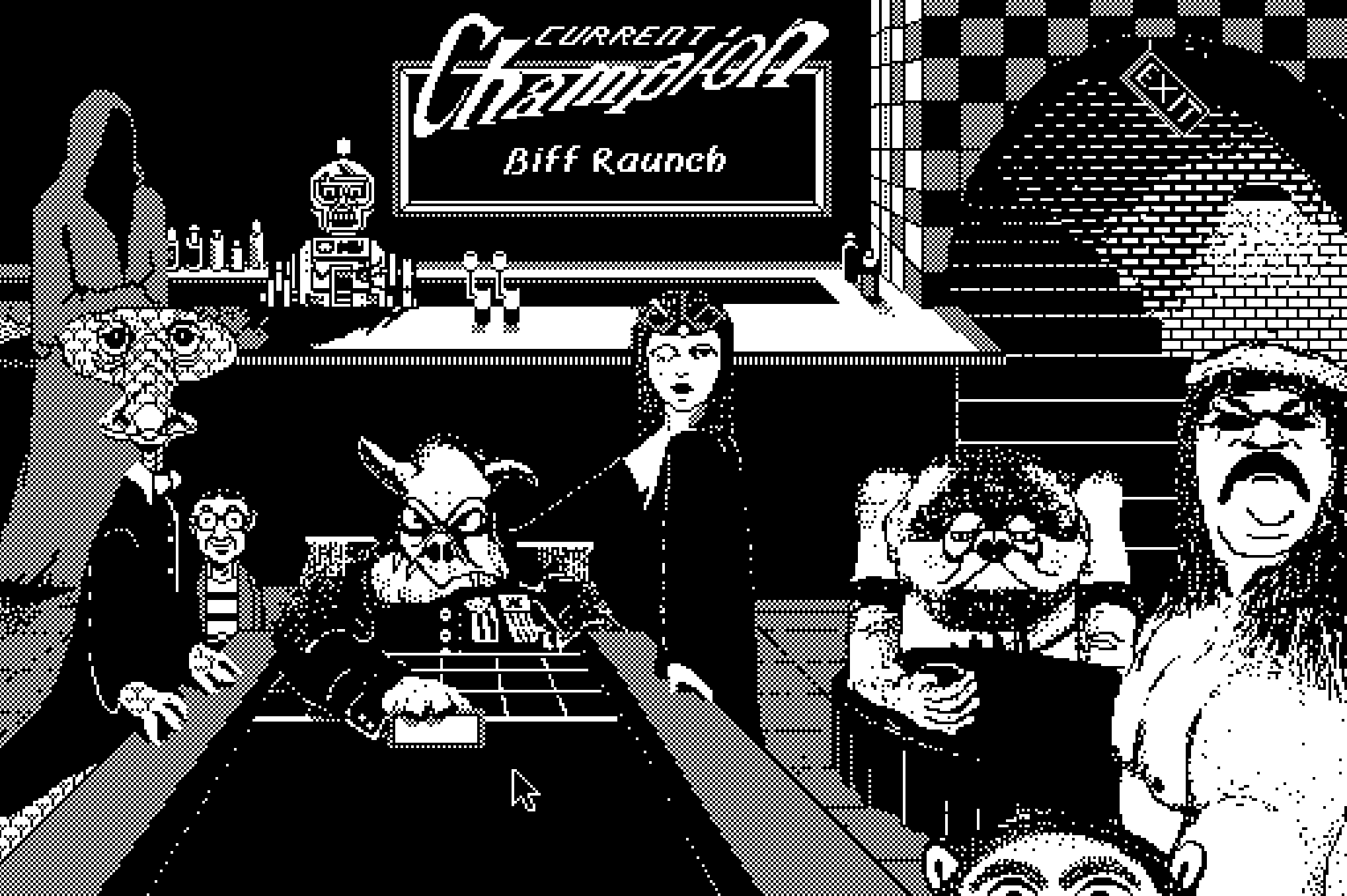
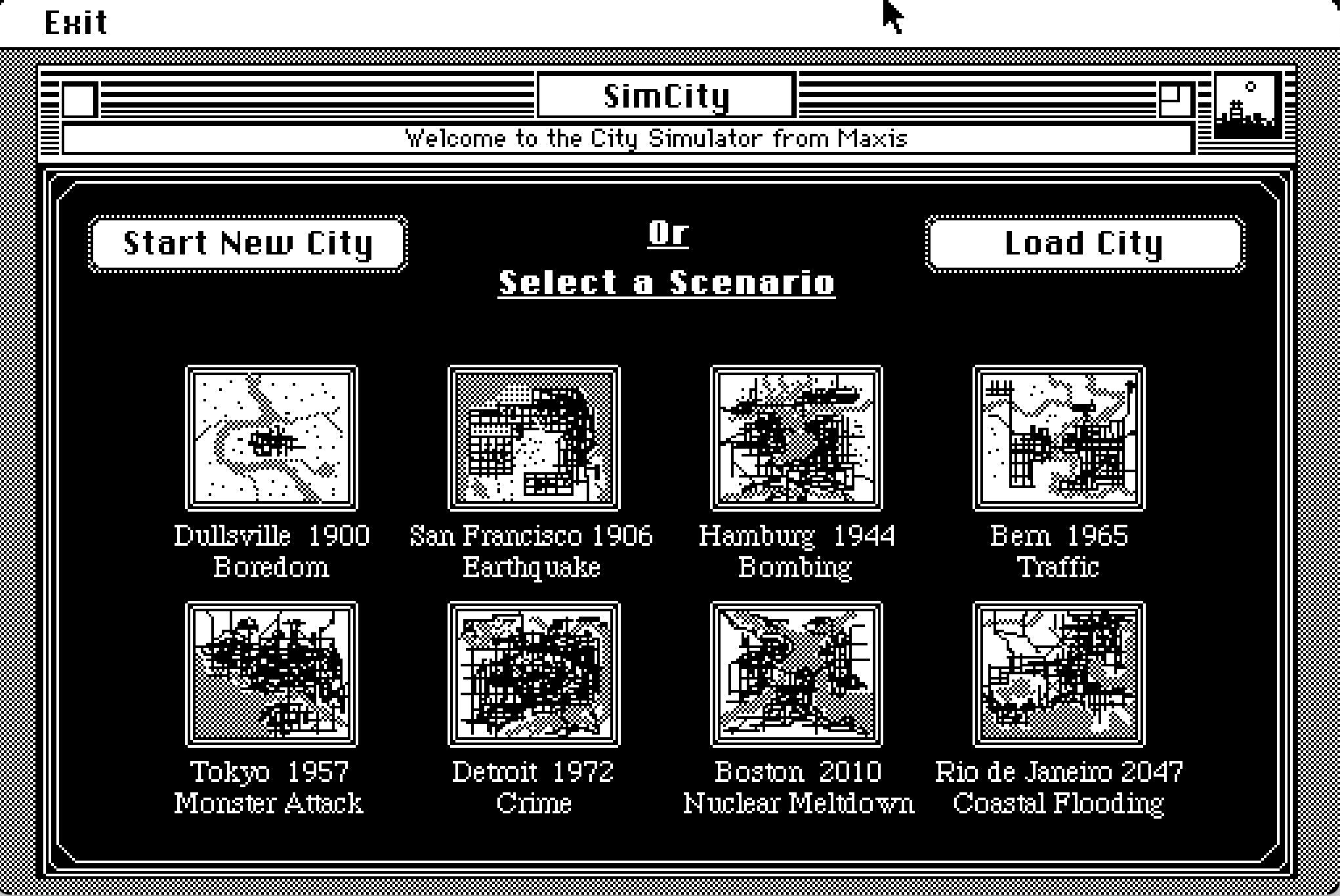
One of my current favourite games is Déjà Vu, which cleverly uses the Mac’s native Finder interface as part of the game itself (there’s something wonderfully meta about it!). Other standouts from the same era include Shufflepuck Café, SimCity, Glider, and Battle Chess, each remarkable in its own way.


4 Nintendo
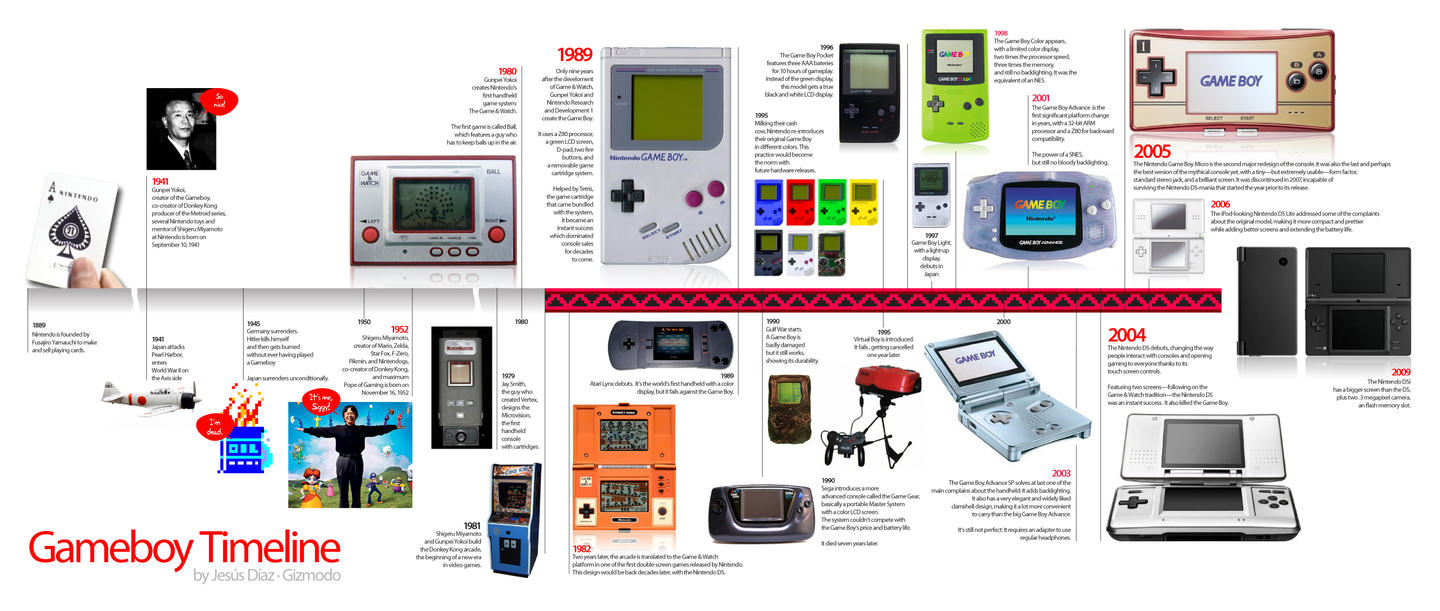
As one of the defining forces in the games industry, Nintendo was producing design strokes of near-genius very early on – Super Mario Bros., the Legend of Zelda series, and a series of inventive hardware.

The best place to explore Nintendo’s history is the Nintendo Museum, and Nintendo’s own website also has a overview at Nintendo History | Hardware. I’m pretty sure there are lots of YouTubers who have made videos about this too.
4.1 Nintendo Switch
Since iOS loosened its restrictions on emulator apps, you can now download a lot of GBA emulators directly from the App Store. But probably the simplest and best way to experience GBA and Famicom games in their most authentic form is through Classic games – Nintendo Switch Online, if you don’t own any old consoles. With a Switch Online membership, you get access to a curated selection of games – mostly in Japanese and English, but even just playing them leaves you in quiet admiration of the design. There’s also an Expansion Pack for the more dedicated.
For me, there’s one particularly welcome feature: these games all support save states and rewind, so less experienced players can still experience as much of the game as possible.
4.2 3DS
Unfortunately, Nintendo Classics hasn’t yet included 3DS titles (probably because the 3DS doesn’t quite feel old enough to qualify). Your options are to use an emulator or to buy a second-hand 3DS. For emulator, Azahar is the currently active one, though I haven’t tried it personally; second-hand 3DS come in a range of models, though most are still priced somewhat higher than I’d hoped. After a long search on the second-hand market, I eventually found one – the screen is slightly yellowed, battery life is poor, certain games trigger crash bugs, and SD card read speeds are painfully slow, but it works (and worth the price).
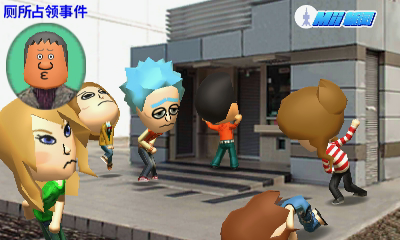
The 3DS game library is super impressive, and many titles make wonderful use of it’s unique hardware: dual screens (top and bottom), glasses-free 3D, a camera and microphone, a circle pad, a stylus. By today’s standards the performance and fidelity are decidedly vintage, but put it all together and the experience still feels inventive and fresh. You’ll find yourself marvelling repeatedly at the ingenuity of the people who designed both the games and the hardware. In my opinion, the 3DS is one platform where buying a physical unit rather than using an emulator really does feel like the right call.
4.2.1 Modding, Installing Games, and System Setup
OasisAkari’s blog has an detailed walkthrough (in Chinese): 3DS Modding – Getting Started
4.2.2 Download 3DS Games
- Chinese-translated releases:
- English releases:
4.3 Game & Watch
Somewhat less well-known, Game & Watch was a series of handheld devices Nintendo produced in the 1980s and 90s, as part digital clock, part simple game machine. One could reasonably call them a distant ancestor of the Nintendo Sound Clock Alarmo™. In 2020, Nintendo released two limited-edition products: Game & Watch: Super Mario Bros. and Game & Watch: The Legend of Zelda, each containing a functional clock, the original Game & Watch minigames, and ports of several Famicom and Game Boy Mario and Zelda titles. Charming things.
Play online:
There are also many fan-made HTML Game & Watch games on itch.io and similar platforms, such as Cuphead: Game And Watch Edition and LCD, Please (the latter is made by Lucas Pope, one of my favourite indie game developers).
5 Conclusion
Looking back, writing this post turned out to be its own kind of rabbit hole. Somewhere in the middle of organising these resources, I ended up replaying a few rounds of Simcity on Mini vMac.
I also realised there’s a particular quality I love about the retro gaming community: players who carefully document everything about a game on wikis and forums – modding guides, fan translations, hardware compatibility lists – not for any obvious reason, but simply because they don’t want those things to disappear, and help others to enjoy them. That instinct feels as worth preserving as the games themselves.
So perhaps this is less a guide than an invitation. If some half-remembered game from childhood suddenly comes back to you on a random weekend – this is a place to start looking for it ;)
我理解的“复古电子游戏”,既包括制作于近几年的复古风格的游戏,也包括发行于90s乃至更早的真正的老游戏。之所以对这些游戏感兴趣以至于想额外找时间游玩,不仅因为多数老游戏体积较小(低配电脑也能运行),价格低廉或无需购买(因为可能只能通过模拟器玩),还因为很多老游戏构建的丰富世界和巧妙的设计时至今日仍令人赞叹,并且有时候还能惊喜地发现你现在钟爱的一款现代游戏的灵感来源。
游戏行业日新月异地变化着,游戏的生产方式也正在不断变化。不仅如此,随着AI技术的发展,游戏制作的门槛在逐渐降低,作为游戏玩家和游戏开发者,我不禁担心粗制滥造品更加横行,越来越难玩到有细节有巧思的好作品。在这种时刻,回顾早年开发者手工制作和优化的游戏或许会给人新的启迪。
不过这篇文章暂且不多谈复古游戏历史,而是更关注有哪些方法和渠道可以让现在的玩家玩到以前的那些好游戏。
1 Retro Gaming Resources
如果只是想浅尝辄止,那么最简单的方式是直接在例如以下的网站在线游玩:
不过,略进阶一点的玩家多数还是会选择本地游玩,因为这样进度可以随时保存,还可以离线游玩,操作效果可能也会更好(比如可以修改键位或者绑定控制器)。以下是部分可以下载游戏的渠道:
- My Abandonware - Download Old Video Games
- bobeff/open-source-games: A list of open source games.
- Mac Source Ports: Games for Apple Silicon and Intel Macs
注意这些页面提供的游戏基本上是已经被开发者开源或者废弃的游戏。已经有更多游戏都被盗版和在线提供,但是本文尽量不对此评价和推荐。
2 GOG
对于想要下载到本地来游玩的玩家来说,GOG.com 无疑是当前最好的老游戏保护和购买平台(他们还有专门的 GOG Preservation Program),也是最方便的合法游玩老游戏的方式。他们不仅有很多steam上没有的good old games,而且最大优点是他们售卖的是 DRM-free 游戏,可以离线游玩而不必像steam一样每次登录。不过有些游戏在steam和GOG上的优化可能会略微不同,即使是同一个游戏,在GOG普遍会没有steam上那么完善的成就系统,可能版本更新也会较迟,一般购买游戏的时候还是要综合对比价格、支持、系统和评论区评价来选择(可以用GOG Database 和SteamDB)。
相比steam客户端,GOG GALAXY更灵活,提供其他平台游戏库存的陈列和下载。不过其实我觉得开源免费的Heroic Games Launcher会更灵活和好用——相比之下,GOG galaxy甚至长期一直有macOS无法正常退出的bug,直到最近的2.0版本才解决,令人难以置信。
2.1 模拟器选择
而对于已经没有正版购买渠道也没有已经编译好的port的游戏来说,这时候就需要下载ROM和各种模拟器了。以下是一些有用的链接:
- Download game ROM: Emulator Games
- Starter Guide for many devices: Retro Game Corps
| Emulators | Platform | Notes |
|---|---|---|
| RetroArch | Windows, Linux, macOS, iOS, Android, and more | 支持范围很广的通用模拟器 |
| OpenEmu | macOS | 可以模拟大量主机 |
| DOSBox-X | Windows, Linux, macOS, and DOS | DOS emulator |
| Boxer | macOS | DOS game emulator |
| ScummVM | Windows, Linux, macOS, iOS, Android, and more | 游戏阵容不多,不过开发很积极 |
我一直对MacBook“不适合游戏”这件事耿耿于怀:屏幕、音响素质优秀、性能不错、续航超强,这些都本应该至少满足非3A游戏爱好者的需求。可惜很多游戏在macOS上出于种种原因未能进行适配。不过对于复古游戏来说,macOS的适配其实还算勉勉强强——除了前面提到的不少模拟器都支持mac以外,也有类似于Mac Source Ports等游戏资源平台,也可以通过 Porting Kit自己转换GOG和Steam里面的部分游戏为macOS支持的格式。不过由于macOS很早就不再支持32位软件,因此还有一批不新不旧的游戏依旧无法游玩。
Windows系统上(一如既往)很多老游戏都可以直接游玩,或者很轻易就可以下载到已经被其他玩家转换好的版本。对于剩余的游戏,用 RetroArch 来模拟也是一个很好的选择。
3 Classic Macintosh Games
不过早年的macOS可并没有“不适合游戏”的说法,现在我们还可以用 macintosh 模拟器体验到很多当年的mac游戏。
Getting Started (WIP) - Macintosh Repository 是一个特别好的综合介绍,我自己选择的模拟器是Mini vMac,因为最喜欢 Macintosh system7那种黑白的极简设计。下载安装好后,可以在Macintosh Garden找到很多Macintosh游戏和软件。
我个人目前最喜欢的游戏是Déjà Vu,因为它很巧妙地使用了mac自带的文件管理系统来进行游戏,有一种很meta的感觉。同一时期的Shufflepuck Cafe、simcity、Glider、BattleChess也都各具特色,令人赞叹。
4 Nintendo
作为游戏行业的领先者,在游戏开发很早期,Nintendo就已经产出了很多设计上颇为天才的好游戏,例如《超级马力欧兄弟》《塞尔达传说》系列,以及同样富有创意的硬件。要了解任天堂的历史,最好的地方莫过于Nintendo Museum,他们自己官网也有历史介绍Nintendo History | Hardware。
4.1 Nintendo Switch (and 2)
自从iOS开放了模拟器类型软件的限制,现在有大量GBA模拟器可以在应用商店下载到。不过想要原汁原味地玩到GBA、FC等主机上的游戏,最简单和或许是最好的方法是通过Classic games – Nintendo Switch Online,如果你手上没有这些主机的话。只要有NS会员就可以玩到一系列精选游戏,虽然几乎都是日语英语为主,但玩起来还是深感设计精妙。如果是发烧友还可以购买expansion pack。一大优点是这些游戏都提供了随时存档和回溯功能,手残党也可以更方便地尽可能多体验到下一关的游戏内容。
4.2 3DS
不过较为可惜的是,目前Nintendo Classics没有把3DS游戏包含在内(可能因为3DS还不算特别老的主机),只能自己用模拟器或者直接购买二手机器。如果想下载3DS模拟器游玩,目前还在积极维护的是azahar,不过我并没有尝试过。二手3DS有各种型号可以选择,不过截止目前多数机型的价格都有点过高。我之前在二手网站浏览许久淘得一台,虽然屏幕略微发黄,整体还是能够正常使用,为数不多的缺点是:续航较差、部分游戏会触发死机 bug、SD 卡读取速度超级慢。
3DS 上的游戏阵容相当豪华,而且很多游戏都对其硬件有良好的适配,乃至可以利用各种独特的硬件特性进行游戏——上下双屏、裸眼 3D、摄像头+麦克风、圆环摇杆和触控笔……尽管现在来看性能和效果只能说是复古,但组合起来依旧给人新颖的游戏体验,边玩边反复赞叹当年游戏开发和硬件设计者的天才。从这个角度来说相比其他主机,3DS真的很适合购买实体机器游玩而不是用模拟器。
4.2.1 破解、安装游戏、系统
OasisAkari 在其blog里有特别详细的介绍,可以直接参考:3DS破解-开始 | 一只火狐的杂物间 #### Download 3DS Games
- 中文翻译版3DS ROM下载:
- English
4.3 Game & Watch
相对没有那么有名的,Game & Watch 是任天堂上世纪八九十年代推出的一系列掌上硬件,既可以作为普通的电子时钟,也可以游玩一些简单的游戏,想来也可以算是Nintendo Sound Clock Alarmo™的祖辈。在2020年,任天堂推出了两款限定产品:Game & Watch: 超級瑪利歐兄弟|任天堂和Game & Watch 薩爾達傳說|任天堂,不仅包含了可以玩的时钟、game & watch小游戏,还把Famicom和gameboy版本的几个马力欧和塞尔达游戏移植了进来,算是很有意思的产品。
在线游玩:
如果感兴趣,也可以在itch.io等平台上玩到很多HTML版本的粉丝制作的game and watch游戏,例如 Cuphead: Game And Watch Edition。
5 小结
写这篇文章最初只是为了把自己平时用的模拟器和平台总结一下,结果不知不觉越写越多——其实写作时间不长,但中间跑去用Mini vMac玩了几局Simcity。
我还意识到复古游戏社区有一种我特别喜欢的品质:玩家们在wiki和论坛上仔细记录有关游戏的一切——修改指南、粉丝翻译、硬件兼容性列表——不是出于任何其他功利的原因,而只是因为他们不希望这些好游戏消失,并想要更多人可以体验到它们。我想这种行动背后的精神和游戏本身一样值得保留。
所以,这也许与其说是一份指南,不如说是一份邀请。如果某个从童年模糊的记忆中钻出的游戏在一个随机的周末突然回到你脑海中,你或许可以从本文提供的方式中寻找到它;)